Operating the RoadTrip MiniMax Antenna
Maintenance
MiniMax Antenna 16
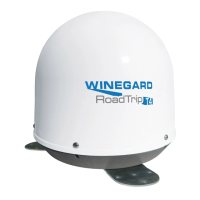
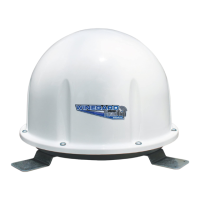
The RoadTrip MiniMax antenna is designed to be maintenance free. However, it
is a good idea to clean the dome from time to time with a soft cloth, water and
dish soap.
Turn on the receiver and television set. The RoadTrip antenna must be
connected to a receiver plugged into 120VAC.
Verify that you are getting the receiver menu screens on the television. These
screens are available with or without the dish finding the signal.
Turn the power switch on for the RoadTrip antenna. Within 10–15 seconds
the dish will begin moving and should make one or two revolutions during
startup. During this process, it is normal to hear a slight grinding sound as
the unit checks its rotational limits. This does not harm the unit. A stationary
system will now begin searching for satellites. An In-Motion system will
pause to acquire GPS.
Once the dish begins its search, it pauses on signals long enough to
determine which satellite it has found. If it moves off of the signal, it is an
effort to verify the signal and should return shortly.
After an In-Motion system has verified the correct satellite, it will continue to
track the signal. The In-Motion unit will go into “Sleep Mode” if the vehicle is
stationary for six minutes. This involves a quick verification process where
signal may be lost, then return to the signal and be silent.
If the vehicle begins moving greater than 10 MPH, the In-Motion MiniMax
antenna will resume tracking mode.
If you do not have signal, see “Troubleshooting” on page 17.
Note: there are certain areas within the U.S. where the RoadTrip MiniMax antenna
may experience limited or no coverage of the 129° satellite for HD programming.
DISH home coverage has the same limitations. Problem areas include
Washington, Oregon and California, but limited coverage may extend past these
areas. Contact DISH for additional coverage questions (888-825-2557).
1
2
3
4
5







 To Next Page