37
Chapter 3 BIOS Description
NF4K8AB Series User Manual
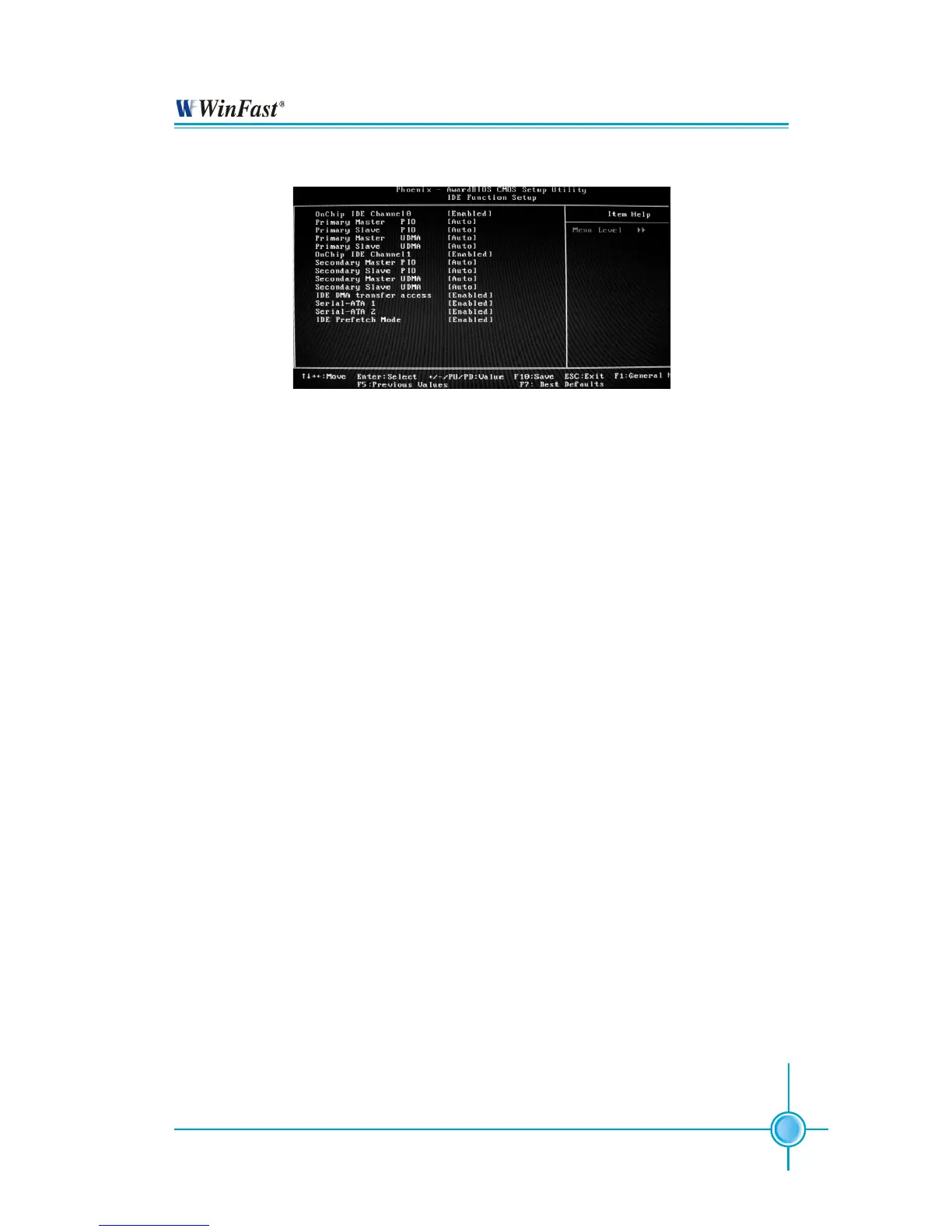
IDE Function Setup Menu
OnChip IDE Channel 0 (Default: Enabled)
This option is used to set the onchip IDE channel 0/1. The available setting
are: Disabled and Enabled.
Primary/Secondary Master/Slave PIO (Default: Auto)
These two items let you assign which kind of PIO (Programmer Input/Output)
is used by IDE devices. Choose “Auto” to let the system auto detect which PIO
mode is best, or select a PIO mode from 0-4.
Primary/Secondary Master/Slave UDMA (Default: Auto)
UItraDMA technology provides faster access to IDE devices. If you install a
device that supports UItraDMA, change the appropriate items on this list to
Auto. The available setting values are: Disabled and Auto.
IDE DMA transfer access (Default: Enabled)
This option is used to enable or disable IDE DMA transfer access.
Serial-ATA 1/2 (Default: Enabled)
This option is used to enable or disable Serial-ATA 1/2.
IDE Prefetch Mode (Default: Enabled)
This option is used to enable or disable IDE Prefetch Mode.


 To Next Page