36
Chapter 3 BIOS Description
NF4K8AB Series User Manual
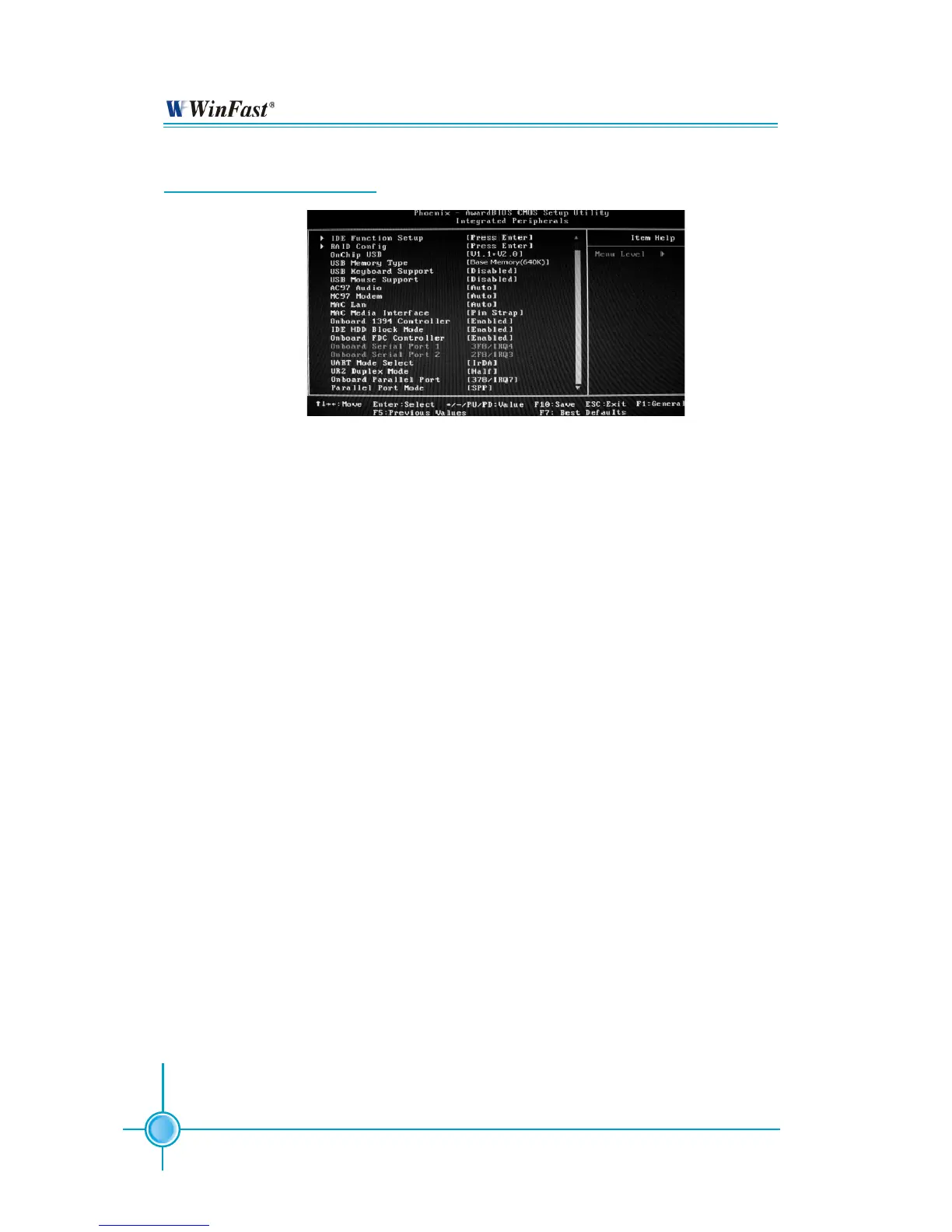
Integrated Peripherals
Integrated Peripherals Menu
IDE Function Setup
Press <Enter> to set the items about IDE function. Please refer to page 37.
RAID Config
Press <Enter> to set RAID Config. Please refer to page 38.
Onchip USB (Default: V1.1+V2.0)
This item is used to enable or disable the onboard USB controller.
Selecting V1.1+V2.0 enables the system to support both USB 1.1 and USB
2.0 specification.
USB Keyboard/Mouse Support (Default: Disabled)
These items are used to set whether the USB keyboard/mouse controller is en-
abled in a legacy operating system (such as DOS).
AC97 Audio (Default: Auto)
This option is used to set whether onboard AC97 Audio is enabled. Dis-
abled the controller if you want to use other controller cards to connect an
audio device.
MC97 Modem (Default: Auto)
This item is used to set whether onboard MC97 modem is enabled.
MAC Lan (Default: Auto)
Setting to Auto allows the BIOS to auto-detect the NVIDIA LAN controller and
enable it.
Onboard 1394 Controller (Default: Enabled)
This item allows you to enable or disable the onboard IEEE 1394 controller.


 To Next Page