60
Chapter 5 NVIDIA RAID Introduction
NF4K8AB Series User Manual
Installing the RAID Driver (for bootable RAID Array)
1. After you complete the RAID BIOS setup, boot from the Windows CD, and the Windows
Setup program starts.
2. Press F6 and wait for the Windows Setup screen to appear.
3. Specify the NVIDIA drivers:
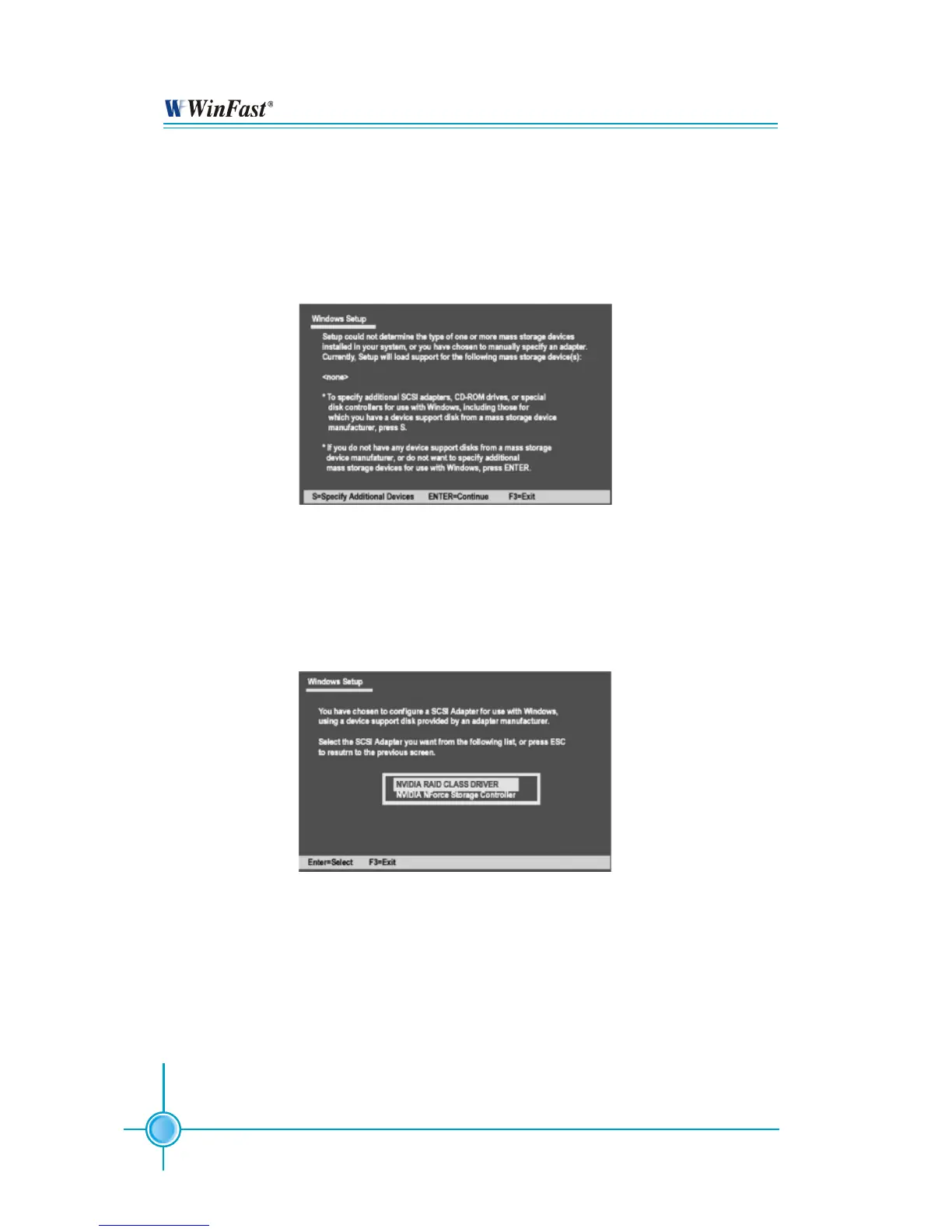
(1) Insert the floppy that has the RAID driver, press S, then press Enter. The Windows Setup
screen appears as below:
(2) Select “NVIDIA RAID CLASS DRIVER” and then press Enter.
(3) Press S again at the Specify Devices screen, then press Enter.
(4) Select “NVIDIA NForce Storage Controller” and then press Enter. The following Windows
Setup screen appears listing both drivers:


 To Next Page