41
Chapter 3 BIOS Description
NF4K8AB Series User Manual
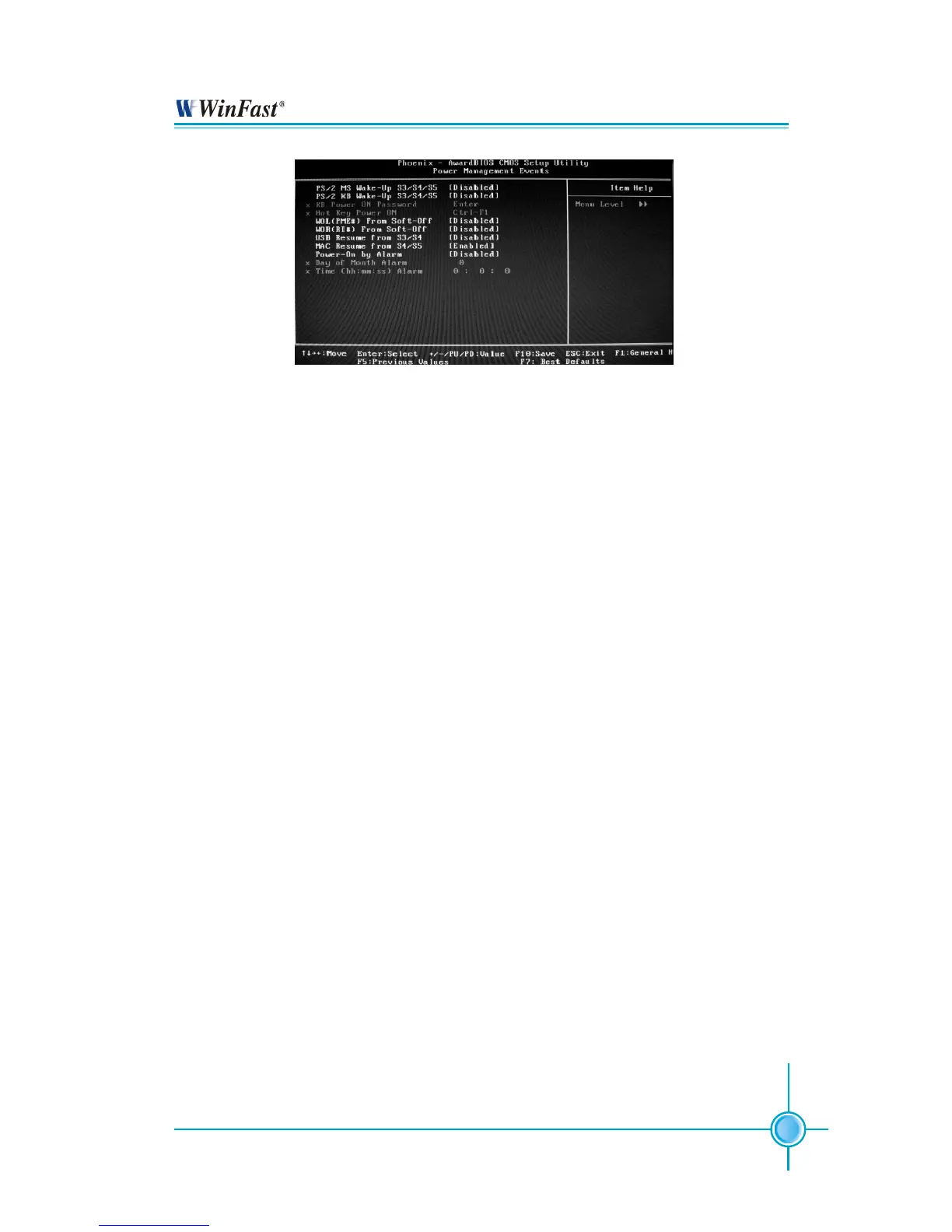
Power Management Events Setup Menu
PS/2 MS WakeUp S3/S4/S5 (Default: Disabled)
This option is used to set the wake up by PS/2 mouse. The setting values are:
Disabled, Any Action, Double Click.
PS/2 KB WakeUp S3/S4/S5 (Default: Disabled)
This option is used to set the wake up by PS/2 keyboard. The setting values
are: Disabled, Password, Hot KEY, Any KEY, Keyboard 98.
KB Power ON Password (Default: Enter)
When the PS/2 KB WakeUp S3/S4/S5 set as Password, use this item to set
the password.
Hot Key WakeUp (Default: Ctrl-F1)
When the PS/2 KB Wake Up S3/S4/S5 set as Hot KEY, use this item to set the
hot key combination that turns on the system. The available setting values
are: Ctrl+F1-F12.
WOL (PME#) From Soft-Off (Default: Disabled)
When set to Enabled, the feature allows your system to be awakened from the
power saving modes through any event on PME (Power Management Event)
WOR (RI#) From Soft-Off (Default: Disabled)
If this item is enabled, it allows the system to resume from a software power
down or power saving mode whenever there is an incoming call to an in-
stalled fax/modem. This function needs to be supported by the relevant hard-
ware and software.
USB Resume From S3/S4 (Default: Disabled)
This item is used to set the system to wake up by USB equipment when it is
in S3/S4 mode.


 To Next Page