58
Chapter 5 NVIDIA RAID Introduction
NF4K8AB Series User Manual
2. Press Y if you want to wipe out all the data from the RAID array, otherwise press
N. You must choose Yes if the drives were previously used as RAID drives.
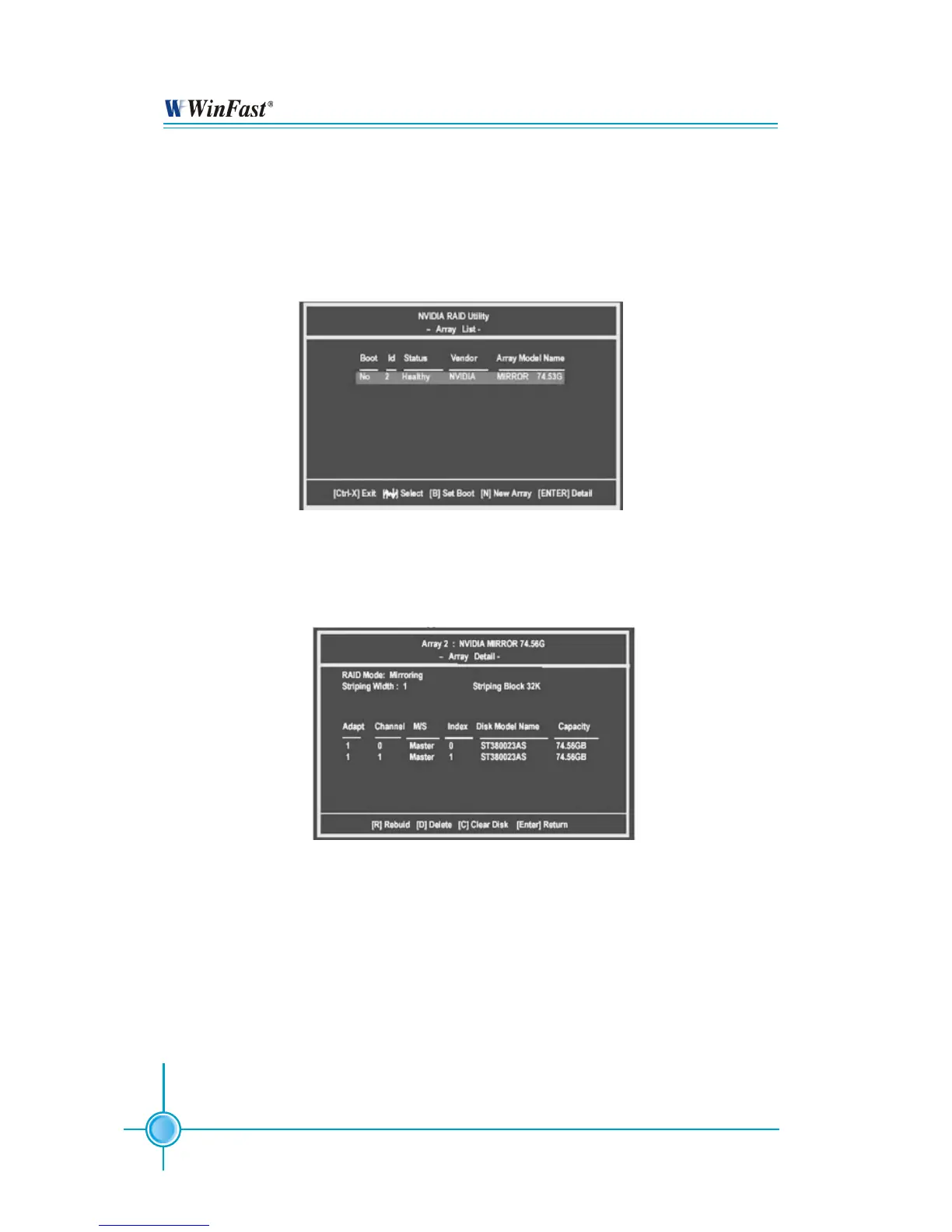
The Array List window appears, where you can review the RAID arrays that you
have set up.
3. Use the arrow keys to select the array that you want to set up, then press Enter.
The Array Detail window appears.
4. If you want to mark this disk as empty and wipe out all its contents then press C.
5. At the prompt, press Y to wipe out all the data, otherwise press N.
6. Press Enter again to go back to the previous window and then press [Ctrl+X] to
exit the RAID setup.


 To Next Page