Quick Start Guide
Use the steps below as a guide to quickly set up your camera so it will function using the
factory default settings.
STEP 1
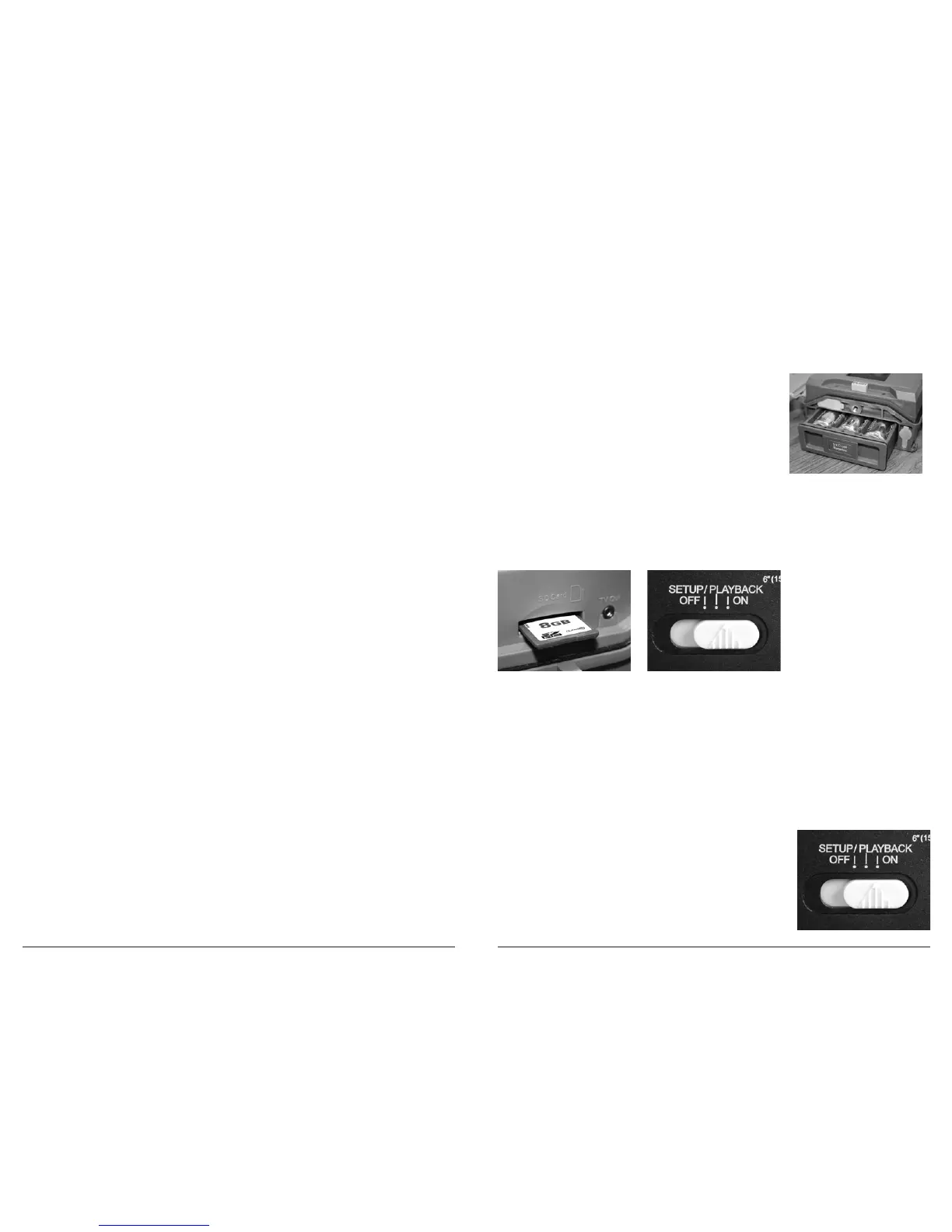
Open camera cover. Press the Battery Chamber Release button. Install 6 C-cell alkaline
batteries. Recommended for use: Duracell
®
or Energizer
®
batteries. Reinsert the Battery
Chamber into the camera until you hear an audible click.
Rechargeable batteries are not recommended.
Do not use lithium batteries.
STEP 2
Insert SD Memory Card (label side up) until you hear an audible click. Camera will not
operate without SD Card. Slide the power switch to ON. Silde the Switch to the
SETUP/PLAYBACK position and set the time and date by pressing the LEFT button
until TIME/DATE appear on screen. Press OK to begin entering the Time and Date,
using +/- buttons to adjust the values and LEFT/RIGHT to move between fields.
STEP 3
Mount Camera in desired location using a mounting
strap or other accessories offered by Wingscapes
(visit www.wingscapes.com for more information on
mounting accessories).
STEP 4
Slide the power switch to the ON position.
The camera will operate using default settings
for the respective mode selected. You may also
customize the settings if desired. Press the Right (>)
button to begin filming.
System Requirements
OS:
Microsoft
®
Windows
®
XP with Service Pack 2 or Service Pack 3
(recommended); Windows Vista
®
Home Premium, Business,
Ultimate, or Enterprise with Service Pack 1; or Windows 7
Hard disk space: 100MB or above
CPU: Intel
®
Pentium
®
4 or AMD Athlon® 64 processor or above
Memory: 1GB of RAM
Specifications
Operational Mode Playback / Setup / Timelapse
Resolution 10.0 MP
Still Resolutions JPEG
Low 1280 x 720, Medium 2304 x 1296, High 3008 x 1692,
Enhanced 4224 x 2376
Video Resolutions AVI
VGA 640 x 480 with audio on/off
HD 1280 x 720 with audio on/off
Video Length 5, 10, 30, 60, 90 seconds (Night: 5, 10, 30 seconds)
Image Output USB Out, SD Card, TFT Display
Housing Weather-resistant and lockable
Display Thin Film Transistor (TFT)
SD Memory Card Up to 32 GB SD card (not included)
Format JPEG - Still pictures, AVI - Video clips
USB Output Requires PC / MS Windows XP / Vista / 7
Time Lapse lnterval 10 sec, 30 sec; 1, 5, 10, 15, 30 mins; 1, 2, 3, 6, 12, 24 hrs
Time Lapse ON/OFF 2 Programs
Standby Time 300 Days
Run Time 180 days
Time Lapse Run Time 90 hours /
(based on 30 seconds interval and 9 hours operation)
Focus 6” - Infinity
Flash Type 24 LEDs
Flash Range 5’- 60’
Info Strip Moon Phase / Temperature / Camera Name / Date / Time
Power Supply 6 C-Cell Alkaline batteries (not included)
External Power port 12V
Size 6.9” x 5.4” x 2.8”
Page 20
TimelapseCam Pro User Guide
Page 5
TimelapseCam Pro User Guide


 To Next Page