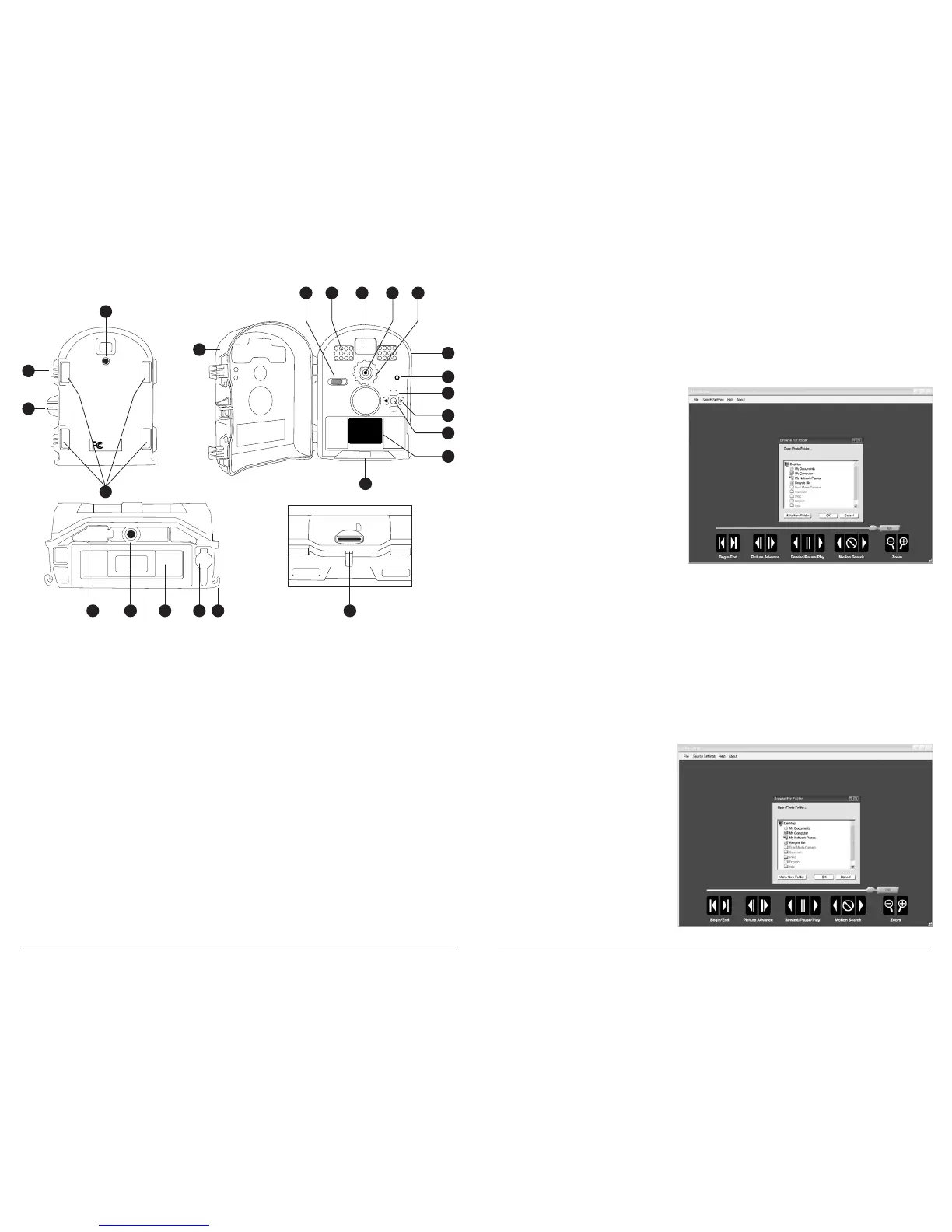
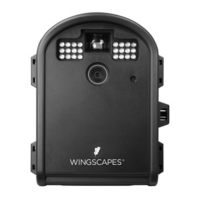
Product Overview
1 Security Lock Hole
2 Cover Latch
3 Tree Mount Socket
4 Front Cover
5 OFF / SETUP/PLAYBACK / ON
6 LED Flash
7 Viewfinder
8 Lens
9 Focus Range Setting
10 Water-Resistant Seal
11 Microphone
12 Up / Down Buttons
13 Left / Right Buttons
14 OK / Select Button
15 TFT Display
16 Battery Chamber Release Button
17 Mounting Strap Slots
18 SD Card Slot
19 Cord Strain Relief
20 12V DC Power Port
21 Battery Chamber
22 Tripod Socket
23 USB Out Port
OK
EJECT
+
-
USB Out
6 x C-cell
Batteries
SD Card
1
2
3
4
5 6 7 8 9
10
11
12
13
14
15
16
18
17
1923 22 2021
Download Images
1. Double-click on Time Lapse
Icon to open the software.
2. Click on File -> Open Photo Folder
3. Browse through your files to
the folder where the images you
wish to view are stored.
4. Once the folder is selected, click OK.
5. The images saved in the folder are
now available to view through
the Time Lapse Software.
INTRODUCTION
In time lapse photography a series
of still photos are taken at regular
time intervals. The PlotStalker
Software allows you to load the
time lapse le that was captured
from your Moultrie Game Camera
and scroll backward and forward
through your photos, single step,
search for activity in a designated
area, and save the les.
SYSTEM REQUIREMENTS
Computer: Intel® Pentium® 4 or AMD Athlon® 64 processor or above; 1GB RAM minimum;
100 MB hard disk space minimum.
Operating System: Microsoft® Windows® 32 bit - XP with Service Pack 2 or later; Windows Vista®
Home Premium, Business, Ultimate, or Enterprise with Service Pack 1;
or Windows 7
SOFTWARE INSTALLATION
Download your free Time Lapse software at www.moultriefeeders.com/timelapsesoftware
NOTE: When installing this software, you must be logged in as an Administrator.
Time Lapse Software
Page 8
TimelapseCam Pro User Guide
Page 17
TimelapseCam Pro User Guide


 To Next Page