2019
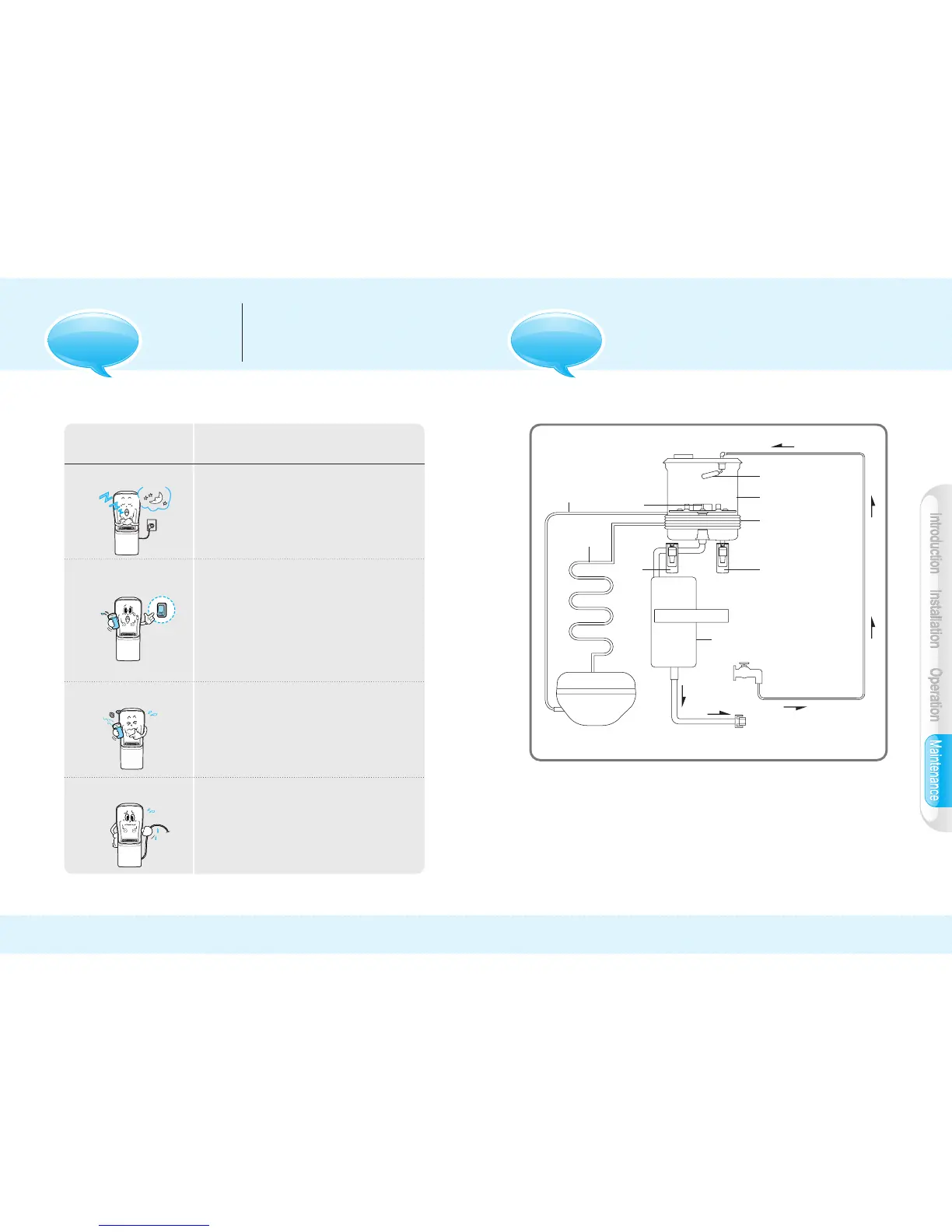
Radiator
(condenser)
Evaporator
Cold water button
Heater
Faucet water
Compressor
Drain
Hot tank
Drip tray
Hot
water
safety
button
Cold tank
Double float
Capillary tube
Baffle plate
▶
Make sure product is correctly plugged-in.
▶
Make sure Water Supply valve is open.
▶
Make sure Water Supply tubing is straight.
▶
Make sure water level is not too high in the
cold water tank
Water cannot be dispensed
Hot water & cold water
Strange taste or smell
Noise or leakage
Water is not cold
▶
make sure product is plugged-in
▶ make sure Water Cooling System switch is On
▶
make sure you do not dispense cold water continuously
and wait for 20-30 minutes before retrying
Water is not hot
▶
make sure product is plugged-in
▶ make sure Water Heating System switch is On
▶
make sure you do not dispense hot water continuously
and wait for 5-10 minutes before retrying
▶
Make sure you use Winix Water Filters and
replace them regularly.
▶
Make sure you drain water once a month
if you do not use your Water Cooler regularly
▶
Make sure inside Cold Water tank is cleaned
regularly
ISSUE POTENTIAL SOLUTION
Strange noise occurs
▶
Make sure floor is flat and even
▶
Make sure than no foreign object has been
left on or inside the product
Water Leakage
▶
Close Water Supply and call your service
dealer
FAQ &
TROUBLESHOOTING
For any questions or
concerns, please contact
your Service Dealer.
PIPING DIAGRAM


 To Next Page