11
The terms of the warranty are as follows:
1.
This product is manufactured under stringent
quality control and inspections.
2.
The warranty will be voided if product failure is a
result of negligence or misuse by the consumer.
3.
A proof of purchase must be presented upon
claiming a Product Warranty.
4.
Store the proof of purchase in a safe place or
register your product on winixeurope.eu to upload
your proof of purchase.
5.
This warranty is valid only in the Europe.
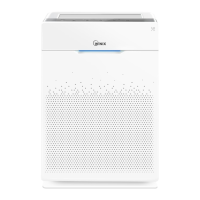
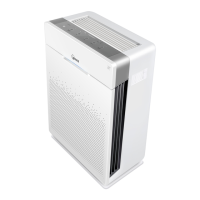
Product Name Air Purifier
Model Name AZSU350-JWE
Purchase Date
Warranty period Two (2) Years
Place of purchase
Place of Purchase tel.
Customer
Address
Name
Tel.
The unit does not turn on at all
•
Is the plug securely attached to the outlet?
-
Make sure the outlet has power going to it, and
ensure the plug is secured.
•
Is there a power outage?
-
Check to see if other lights and electrical
equipment are working and try again.
The unit doesn’t work in Auto Mode
•
Has Auto Mode been selected?
-
Press the Fan Speed button until Auto Mode is
selected.
•
Is the sensor blocked or clogged?
-
Clean Dust Sensor with vacuum cleaner.
It vibrates and makes a lot of noise
•
Is it running on a slanted or uneven surface?
-
Move the unit to a hard, flat, even area.
The power plug and outlet feel hot
•
Is the plug securely plugged in?
-
Make sure the plug is properly plugged into the outlet.
There is a strange smell
•
Is it being used in a place with a lot of smoke, dust,
or odors?
-
Clean the air intakes on either side and clean the
Pre-Filter.
-
Replace the Active Carbon Filter and the True HEPA
filter.
The fan strength is weak. The unit is not purifying the air
•
Is the Check Filter Indicator light on?
-
Change the filters as required.
The display panel is dim
•
Is the Light Sensor blocked by debris?
-
When Auto Mode is on, Sleep Mode is
automatically activated when the Light Sensor
detects that the room is dark.
FREQUENTLY ASKED QUESTIONS
PRODUCT WARRANTY



 To Next Page