SECTION 3 –
DRIVING YOUR MOTOR HOME
3-6
PARKING BRAKE –
AUTOMATIC/PULL-BUTTON
Workhorse™ Chassis 18,000 lbs. GVWR
This chassis is equipped with parking brakes
that apply automatically when the transmission is
shifted into Park.
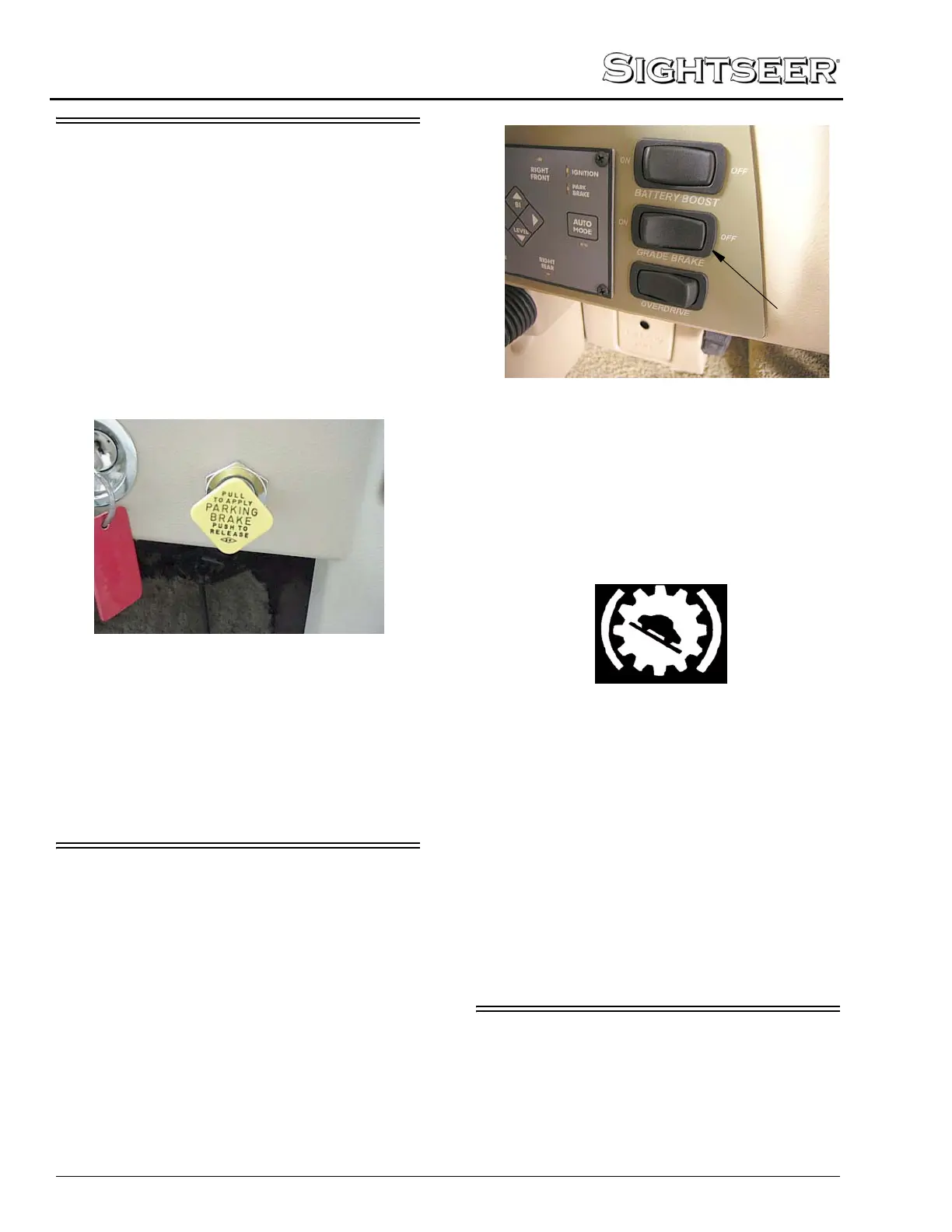
The pull-button parking brake knob is located
on the dash to the right of the steering column.
The pull-button knob can be used to apply the
park brake when the coach is in neutral or any
gear other than park.
NOTE: Never drive your vehicle with the
parking brake set. It will reduce parking
brake effectiveness and cause excessive
wear.
Further Information
See the chassis manual in your InfoCase for
further information.
GRADE BRAKE
Workhorse™ 22,000 GVWR chassis and
greater only
This feature will enable the transmission to
control the speed of the vehicle on long downhill
grades to help avoid brake overheating and
unnecessary brake wear.
To Activate the Grade Brake
• Press the Grade Brake switch on the left side
of the dash to activate the feature.
• A green icon will appear on the instrument
cluster when the grade brake system is active.
Grade Brake Symbol
• Press and release the brake pedal once - the
grade brake will downshift the transmission a
gear to help control the vehicle speed.
• Press the accelerator to reset the transmission
to shift normally until the next time you press
the brake pedal.
• Turn the Grade Brake system off when not on
steep or long downhill grades.
The grade brake has a built-in, self-protection
feature that will not allow the transmission to
downshift at high speeds, which could damage
the transmission or engine if downshifted.
OVERDRIVE SWITCH
Workhorse™ 22,000 GVWR chassis and
greater only
The Overdrive Switch allows you to
deactivate the automatic overdrive feature of the
transmission when necessary.
Grade Brake Switch
-Typical View




 To Next Page