8-1
5 - DASH / AUTO
SECTION 8 – ENTERTAINMENT
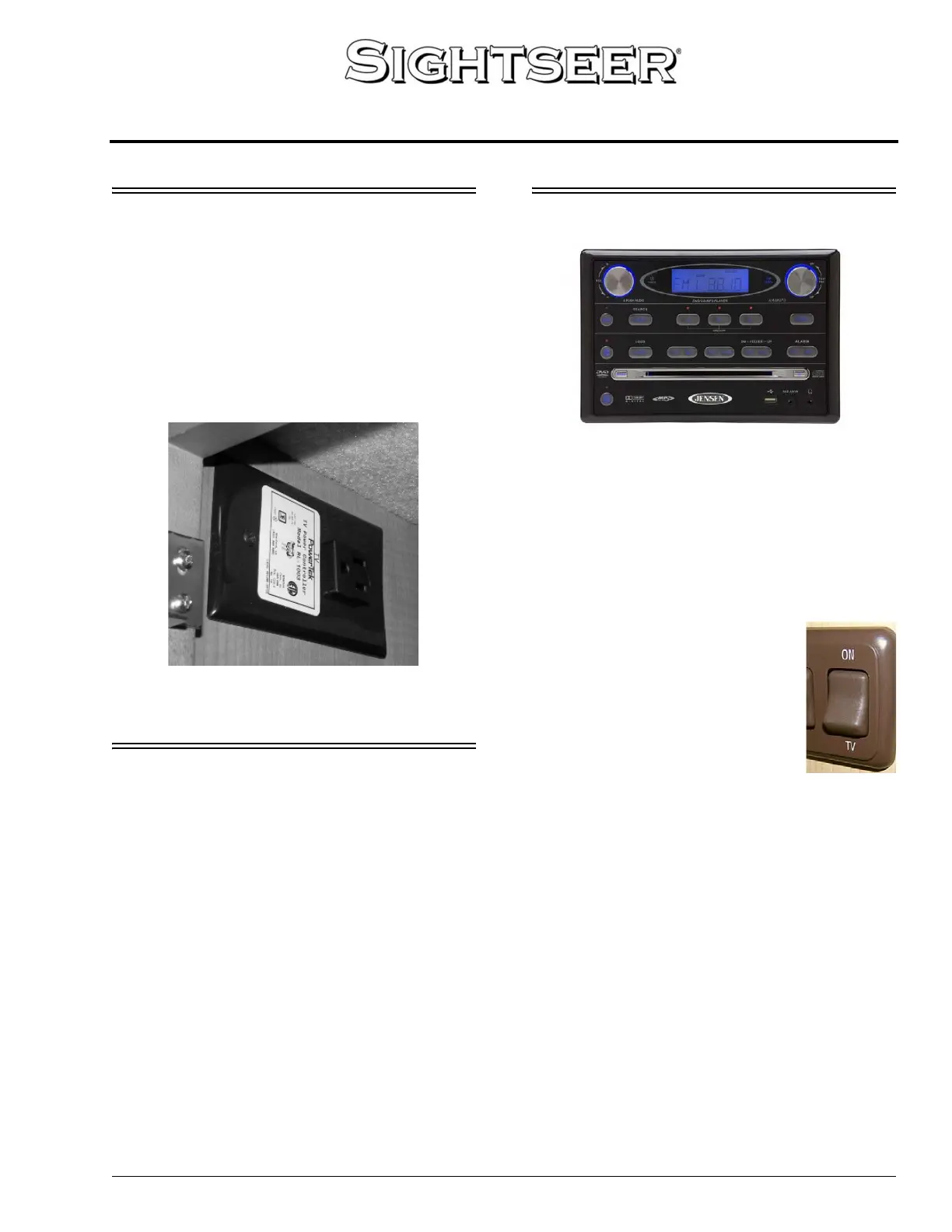
FRONT TV IGNITION SWITCH
INTERLOCK
–If Equipped
If your coach is equipped with a front
overhead TV, it is plugged into a special
electrical outlet with a built-in ignition switch
interlock. The device allows the front overhead
TV to operate only when the ignition key is in the
Off or Accessory positions.
AUDIO-VIDEO SYSTEM BASIC
OPERATION
NOTE: For your convenience, we have also
included a handy, tear-out version of this
“A/V System Basic Operation” guide in
Section 8 of your Operator’s Manual
Supplement.
See your InfoCase for specific operating
guides for audio and video components.
DVD PLAYER
The DVD player is connected to the TV and
plays through the TV stereo speakers or the
deluxe sound rear radio speakers in the lounge
area of the coach.
Provide 12V Power
The 19” TV and DVD player operate on 12-
volt DC current.
• Turn on the 12-Volt Master
Power (TV) switch, located in the
video cabinet near the TV.
NOTE: When the TV is not in use,
the TV Master Power switch
should be turned off to avoid
drain on the 12-volt house
battery.
Set TV Sound Output
• Use the TV Menu button to set TV audio
output to Variable Audio Output. (See TV
owner’s manual for instructions.) This will
connect TV stereo sound output to the deluxe
speakers in the lounge area.
• Volume is adjusted with the TV remote or
volume buttons.
Set TV Video Input
• Turn TV and DVD player On.
• Press the SOURCE button on the TV or TV
remote to select “INPUT 1.”
• The TV screen will display the DVD player
logo when the correct input is selected.
Front TV Ignition Switch Interlock
-Typical View




 To Next Page