2
Table of contents
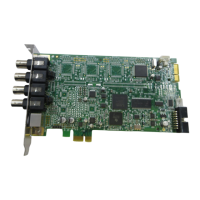
Videum 3
System Requirements 4
Hardware Installation 5
Software Installation 12
Multi Board 15
Videum Capture 16
Capturing an Audio, Video Clip, or Still Image 24
Adding Clips to Documents 26
Video Mail 28
Video Telephony 36
Time Lapse Video 30
Stop Motion for Animations 31
WebCam 32
Remote Video Control 34
Insignia 35
Videum Configure 36
Multimedia (capture panoramic images) 38
Security (face recognition and motion detection) 39
ActiveX Controls 40
Troubleshooting 41
Technical Specifications 45
© 1999 Winnov. All rights reserved.
Videum is a registered trademark of Winnov. VideumCam, Videum AV, Videum VO,
VideumCam Traveler, VideumCam Desktop, Videum Conference Pro, and Videum USB PC
Video Camera are trademarks of Winnov. Windows and Video for Windows are trademarks of
Microsoft Corporation. Pentium is a trademark of Intel Corporation. Other trademarks
mentioned in this document are owned by their respective companies.
No part of this document may be photocopied, stored in a retrieval system, transcribed, or
reproduced by any method, either mechanical, electronic, photographic, or otherwise
without prior written permission from Winnov.
Winnov continuously improves and updates the products described in this document to
suit the needs of our customers. The contents of this document and the specifications of
the hardware devices and software described in this document are subject to change at
any time without notice.
Winnov makes no warranty of any kind with regard to this material, including, but not
limited to, implied warranties of merchantability and fitness for a particular purpose.



 To Next Page