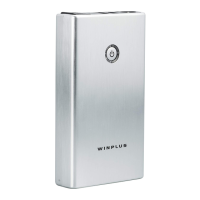
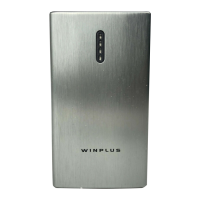
The Winplus Jump Starter Pro (Model: AC55717) is a portable device designed to jump start 12-volt vehicle batteries and charge USB devices, while also offering integrated lighting functions.
Function Description:
The primary function of the Jump Starter Pro is to provide a portable power source for jump starting vehicles with 12V batteries. It comes with jumper cables featuring safe and smart protection. Additionally, it serves as a power bank for charging USB devices, offering two USB output ports. The device also includes an LED spotlight and a lantern light for illumination, along with a hazard light and flash mode.
Important Technical Specifications:
- Product Dimensions: 9.2 x 6.9 x 3.1 inches (233 x 177 x 79 mm)
- Product Weight: 2.425 lbs (1100g)
- Internal Battery: Lithium-Ion
- Capacity: Up to 12000 mAh (3.7V)
- Input Voltage: 5V 2A/ 9V 1.7A via Car Adaptor
- USB Output Voltage: 5V (2.4A + 2.1A)
- Jump Start Current: 350A - 500A
- Operating Temperature: -4°F ~ 104°F (-20°C ~ 40°C)
- Storage Temperature: -4°F ~ 104°F (-20°C ~ 40°C) Avg. Temp.
- Charging Temperature: 32°F ~ 104°F (0°C ~ 40°C)
- Charging Time: 7-8 hours / 4-5 hours under 9V
- Lithium Equivalent: 6.0g
- Watt Hours: 44.4 Wh
Usage Features:
Power Level Indicator Lights:
The device features indicator lights to show the battery capacity. Pressing the power button once displays the current charge level.
- 1 Flashing light: Below 5%
- 1 Solid light: 5-25%
- 2 Solid lights: 26-50%
- 3 Solid lights: 51-76%
- 4 Solid lights: 76% - Full
During charging, the indicator lights flash sequentially, and when all are solid, the unit is fully charged.
Charging the Jump Starter:
The Jump Starter Pro can be charged in two ways:
- At Home: Connect the USB cable to a computer or any USB 2A wall adapter (not included), then connect the micro USB cable to the Jump Starter.
- In Car: Plug the included 9V 1.7A USB car adapter into a 12V socket, then connect the micro USB cable to the Jump Starter.
It is recommended to recharge the unit every 3-4 months to maintain efficiency, even if unused.
Charging USB Devices:
To charge USB devices, use the original manufacturer's USB cable and plug it into one of the two USB output ports (2.4A and 2.1A). Press the power button once to start charging. The power level indicator will show the battery level for 30 seconds before turning off.
LED Spotlight:
- Press the spotlight button once to turn on the spotlight.
- Press a second time to change brightness to 50%.
- Press a third time to turn off.
LED Lantern Light:
- Press the lantern button once for full brightness.
- Press a second time to change brightness to 50%.
- Press a third time to turn off.
LED Flash Mode / Hazard Light:
- Press the flash button once for the front spotlight to flash.
- Press again for both spotlight and lantern light to flash.
- Press the hazard light button once to turn on the hazard light.
Jump Starting a Vehicle:
- Ensure the vehicle is in park (or neutral for manual transmission) with the emergency brake engaged.
- Check the Jump Starter's power level; it must show at least 3 solid indicator lights (51% or higher).
- Plug the BLUE end of the jumper cable into the jump start socket on the power bank, located under the black cover.
- Connect the RED clamp to the POSITIVE (+) post on the car battery.
- Connect the BLACK clamp to the NEGATIVE (-) post on the car battery.
- Check the LED status on the indicator light box on the jumper cable. If it's flashing RED and BEEPING, refer to the LED status chart for troubleshooting.
- You have 30 seconds to start the vehicle. If it doesn't start or cranks slowly, wiggle connections and wait 60 seconds before trying again. Disconnect and reconnect clamps for each new attempt. Do not attempt more than 3 times.
- Once the engine starts, the indicator box on the BLACK clamp will blink red and beep, signaling it's safe to disconnect.
- Disconnect the jumper cables within 30 seconds: first RED/POSITIVE (+), then BLACK/NEGATIVE (-).
- Unplug the BLUE end of the jumper cable from the jump starter to reset it. The jump starter will power off automatically in 10 seconds.
- Keep the engine running for 20-30 minutes or drive the car to recharge the battery.
Polarity Protection Circuit Status:
The device includes polarity protection with light and sound indicators on the jumper cable's indicator box to guide users and prevent incorrect connections.
- Solid Green: Car battery ready for jump start.
- Solid Red: Jump Starter needs to be charged.
- Flashing Green: Car battery ready for jump start, but its voltage is higher than the jump starter's. You can still jump start but may need to charge the jump starter.
- Flashing Red with Beeping: Disconnect the jumper cable from the car battery and jump starter. Indicates either jump start is complete or a connection problem.
- Solid Red (after 30 seconds): Time out. Disconnect and reconnect the jumper cable to reset and jump start.
- Solid Red and Green: Contact Winplus for troubleshooting.
Maintenance Features:
Battery Maintenance:
It is recommended to recharge the Jump Starter every 3-4 months to maintain the efficiency and prolong the service life of the internal battery, even if the unit has not been used.
Battery Disposal:
The internal battery is self-contained and not consumer replaceable. It must be disposed of properly when it no longer holds a charge. Proper charging practices will increase the life of the product. For information on battery recycling, call toll-free 800-822-8837.
Safety Precautions:
- Always wear safety glasses and gloves when jump starting.
- Ensure the blue plug of the jumper cable is securely fitted into the jump start socket.
- Ensure battery clamps are connected correctly and free from rust and dirt.
- Do not allow the product to get wet or immerse it in water.
- Do not operate in explosive atmospheres.
- Do not modify or disassemble the product.
- Do not store in locations exceeding 104°F (40°C).
- Charge only with the provided charger.
- Avoid contact with battery leakage; rinse immediately with water and seek medical attention if contact occurs.
- Do not place the jump starter on the floor or at a height less than 18 inches (457mm) above the floor in a repair facility.
- For use with 12V vehicles only. Using on non-12V vehicles can cause serious damage or injury.
- Do not put fingers or hands into the product.
- Do not use unapproved attachments.
- Pull the plug, not the cord, when disconnecting.
- Do not use a damaged or modified battery pack/appliance.
- Do not operate with a damaged cord, plug, or output cable.
- Do not disassemble the jump starter; seek qualified service.
- Unplug from the outlet before servicing.
- Working near a lead-acid battery is dangerous due to explosive gases. Follow instructions from the battery manufacturer and engine manufacturer.
- Have fresh water and soap nearby for acid contact.
- Wear complete eye and clothing protection.
- NEVER smoke or allow sparks/flames near the battery or engine.
- Be cautious not to drop metal tools onto the battery.
- Remove personal metal items (rings, bracelets, necklaces, watches) when working with a lead-acid battery.
- Charge the internal battery in a well-ventilated area.
- Avoid contact with ejected liquid from the battery under abusive conditions.
- Do not expose to fire or excessive temperature (above 130°C/266°F).
- Have servicing performed by a qualified person using identical replacement parts.
- Never allow output clamps to touch one another.
- Avoid dropping, hitting, or applying excessive force to the unit.
Warranty:
Winplus North America provides a 1-year limited warranty to the original purchaser, covering defects in material and workmanship. The warranty applies only to purchases made in North America. Repairs must be performed by Winplus North America, and claims require a copy of the sales receipt. The warranty excludes damage from negligence, accident, improper operation, or failure to follow instructions, as well as normal wear and tear. It is a "repair or replace" warranty and does not cover installation/removal costs or damage to mobile phones, electronic devices, or vehicles. For customer service, call 1.866.294.9244 or email customercare@winplususa.com.
FCC Compliance:
The device complies with Part 15 of the FCC Rules, ensuring it does not cause harmful interference and accepts any received interference. Changes or modifications not expressly approved by the responsible party could void the user's authority to operate the equipment. The manufacturer is not responsible for radio or TV interference caused by unauthorized modifications. The equipment has been tested and found to comply with Class B digital device limits.
California Proposition 65 Warning:
This product can expose you to chemicals including DEHP, which is known to the State of California to cause cancer and birth defects or other reproductive harm. For more information, visit www.P65Warnings.ca.gov.

 Need help?
 General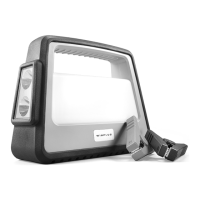

 To Next Page