EasyManua.ls Logo

WINTACT WT100A - User Manual

WINTACT WT100A
10 pages
Print Icon
To Next Page IconTo Next Page
Loading...
Specific Declarations:
Our company shall hold no any responisibility resulting from using output from
this product as an direct or indirect evidence.
We reserves the right to modify product design and specification without notice.
VersionWT100A/WT130A-EN-02
MODELWT100A
WT130A
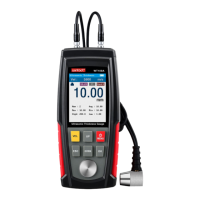
Ultrasonic Thickness Gauge
MENU
OK
VEL
UP
ESC
DOWN
Ultrasonic Thickness Gauge
Instruction Manual
Any queries,kindly contact us feel free.
Contact Email: service@wintact.net
Tel: +86 13530057923(Wechat&WhatsApp)
Skype: raymondzheng2014
Question and Answer IconNeed help?

Do you have a question about the WINTACT WT100A and is the answer not in the manual?

Summary

Introduction

Application Scope

Details materials measurable by the gauge, including metal, plastic, ceramic, and glass.

Attention

Part Name and Display Instruction

Part Name

Identifies physical components like sockets, body, buttons, and probe on the device.

Button Function Instruction

Explains the function of each button (VEL, UP, MENU, ESC, DOWN, OK) on the device.

Measurement Interface Display

Details the components and information shown on the main measurement screen.

Menu Interface Display

Describes the main menu layout and navigation structure.

Technical Parameters

Operation Preparation

Battery Installation

Instructions for installing rechargeable batteries, emphasizing correct polarity and type.

Power On;Off

How to turn the instrument on for measurement and how to perform a manual shutdown.

Measurement

Main Menu Operation and Function Introduction

Main Menu Operation

Guides on entering, navigating, selecting, and exiting the main menu.

Main Menu Functions

Overview of functions within the main menu, including Measurement Options, Probe, Limit Value, and Storage.

Bottom Menu Operation and Function Introduction

Bottom Menu Operation

Instructions for accessing, navigating, and exiting the bottom menu.

Bottom Menu Functions

Details functions like Storage, Delete, Calibration, and Sound Speed Calibration in the bottom menu.

Calibration Instruction

Instruction of Sound Speed Calibration

Instruction of Other Functions

Technology of Measurement

Avoid Measurement Error

Maintenance and Warranty

Notices for Users

Table of Sound Velocity

WINTACT WT100A Specifications

General IconGeneral
BrandWINTACT
ModelWT100A
CategoryMeasuring Instruments
LanguageEnglish

Related product manuals