33
WINYCAM Winner
How to use
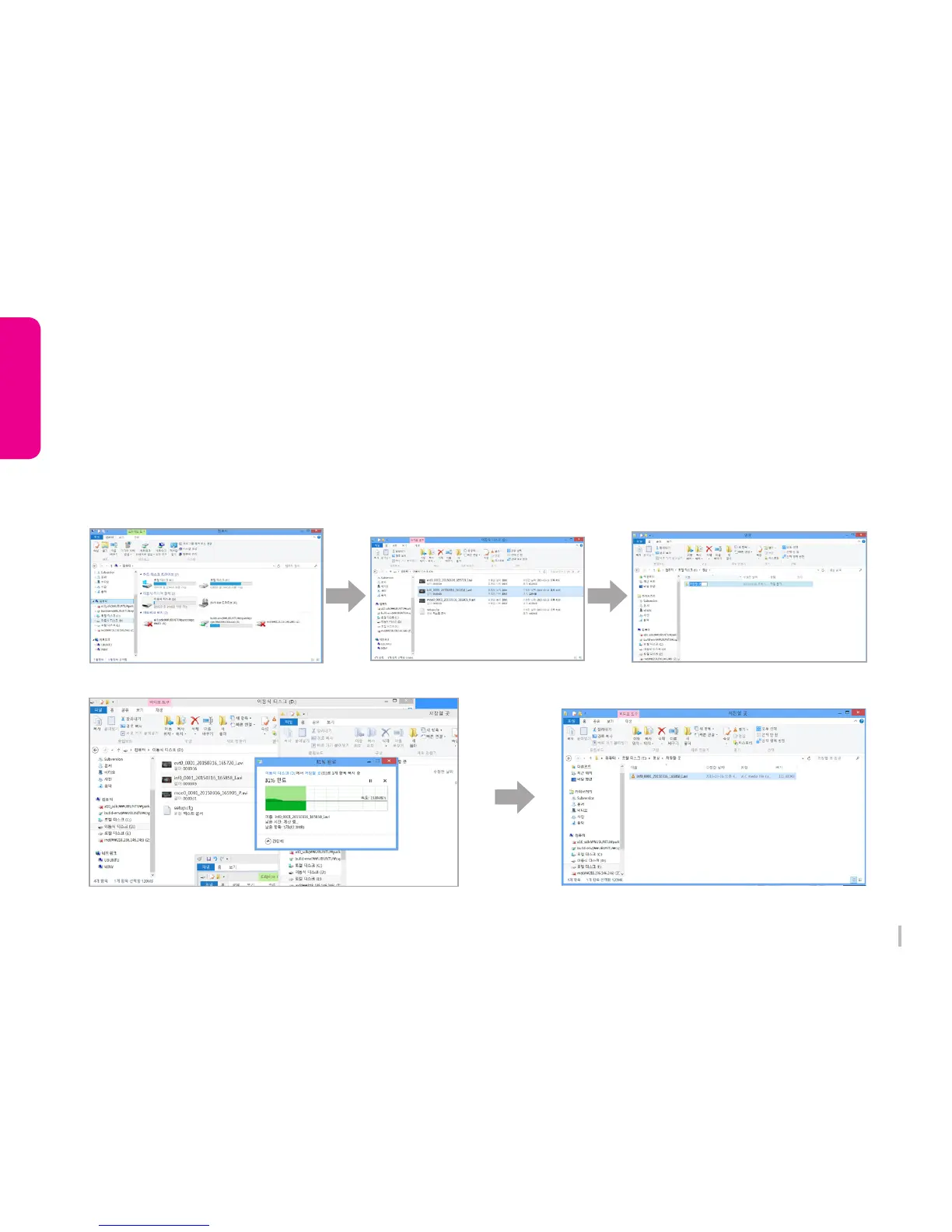
1) Enter to removal disc after insert SD card to your PC.
2) Go to the folder where recorded video files are stored.
3) Create the new folder in same location.
4) Drag the particular file to the new file to copy.
(If you drag a folder, the whole folder will be copied.)
3-18. To save video file on your PC


 To Next Page