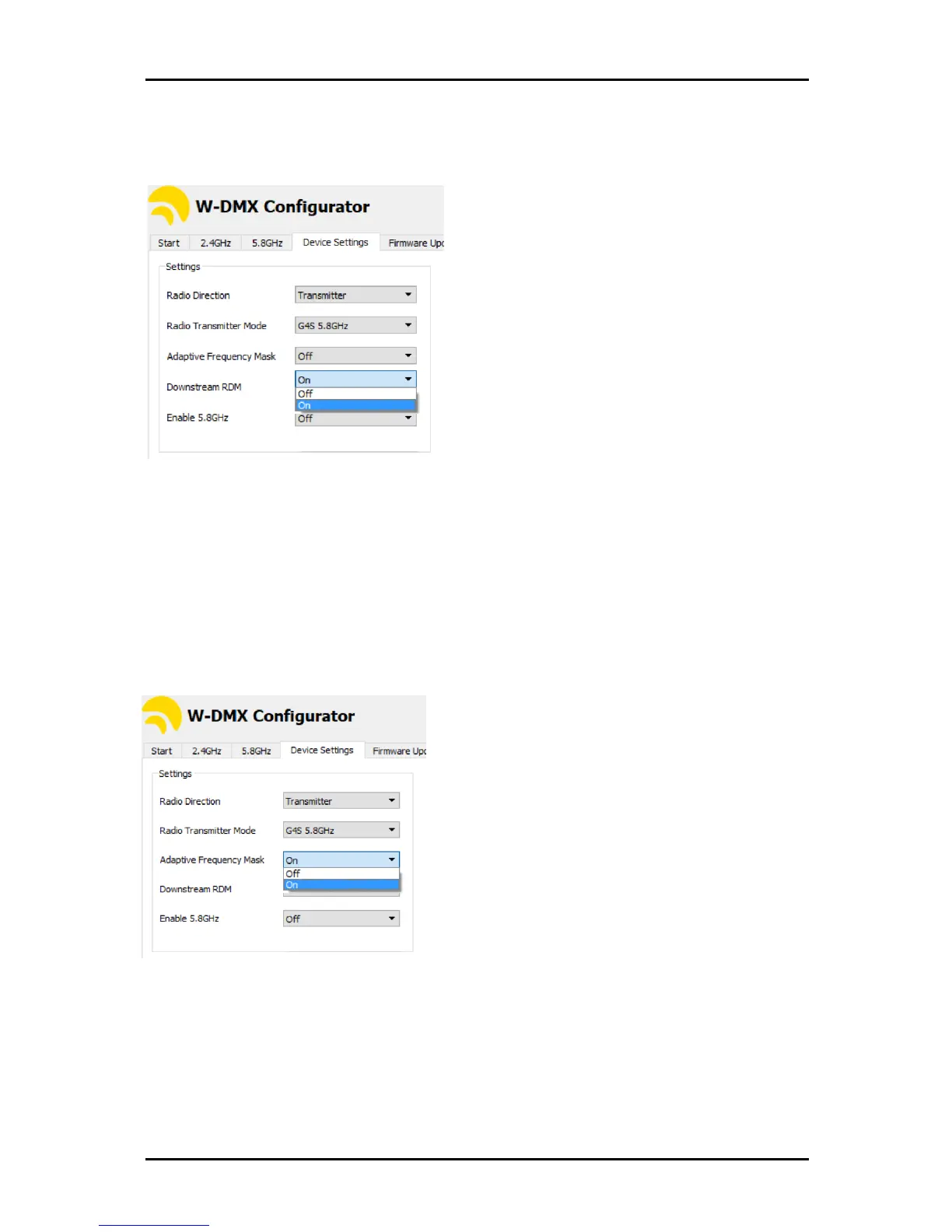
5.10. RDM
As default, all products come with RDM disabled. This must be enabled with the W-DMX
™
Dongle
and Configurator software, available from the website.
The changes must be done on the transmitter and on each receiver that needs to downstream RDM.
NOTE!
R-512 units are not capable of receiving/transmitting RDM, as they do not have any
transmitting capabilities to ping RDM back to the controller.
5.11. Adaptive Frequency Mask
Adaptive Frequency Mask can be enabled to activate the frequency hopping. This will only work
from modes G4S and above.
Activating this feature will enable the automatic hopping spread through the 13 channels in 2.4 GHz,
or in the 5 GHz spectrum. To learn more about how this works, you can check our YouTube channel.
On F-2 or F-2500 units, this change only needs to be done on Radio A, as it’ll automatically cross-
feed to Radio B.


 To Next Page