8. Upgrades and Updates
8.1. Ethernet Upgrade
Coming soon.
8.2. Firmware Update
Wireless Solution is committed to developing and improving its wireless technology – though
firmware updates are not constant, occasionally there is a need to release a new version, whether
related to the transmission itself, glitches with the interface or RDM implementation.
All products are updatable, including OEM devices. For that, it’s necessary to obtain a W-DMX
™
Dongle – this is a USB to DMX interface that connects straight to any device. We encourage to get
one per W-DMX
™
kit.
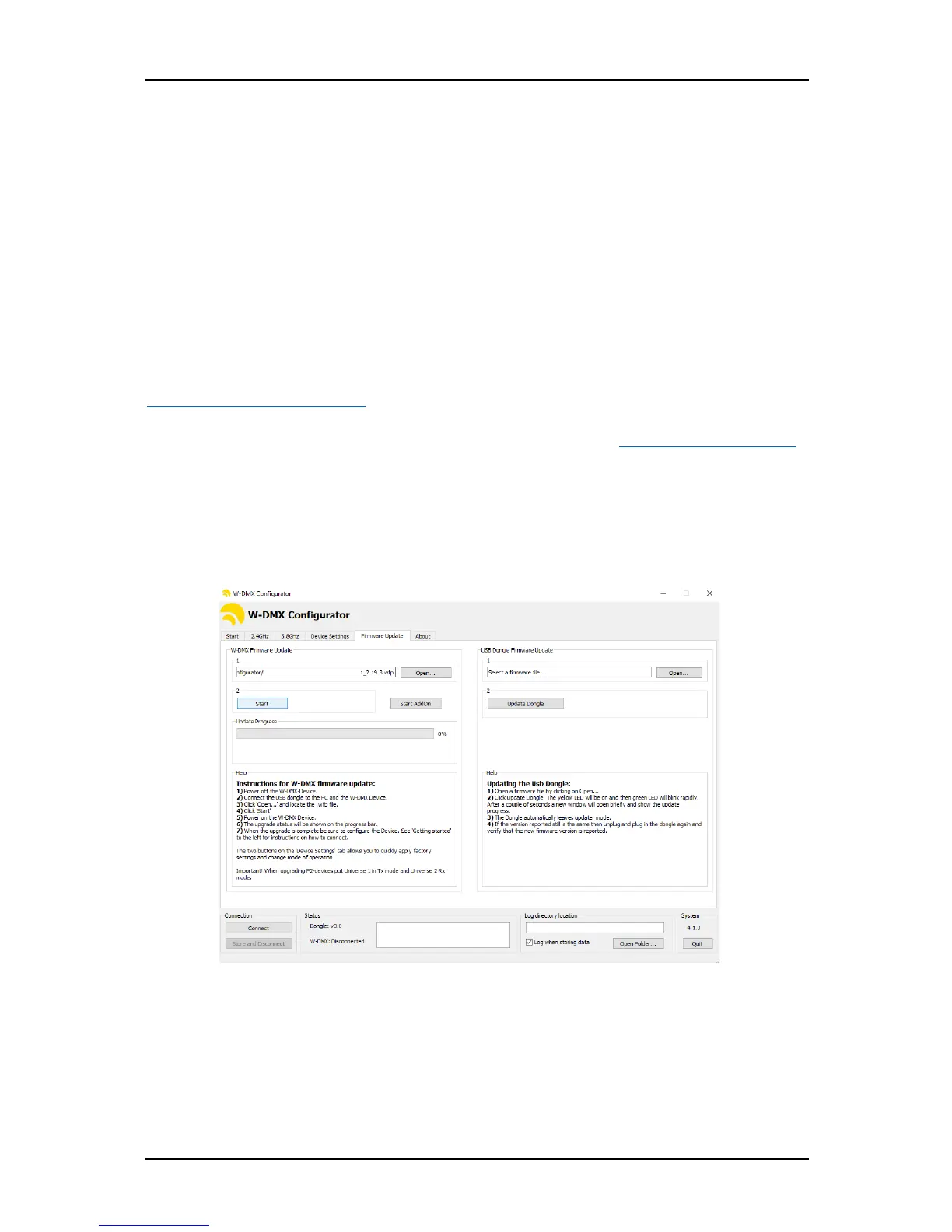
The software interface can be found on Wireless Solution’s website:
www.wirelessdmx.com/download
New firmware versions can be found on Wireless Solution’s RMA portal: www.wirelessdmx.com/rma
Instructions:
1. Connect the dongle to your computer, and the DMX cable to the W-DMX
™
device.
2. Before powering-up the device, load the new firmware version.
3. Press start and turn on the device.
NOTE
Follow carefully all the instructions in the ‘Help’ section, within the software.


 To Next Page