2
Sean Moroney/Emma Pery 5 Sep 2020 E-Bike Rider’s Handbook doc no. 07
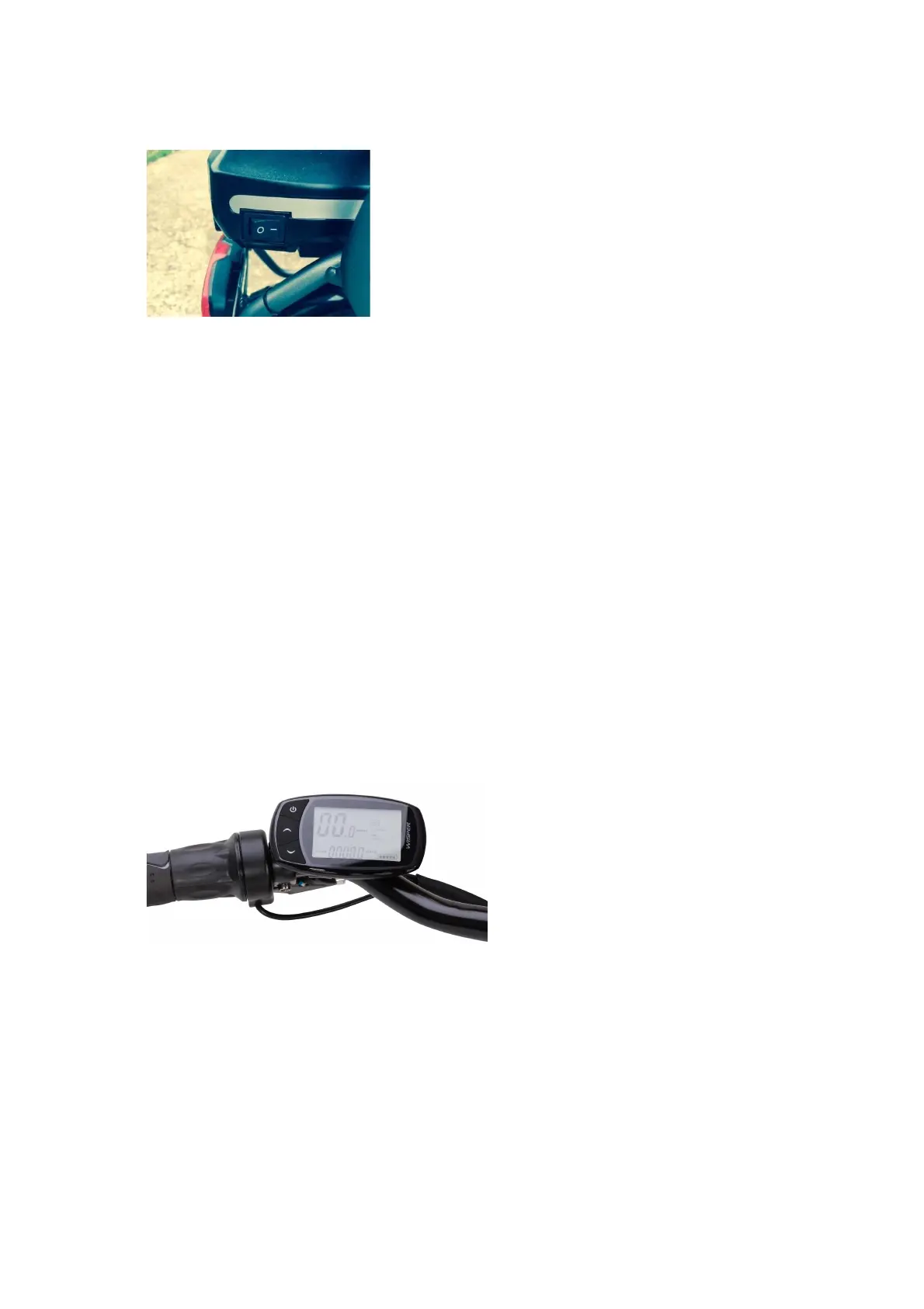
the right-hand side at the rear of the baery. To turn off the power, press 0.
Fig 2
When the baery has been turned on, the bike is ready for use. The on/off buon of the handle
bar control isolates the power from the bike.
When the on/off buon is pressed for 3 seconds the LCD symbols will become visible (and the
lights will come on; see Lights on p.3 below). When the on/off buon is pushed again for 2-3
seconds, the LCD symbols will disappear - you have turned the bike “off”. When the bike is “off”
you will not get any assistance from the baery and motor and the lights will not funcon.
First check your posion when sing on the saddle. You should be able to place your foot so that
you can hold the bike upright easily.
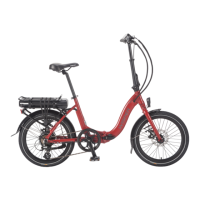
Control Panel
Turn on the bike by pressing the on/off switch adjacent to the
le-hand grip for 2-3 seconds. (Turn off the bike by repeang
the same process).
Fig 1
The bike will be ready to ride, and the LCD will acvate showing baery state, assist level, me,
trip and speed. Turning the pedals for more than ¼ of a revoluon will now acvate the motor.
1. To set the assist levels: Toggle with the up and down arrows.
2. To turn lights on or off: Press on/off buon, the bike must be turned on for the lights to operate.
3. To toggle between Trip and ODO the lights must be on: Double click the up arrow for ODO.
Double click the down arrow for Trip. (The double-click takes a bit of trial and error!)
4. To reset the Trip: When the bike is turned on, double click the on/off buon whilst the bike is in
Trip funcon.



 To Next Page