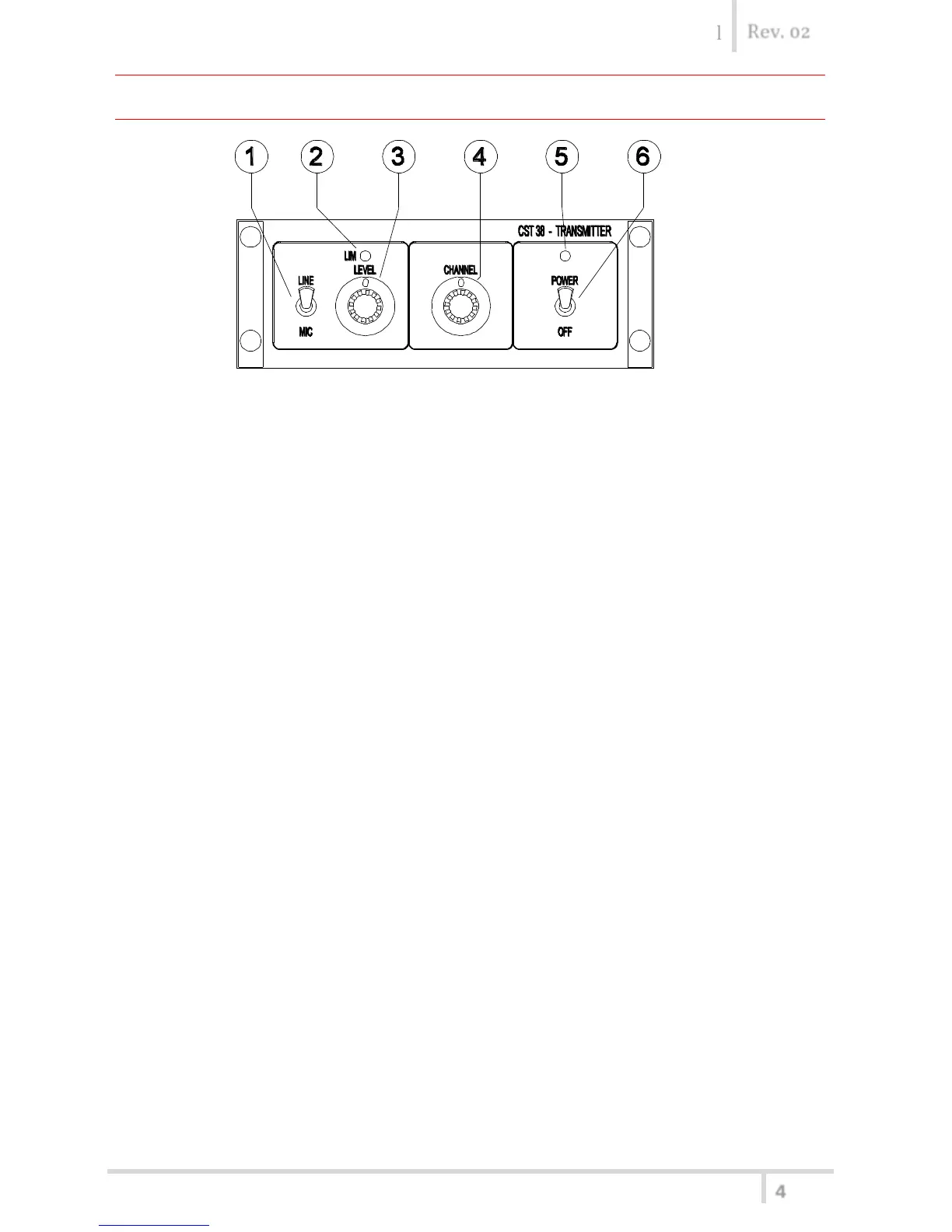
FRONT PANEL
1) SELECTOR: modulation audio input level range (Micro / Line).
2) LED INDICATION: peak-indicator / limiter-on status (yellow Led).
3) ADJUSTMENT: audio input sensitivity.
With the optimum sensitivity adjustment, the yellow Led [2] must flash under
modulation peaks.
4) SELECTOR: transmitting channel ( 0 ÷ F ).
5) LED INDICATION: apparatus is on (red Led).
6) SWITCH: On / Off (Power).



 To Next Page