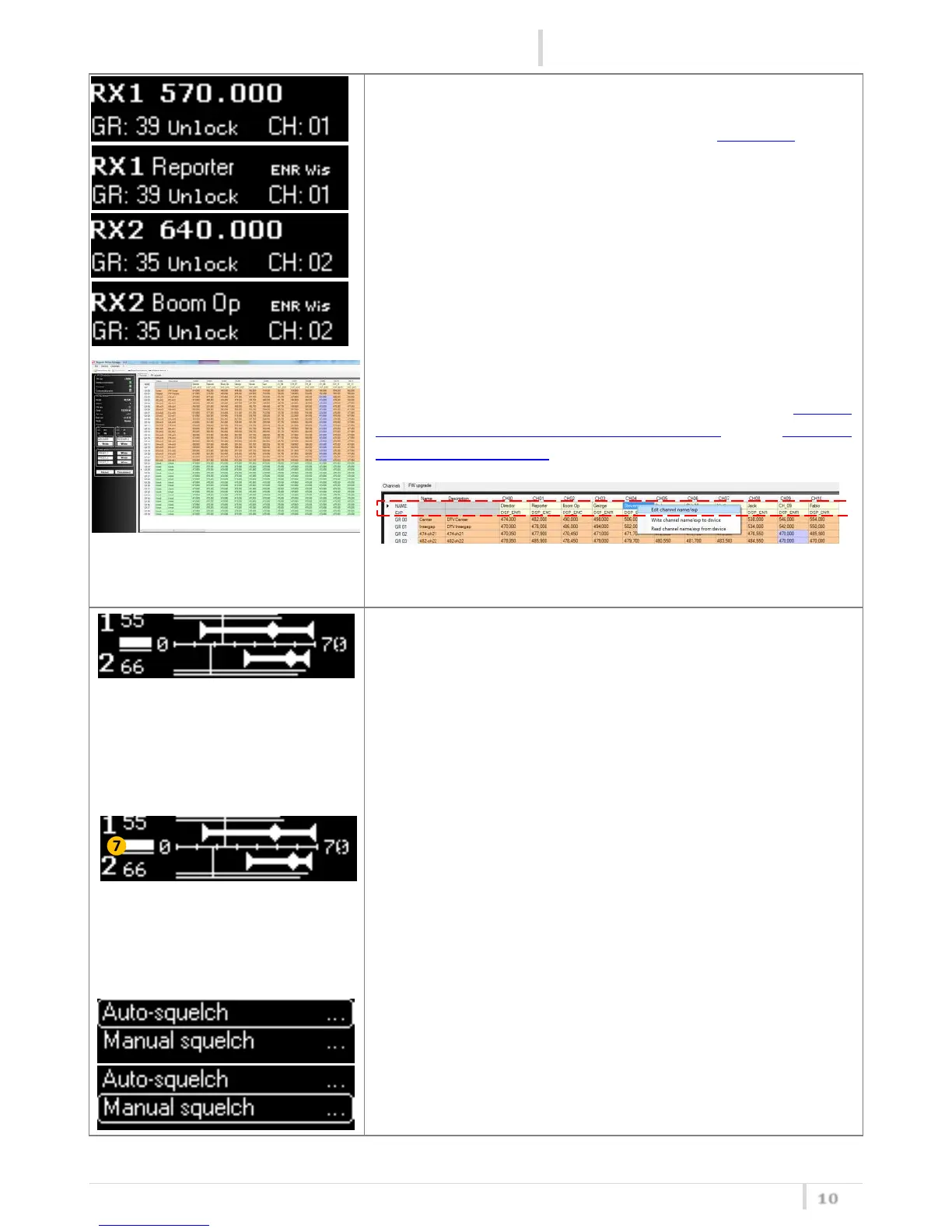
Depending on what is set on the parameter “Fast ch sel” in the
Main menu, in the first and second screen of the circular
menu it’s possible to see:
- N° RX, Frequency, group (and name) and channel or
- N° RX, Name of the channel, group (and name), Expander
and channel
of receiver 1 (first screen) and receiver 2 (second screen)
Pushing SEL button it’s possible to change freq/GR/CH.
From FW 3.0 and above, it’s possible to assign a name and an
Expander to a channel using the Wisycom MCR4x Manager
v.1.0.1 or above (to understand how to do it, read How to
assign a name and an expander to a channel on the Wisycom
MCR4x Manager guide)
Note: It’s not possible to change name and expander of a channel
from the device (only from Wisycom MCR4x Manager)
In the third screen are showed the instant RF levels of the two
receivers (❸,❹) and it is showed the minimum, maximum
and average value calculated in a time frame of about 4
minutes (❻,❼).
In this screen are showed:
❶ the number of the receiver
❷ an indication bar from 0 to 70 dBµV with step of 10dBµV
❸ two bars that indicate the RF level on antenna A (above)
and B (below)
❹ the current RF level of the antenna with the highest level in
dBµV
❺ the level of squelch
❻ an indication bar to see the min, max and average RF level
in the recorded time (about 4 minutes). At the end of the
recording time, the indication bar stop to update the RF
levels (it can be used to make a walk test).
❼ a time bar that indicates the recording time of the RF level.
On the left of the time bar there is a blinking triangle that
disappear at the end of the recording time.
Pushing SEL button it’s possible to change the squelch level
automatically or manually (one RX at a time).



 To Next Page