EasyManua.ls Logo

WisyCom MCR41 - User Manual

WisyCom MCR41
44 pages
Print Icon
To Next Page IconTo Next Page
Loading...
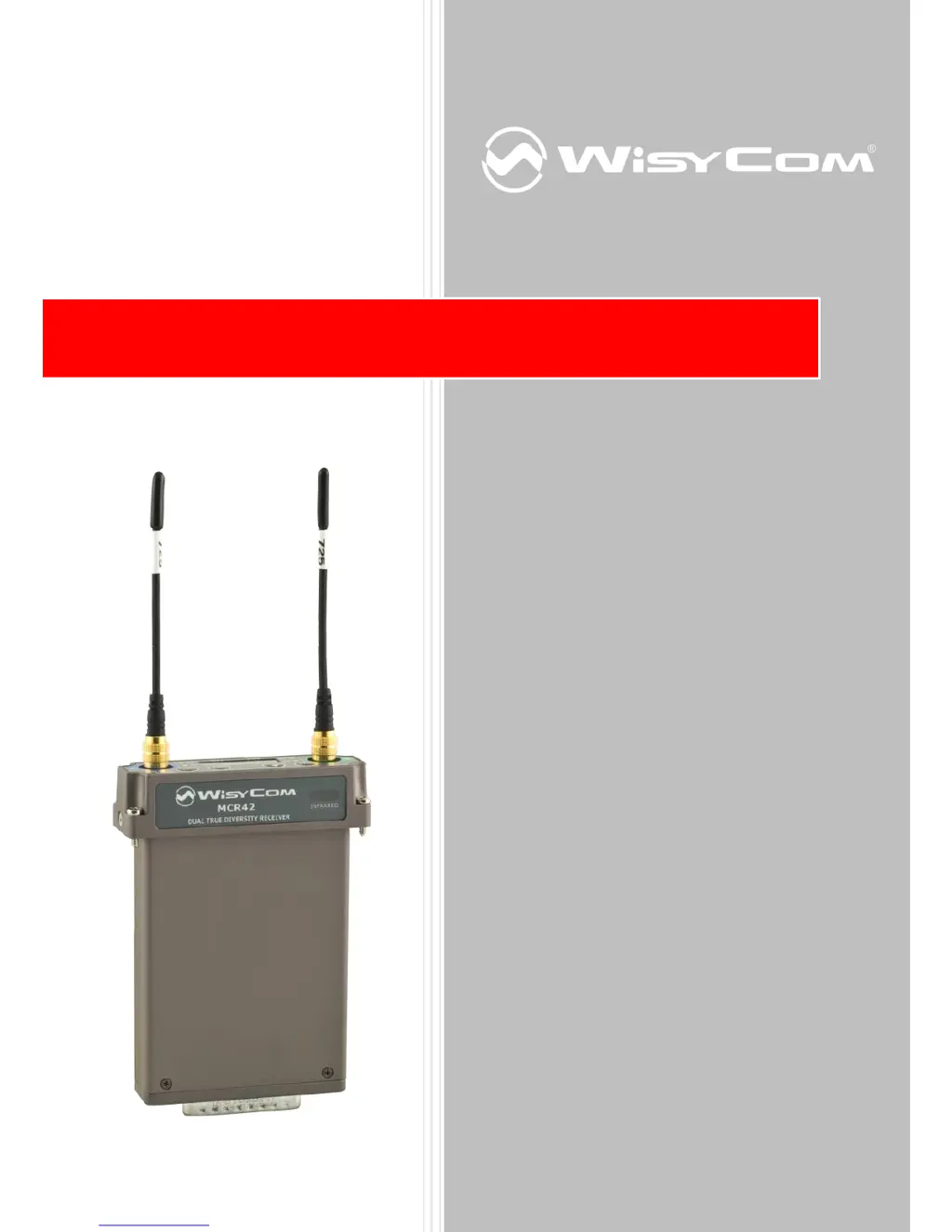
Single-Dual True Diversity
Camera Receiver
SN: ________________
rev.12 (rif. FW 3.3)
Date: 12 February 2015
MCR41-MCR42 User Manual

Questions and Answers

  • R
    Rachel ThompsonAug 19, 2025
    What to do if the WisyCom MCR41 displays 'TX of RX1 Battery Low'?
    • T
      Tammy WelchAug 19, 2025
      If your WisyCom Receiver shows 'TX of RX1 Battery Low', this indicates low battery levels on TX1. The suggested solutions are to either change the batteries or recharge them.
  • J
    Jonathan TerryAug 21, 2025
    What to do if the WisyCom MCR41 Receiver displays 'TX of RX2 Battery Low'?
    • S
      Scott RobinsonAug 21, 2025
      If your WisyCom Receiver shows 'TX of RX2 Battery Low', this indicates low battery levels on TX2. To resolve this, change the batteries or recharge them.
  • M
    Matthew OrtizAug 25, 2025
    What to do if WisyCom Receiver shows rear panel error?
    • C
      Carrie JohnsonAug 25, 2025
      If your WisyCom Receiver displays a rear panel error, it means the receiver isn’t recognizing the rear panel. Try to reconnect the rear panel to solve the problem.
  • R
    Robin SimpsonAug 26, 2025
    What to do if WisyCom MCR41 displays 'Param mem header'?
    • E
      Edward SmithAug 26, 2025
      If the WisyCom Receiver displays 'Param mem header', it indicates an error during the initialization phase related to device data. Check the Serial take on the ‘UNCAL’ vale in the info menu. In this case send the receiver to the Wisycom Repair Centre for recalibration.
  • G
    Gregory CarlsonAug 28, 2025
    What to do if WisyCom Receiver displays 'CH mem header'?
    • S
      Stacy JamesAug 28, 2025
      If the WisyCom Receiver displays 'CH mem header', it means that during the MTK952 initialization phase, the CRC-16 check of RF data detects an error. In this case send to repair at Wisycom Repair Centre.
  • K
    Kenneth ClarkAug 30, 2025
    What to do if WisyCom Receiver displays 'PLL unlocked'?
    • T
      todd24Aug 30, 2025
      If your WisyCom Receiver displays 'PLL unlocked', it indicates an error during frequency tuning. In this case send to repair at Wisycom Repair Centre.
  • J
    John CruzSep 1, 2025
    What to do if WisyCom MCR41 Receiver shows 'TX of RX1 Battery Low'?
    • J
      Jose EvansSep 1, 2025
      If the WisyCom Receiver displays 'TX of RX1 Battery Low', this indicates that the battery level is low on TX1. To resolve this, change or recharge the batteries.
  • M
    Mary PerkinsSep 4, 2025
    What to do if WisyCom MCR41 Receiver shows 'TX of RX2 Battery Low'?
    • R
      Ronald SmithSep 4, 2025
      If the WisyCom Receiver displays 'TX of RX2 Battery Low', it means the batteries are low on TX2. You should change or recharge the batteries.
  • J
    Jay LittleSep 6, 2025
    How to fix low voltage level on WisyCom MCR41?
    • C
      Christina GraySep 6, 2025
      If you are experiencing a low voltage level with your WisyCom Receiver, the suggested solution is to replace the battery or power supply.
  • M
    miguelgarciaSep 9, 2025
    What to do if my WisyCom MCR41 Receiver shows a rear panel error?
    • R
      robertpayneSep 9, 2025
      If you encounter a rear panel error with your WisyCom Receiver, it means that the receiver isn’t recognizing the rear panel. Try reconnecting the rear panel to solve the problem.

Summary

BRIEF DESCRIPTION

SAFETY INSTRUCTION

MAIN FEATURES

USER GUIDE

Front Panel

Explains the physical controls, LEDs, and display on the device's front interface.

Display menu

STATUS MENU

Quick Menu

Details the quick access menu for essential receiver parameters like frequency and group.

Advanced Menu

Power on (only for MCR42, not MCR41)

Configures the receiver's power-on behavior, including selecting active receiver units.

ERROR LIST

Troubleshooting

HOW TO USE WISYCOM MCR4 X MANAGER (v. 1.0.2 OR ABOVE)

How to read;modify;load;write;clear channels memory

How to update the firmware

TECHNICAL SPECIFICATION

WisyCom MCR41 Specifications

General IconGeneral
ModulationFM
Audio Frequency Response20 Hz - 20 kHz
RF Sensitivity-105 dBm
Number of Channels4
Channel Spacing200 kHz
Receiver TypeDiversity

Related product manuals