EasyManua.ls Logo

WisyCom MCR41 - STATUS MENU; Quick Menu

WisyCom MCR41
44 pages
Print Icon
To Next Page IconTo Next Page
To Previous Page IconTo Previous Page
Loading...
MCR41-MCR42 User Manual
rev.12
9
STATUS MENU
Quick Menu
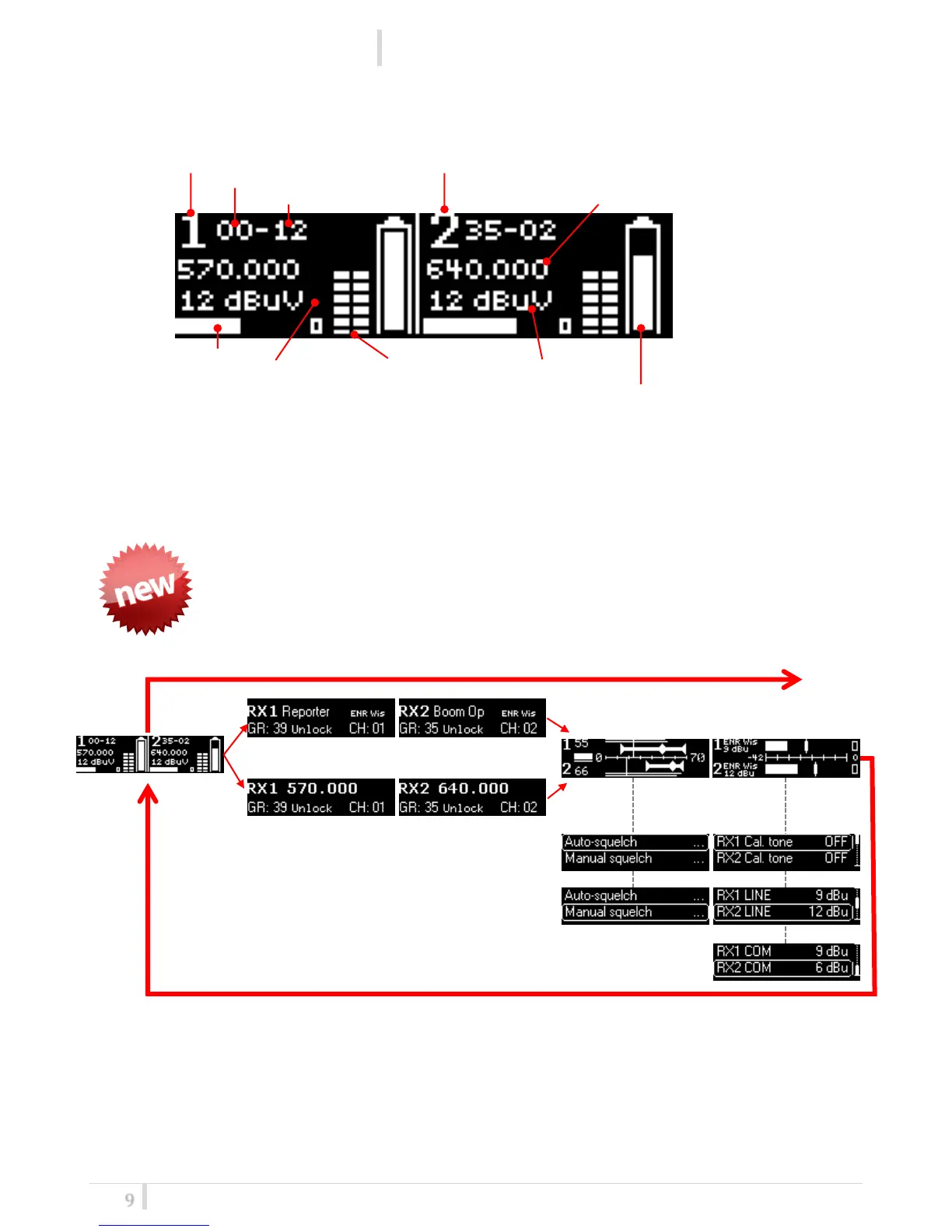
From FW version 3.0, pushing “Arrow down/scan” button or “Arrow up/sync”
button, it’s possible to enter in a circular menu where you can see the main
parameters of the receiver as frequency, group, channel, Expander, RF level,
squelch and audio level.
The screens of the circular menu are described in the following table

Status Screen
RX1
RX2
Group
Channel
RF bar
(8 steps of 10dBµV,
from 10 to 80 dBµV)
Squelch Level
Frequency
TX battery
Level
Modulation bar
(from -42 to 0 dB)
Peak deviation
56KHz
By name
By Ch/Gr

Related product manuals