EasyManua.ls Logo

WisyCom MPR50-IEM - User Manual

WisyCom MPR50-IEM
32 pages
Print Icon
To Next Page IconTo Next Page
Loading...
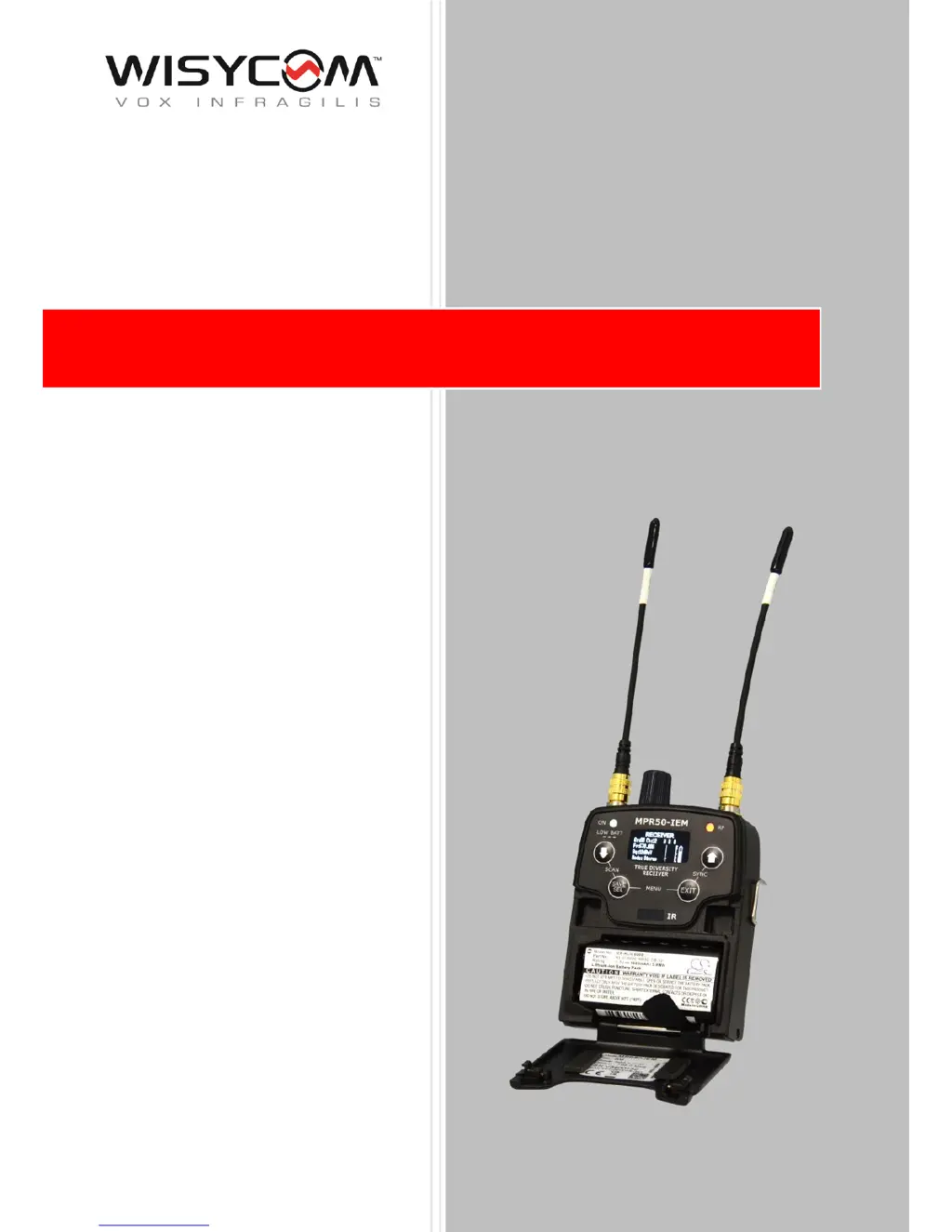
MPR50-IEM User Manual
High performance
True diversity IEM
Receiver
SN: ________________
Rev. 01 (ref. FW v1.1)
Date: 01 February 2018

Questions and Answers

  • S
    Sarah BrownAug 18, 2025
    What to do if the WisyCom Receiver displays 'Battery Low'?
    • H
      hallannaAug 19, 2025
      If the WisyCom Receiver displays a 'Battery Low' message, this indicates a low battery level. You should either change the batteries or recharge them.
  • H
    Holly HurstAug 21, 2025
    What to do if my WisyCom Receiver won't tune to the selected frequency and the ON led stays red?
    • D
      David Porter MDAug 21, 2025
      If your WisyCom Receiver is not able to tune to the selected frequency and the ON led indicator remains red, it means there is an error during frequency tuning. Try changing the frequency. If the problem persists, send the device to the Wisycom Repair Centre.
  • J
    James ChristensenAug 23, 2025
    What to do if the WisyCom MPR50-IEM Receiver displays 'Battery charge failed'?
    • T
      tuckerwandaAug 23, 2025
      If the WisyCom Receiver displays a 'Battery charge failed' message, it indicates an error during battery charging, possibly due to damaged or incorrect batteries. You should change the batteries.
  • T
    Terri MercerAug 26, 2025
    How to fix a 'Configuration mismatch' on my WisyCom MPR50-IEM Receiver?
    • J
      Jamie JohnsonAug 26, 2025
      If the error code 86 appears on the error list, and you are experiencing a configuration mismatch on your WisyCom Receiver due to an error in the parameter memory, load a preset configuration using the Preset menu.
  • D
    Debbie JohnsonAug 28, 2025
    What does it mean if the WisyCom MPR50-IEM displays 'HW init failed'?
    • J
      John KimAug 28, 2025
      If the WisyCom Receiver displays the message “HW init failed”, it means there was an error during the hardware initialization phase. Reset the receiver. If the problem persists, send it to the Wisycom Repair Centre.
  • K
    Kelly SharpAug 30, 2025
    What does it mean if my WisyCom MPR50-IEM shows 'I2C communication error'?
    • L
      Leah ElliottAug 30, 2025
      If the WisyCom Receiver displays an 'I2C communication error' message, it indicates a communication error on the I2C bus. Send the device to the Wisycom Repair Centre.
  • M
    michaelparsonsSep 1, 2025
    What to do if my WisyCom Receiver displays 'Device ID copy1 invalid Memory recovered'?
    • E
      Eric MillerSep 1, 2025
      If the WisyCom Receiver displays the message 'Device ID copy1 invalid Memory recovered', it means there was an error during the initialization phase, and the CRC-16 check detected an error in device data copy 1. The receiver automatically replaces the corrupt copy1 with copy2, so no action is required.
  • R
    Rebecca RandallSep 4, 2025
    What to do if my WisyCom MPR50-IEM Receiver displays 'Device ID copy2 invalid Memory recovered'?
    • J
      Justin HoltSep 4, 2025
      If the WisyCom Receiver displays the message 'Device ID copy2 invalid Memory recovered', it means there was an error during the initialization phase, and the CRC-16 check detected an error in device data copy 2. The receiver automatically replaces the corrupt copy2 with copy1, so no action is required.
  • R
    Robert FieldsSep 6, 2025
    What does it mean if my WisyCom MPR50-IEM Receiver displays 'RF copy1 invalid Memory recovered'?
    • J
      James FarrellSep 6, 2025
      If the WisyCom Receiver displays the message 'RF copy1 invalid Memory recovered', it means there was an error during the initialization phase, and the CRC-16 check detected an error in RF data copy 1. The receiver automatically replaces the corrupt copy1 with copy2, so no action is required.
  • E
    Evan MasonSep 8, 2025
    What does it mean if my WisyCom Receiver displays 'RF copy2 invalid Memory recovered'?
    • M
      Mario MirandaSep 8, 2025
      If the WisyCom Receiver displays the message 'RF copy2 invalid Memory recovered', it means there was an error during the initialization phase, and the CRC-16 check detected an error in RF data copy 2. The receiver automatically replaces the corrupt copy2 with copy1, so no action is required.

Summary

Safety Instructions

Batteries and Powering

Product Overview

Upper Panel Overview

Details and labels for the controls and connectors on the upper part of the receiver.

Front Panel Details

Description of buttons, OLED display, and LED indicators on the front panel.

Initial Operation and Setup

Display Menu System

Audio Settings

Configuration options for audio output modes, equalization, and volume boost.

Edit RX Settings

Radio frequency settings including group, channel, squelch, and scanning options.

Error List

Troubleshooting

RX Manager Software

WisyCom MPR50-IEM Specifications

General IconGeneral
Tuning Steps25 kHz
TypeIEM Receiver
Frequency Range470 - 960 MHz
Audio Frequency Response20 Hz - 20 kHz
Audio Outputs1 x Unbalanced
Battery LifeUp to 8 hours

Related product manuals