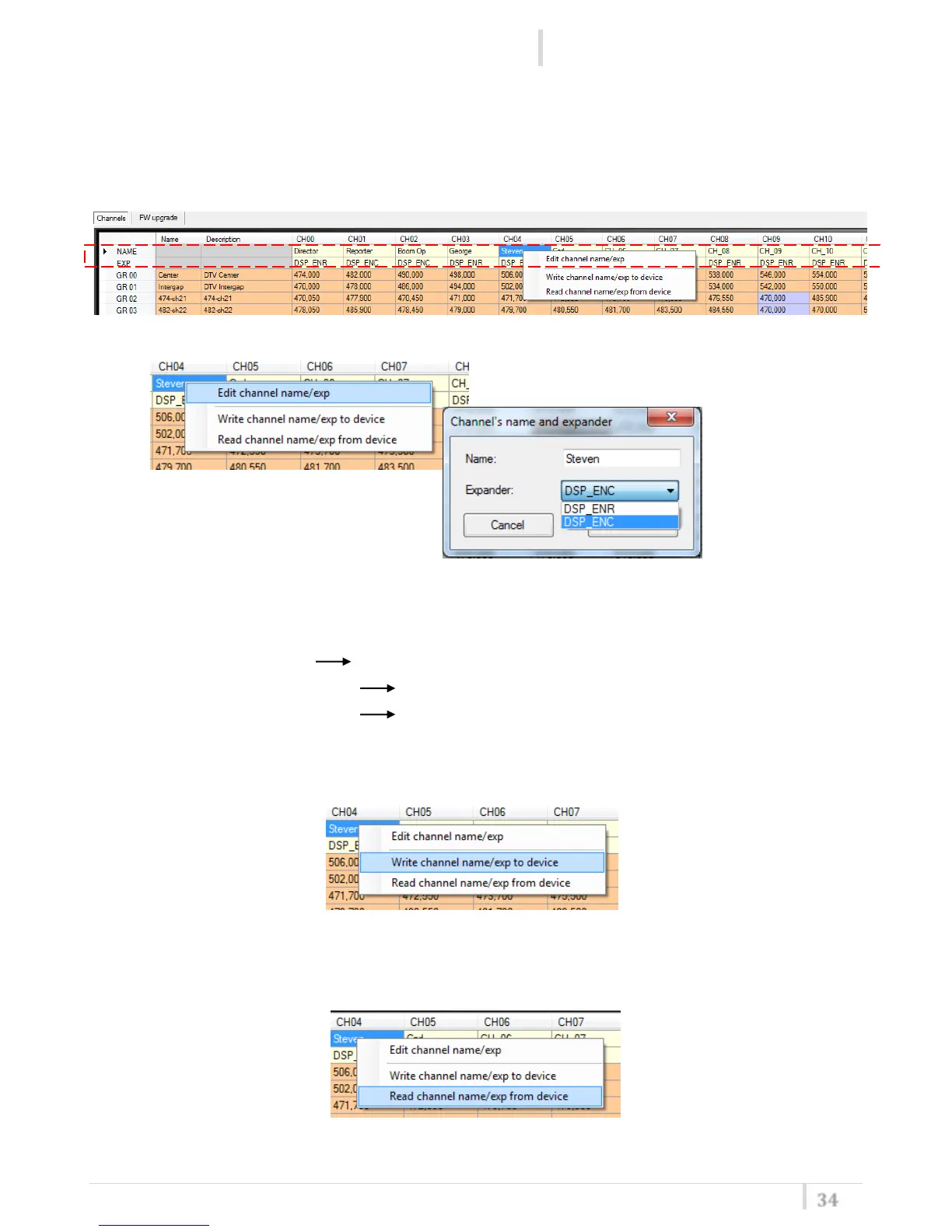
How assign a name and an expander to a Channel
Click and then Right click on a name/expander box presents in a Channel column on the grid and
select Edit channel name/exp to change name and expander of the channel (a combo box appears
with the list of the expanders present on the device).
Note
1
: If not set, the expander is set to DSP_ENR by default
Note
2
: Name and expander selected are the same for all groups
For example if Ch 03 Ch name = George and EXP = DSP_ENC :
- if set GR 10 and CH 03 Ch name = George and EXP = DSP_ENC
- if set GR 21 and CH 03 Ch name = George and EXP = DSP_ENC
Select Write channel name/exp to device for write name and expander of the channel on the
device.
Select Read channel name/exp to device for read name and expander of the channel from the
device.



 To Next Page