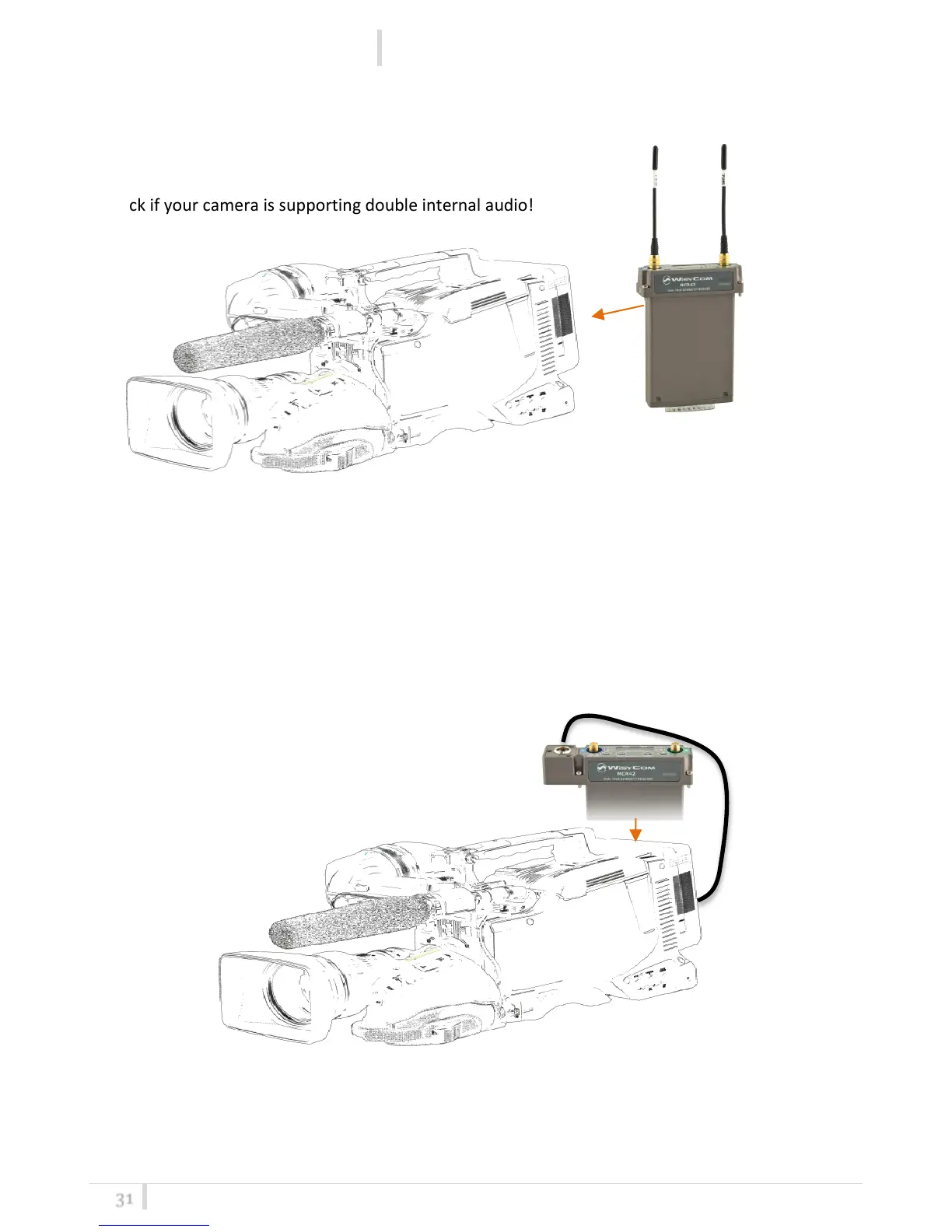
Slot-in Mounting
MCR42: Analogue Audio 1 & 2 audio thru internal slot in
Check if your camera is supporting double internal audio!
MCR42-EL2 or MCR42-ELC: Digital Audio 1 & 2 thru external AES3 camera input (XLR-
3F)
- CAM50-41: Top feed Line 1 (digital audio 1&2) connected to XLR-3F AES3 (digital input of the
camera)
MCR42-EL2 or MCR42-ECL: Analogue Audio 1 thru slot in and Audio 2 thru external
(XLR-3F)
- CAM50-42: Top feed Line (analogue audio 1) connected to XLR-3F (2° analogue external input of
the camera)
Note: Using CAM50-41 or CAM50-42 or CAM50-3 it is possible to connect also additional PTT
outputs to use your microphones as intercom to your camera-man or your control-room.
MCR42 with the stand alone socket BPA42-HPN can support also top headphone output for special
applications or standalone usage.



 To Next Page