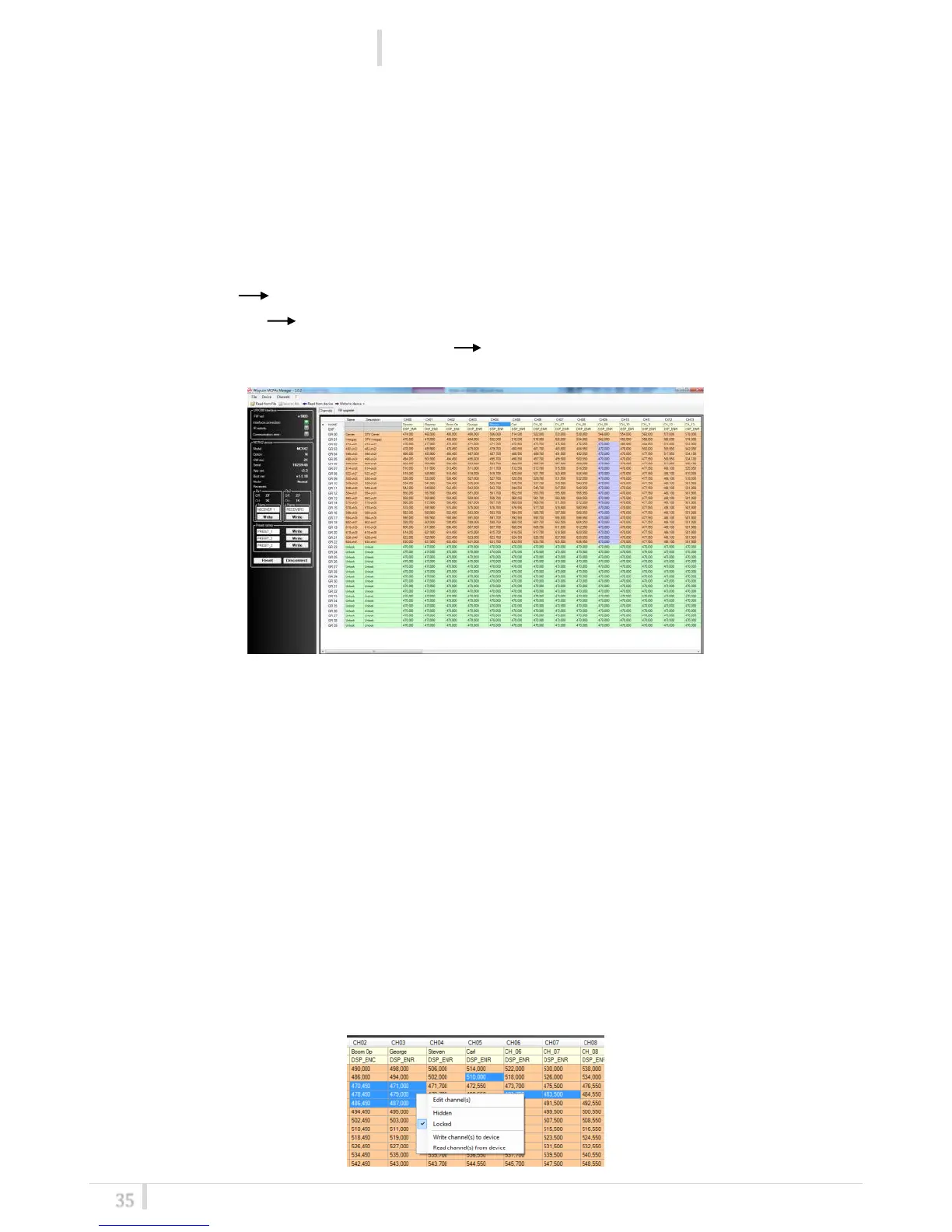
How to read/ modify/ load/write/clear channels memory
Push Channels button
Read:
Push the button Read from device: this operation permits to read the channels memory in the
MCR42 and show it in the central grid .
The boxes in the grid can be:
- Green: Free the frequency can be modified on the device
- Orange: Locked the frequency can’t be modified on the device
- Light purple : Hidden or Locked & Hidden frequency/group/channel are not visible on the
device
Modify:
After a Read operation, in the center grid it is possible to modify:
- for the group: name, description, locked/hidden propriety
- for the channel: name, expander, frequency value and the locked/hidden propriety (click
right mouse button)
NOTE
1
: The modifications are applied only to the local channels configuration. In order to save
them in the MCR41/42 it is necessary to do a Write operation or click right mouse button
(write to device)
NOTE
2
: It’s possible to do a multi-selection to change simultaneously frequency/propriety
(Hidden/Locked) or write/read the device memory related of the selected boxes. To select
multiple boxes click and drag from a box to another (or using Shift + click) or select some
singular boxes by pressing Ctrl and clicking on the box (when a box is selected become
blue)



 To Next Page