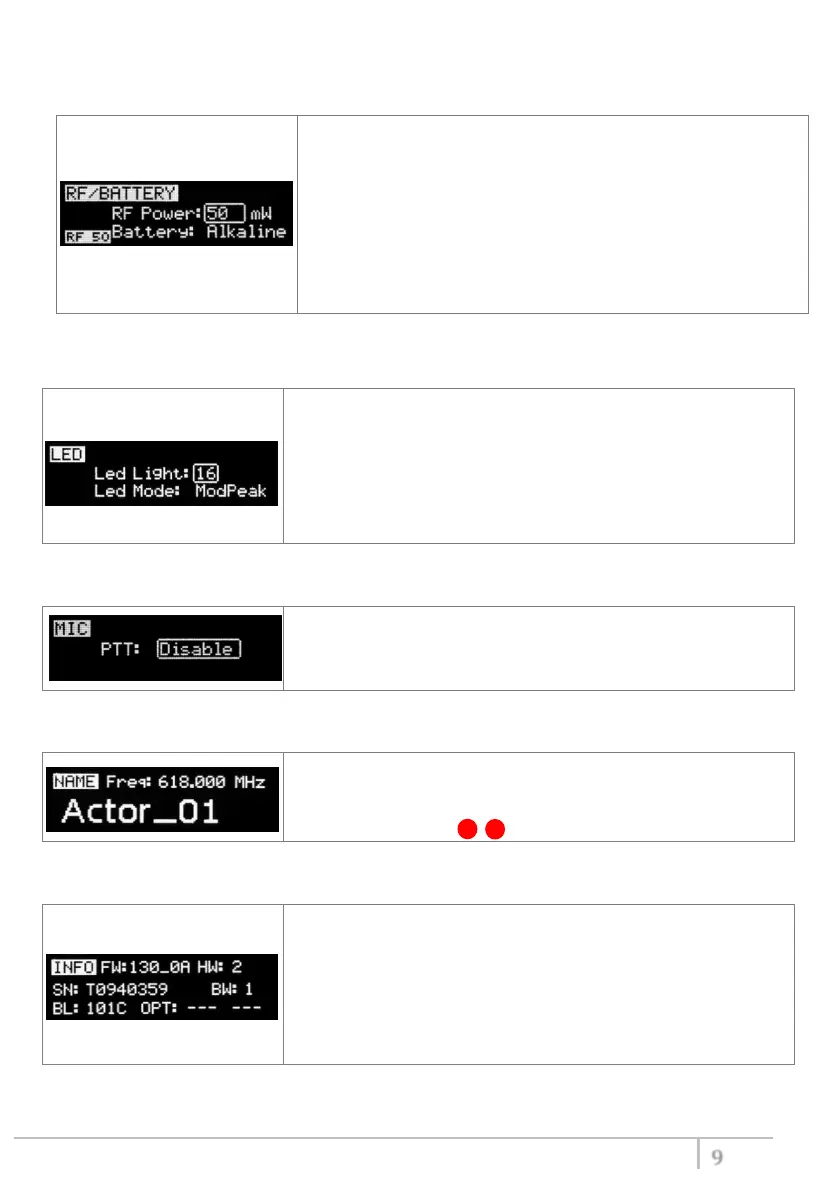
<RF/BATTERY> menu
This menu can be entered by scrolling selector.
RF power can be setup to 10mW, 20mW, 50 mW or 100mW
(depending on the Power profile).
If it’s selected “10mW”, in the top right on the STATUS menu
appear “RF10”.
If it’s selected “50mW”, in the top right on the STATUS menu
appear “RF50”.
If it’s selected “100mW”, in the top right on the STATUS menu
appear “RF100”.
Battery type can be setup in Alkaline, NiMH or Lithium.
<LED> menu
This menu can be entered by scrolling selector.
Power switch green LED brightness can be setup → Led light (from
0 to 16).
Led Mode setting define when the LED on the power switch (see
Fig. 3) have to become RED:
- None: never,
- ModPeak: when audio get close to saturation)
- PTT: when the PTT button is pushed
<MIC> menu
This menu can be entered by scrolling selector.
4 different PTT mode can be selected: Disable, Normal, Muting,
No Data.
<NAME> menu
This menu can be entered by scrolling selector.
In this menu it’s possible to see the frequency set on the device
and the name of the transmitter.
It’s possible to enter on this menu also pressing at the same time
the CH/GAIN buttons ( B + C )
<INFO> menu
This menu can be entered by scrolling selector.
In this menu it’s possible to see:
- FW version
- HW version
- Serial number
- Bandwidth
- Bootloader version
- Option



 To Next Page