INTRODUCTION
“MTP40S is an extremely small and light pocket transmitter especially designed for professional
wireless microphone applications”
Very easy and quick to use thanks to OLED display, dedicated buttons and a joggle selector.
MTP40S benefits also of the latest Wisycom RF technology along with an enhanced robustness
against noise and inter-modulation.
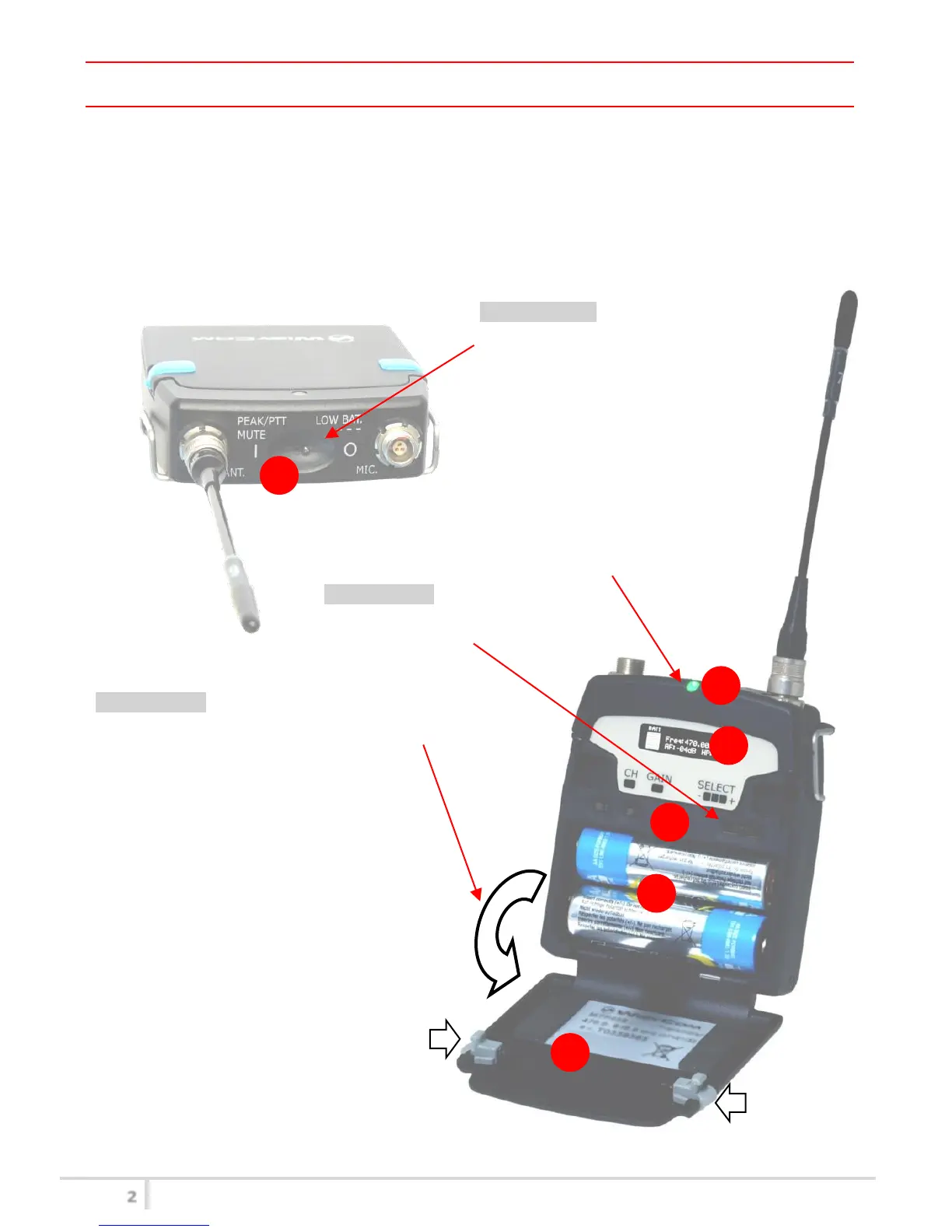
Fig. 1
Switch to enable wireless transmission, it
also indicates the battery status and
peak/mute operation (with PTT)
In order to allow front visibility same colour
information on (1) is replicated with this LED
Oled display for transmitter setup
<ch>, <gain> and 3 positions <selector>
Cover (to open push side buttons)
Turn on wireless:
Move the Wireless power switch in
“I” position.
Open MIC Body:
Push the side buttons and flip down the cover, to access
internal setup controls and batteries.
Turn on display:
Push <select switch> and hold it.



 To Next Page