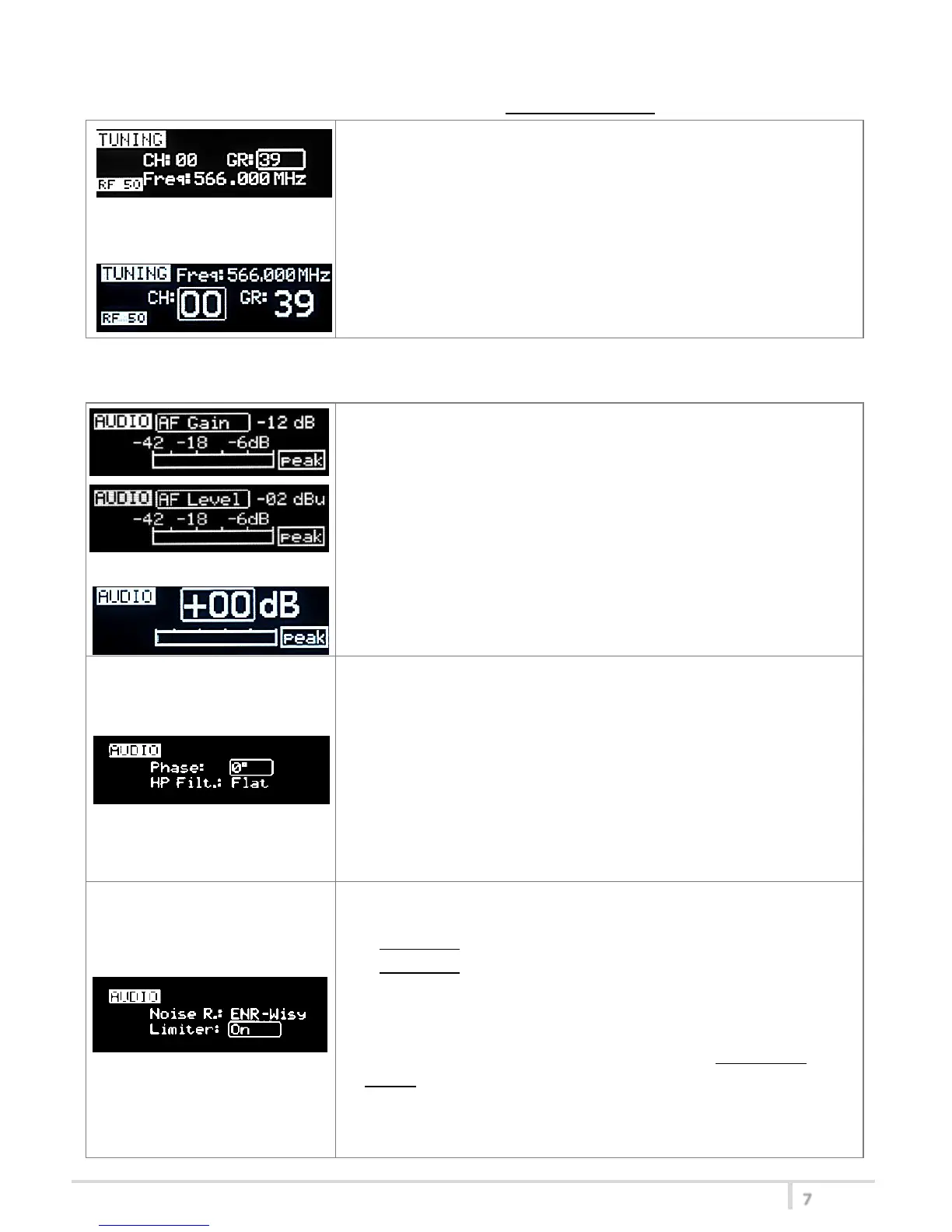
<TUNING> menu
This menu can be entered by scrolling selector or using quick channel setup buttons (<ch>).
In this menu current channel/group and frequencies can be setup.
The name of the group is shown on the top right of the display.
Sync group is a quick self-settable channel synchronized by receiver
(with SYNC group, on the top right of the display is shown the name
of the synchronized receiver).
Use the selector to change values (<+/->) and <click> to confirm.
Using quick channel setup buttons (<CH>), it is possible to enter
quickly in the tuning menu. Note that the menu has a different
layout (see the side image)
<AUDIO> menu
This menu can be entered by scrolling selector or using quick gain setup buttons (<gain>).
The sensitivity of the audio input is settable between “AF Gain”
(measured in dB) or “AF Level” (measured in dBu).
To help proper audio gain setting, an audio bar is supplied (with
maximum peak indicator) indicating the headroom to audio peak
(0 dB , nominal deviation 40KHz). Set the gain, with the maximum
input signal, avoiding the peak on the audio bar.
TRY TO SETUP TO HAVE A MAX PEAK HOLD BAR CLOSE TO -6dB.
Using quick gain setup buttons (<GAIN>), it is possible to enter
quickly in the audio gain menu. Note that the menu has a different
layout (see the side image)
The second <AUDIO> menu allows to set:
- Audio phase: 0° or 180°
Note: Since common "2-wires + bias" microphones invert the
phase, when the MIC mode of the transmitter is set to “2wires+
bias”, the phase is automatically inverted and so the complete
system (MTP4x+MIC) has 0° phase (an asterisk appear on the
display near the phase to indicate that the phase was inverted).
-High Pass Filter: applies different audio HP filter: Flat/ 60Hz/
80Hz/ 120Hz/ 170Hz/ 250Hz/ 400Hz.
The third <AUDIO> menu allows to set:
-Noise reduction:
ENR-Wisy: designed for maximum noise reduction
ENC-Wisy: designed for maximum audio fidelity (use this in
case of special vocal application or to remote instruments)
-Limiter:
if is set “On”, an input audio signal above the peak threshold (up
to 30 dB above peak) is not cut but attenuate, without lost
quality. The limiter acts as a variable attenuator (thanks to the
feedback system), maintaining a distortion <3%.
When the limiter intervene, the front led turns blue.
If this parameter is set “Off”, the limiter is disable.



 To Next Page