15
Wizard CMC Model 8000 RC Hardware and Software Getting Started Manual
CMC 8000RC/Frameshop 20-71034-1 GettingStartedManual8000RCFrameShop
http://info.wizardint.com/KB/default.aspx#pageid=getting_started_manual_8000_rc 04/05/19
2. Stay on the Single tab. There are three tabs to select
from: Single, Multi, and Array.
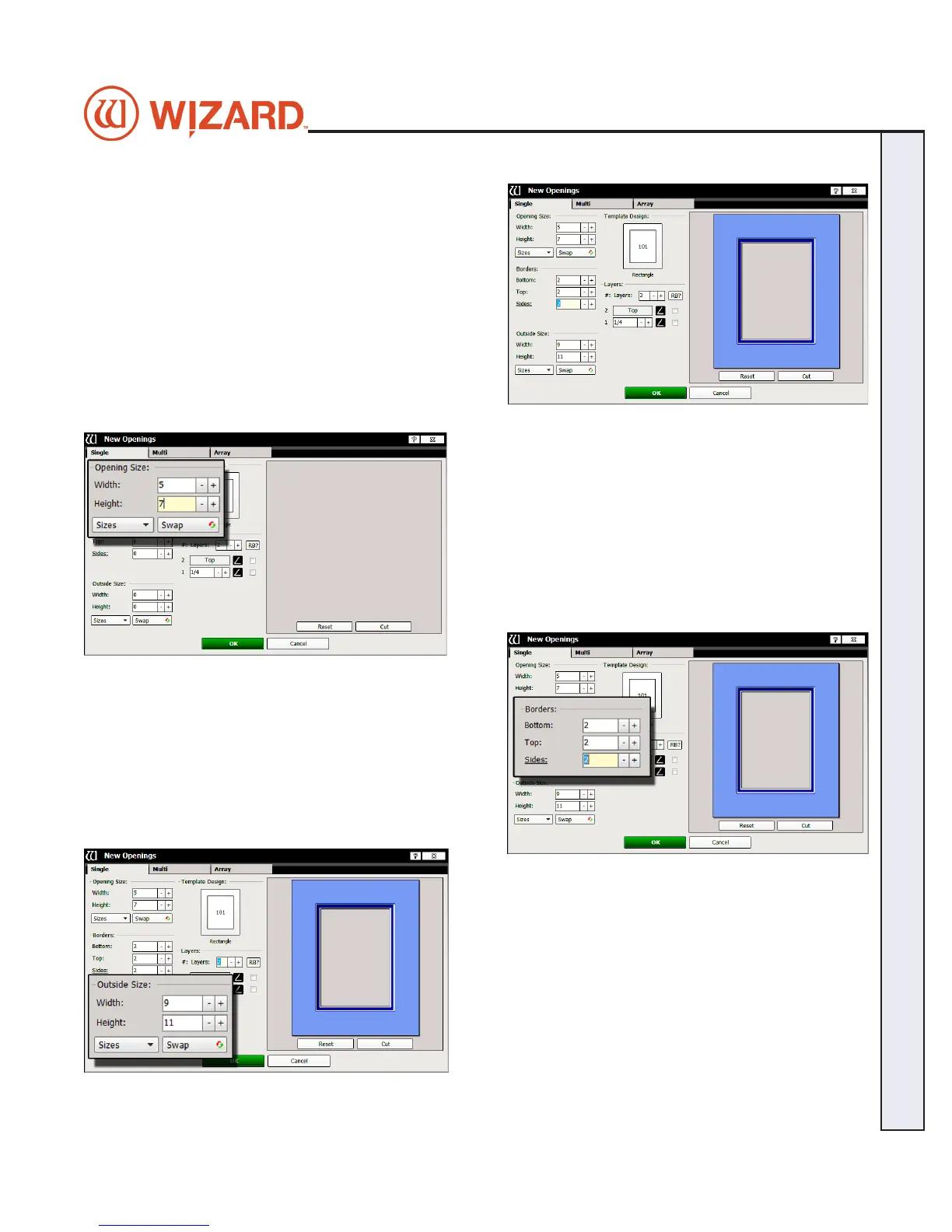
Opening Size
3. Enter 5x7 (approx. 13x18 cm) for width and height of the
opening.
NOTE: The Outside size eld will display on the top if Edit
Opening Size First is unchecked in the Admin > Defaults.
Optionally, enter the outside dimensions rst.
Borders
4. Enter 2 (approx.
5 cm) for the bottom, top and side mat
border widths.
Outside Size
5. Make sure outside size is 9x11 (approx.
23x28 cm).
Don’t Click OK yet.
If opening size and borders are entered rst, the program
automatically calculates the outside size when tabbing out
of the borders eld.


 To Next Page