36
User Manual WMF1100 S
Operation | Drip tray
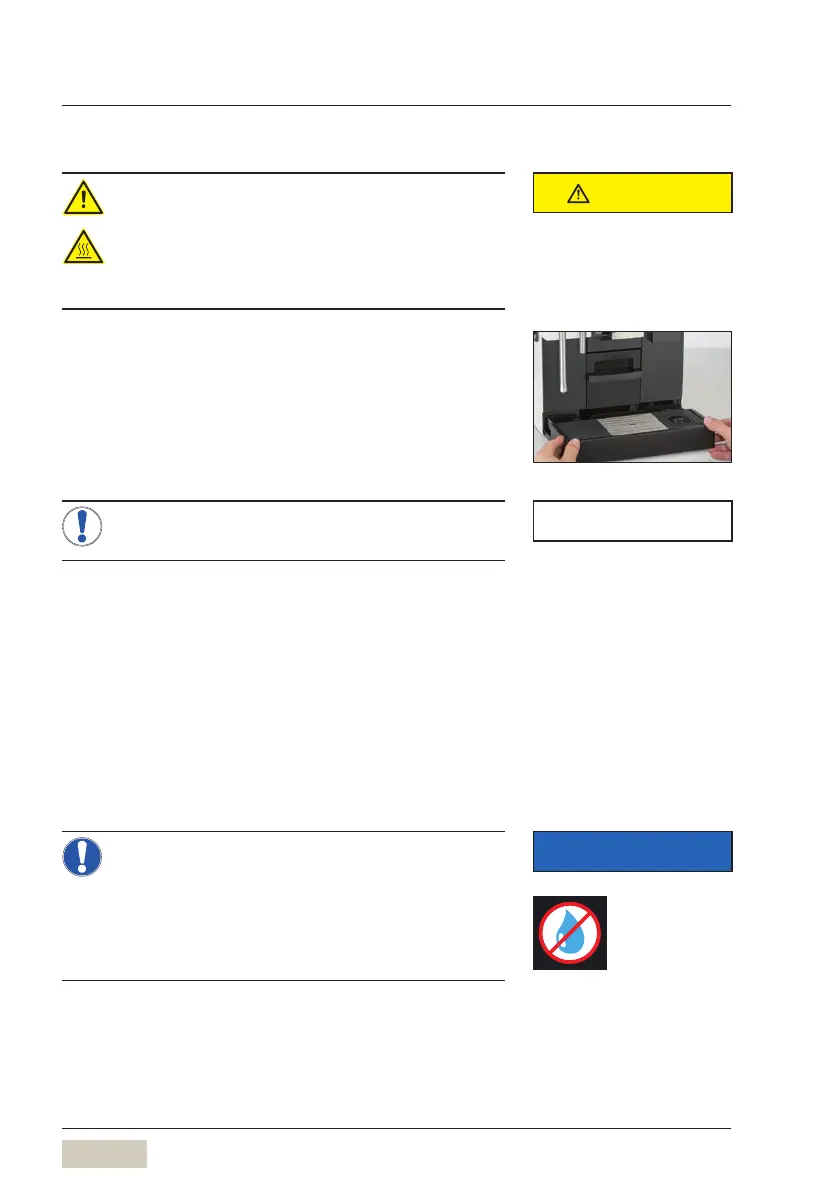
4.15 Drip tray
Scalding hazard
• The drip tray may contain hot liquids.
> Be careful when moving the drip tray.
> Replace carefully so that no water
accidentally drips down.
For coffee machines with no drain connection, the fill
level sensor indicates when the drip tray is full.
Remove the drip tray carefully, empty it, and then
reinsert the drip tray
On coffee machines with adrain connection the
drip tray may also be removed (e.g. for cleaning).
Drip tray sensor
A sensor monitors whether the drip tray has been
inserted and the fill level. The coffee machine will
indicate on the display when the maximum fill level is
reached.
After the display message appears, remove the
driptray carefully, empty it, and then reinsert the
drip tray
The underside of the drip tray and the area
around the drip tray sensor must be dry
before it is inserted. The sensor is on the
right, underneath the drip tray. If there is
residual moisture in this area, the message,
“Emptydriptray” appears again.
CAUTION
Follow the Safety chapter
w starting on page 7
Clean drip tray daily
w Care
starting on page 72
NOTE
IMPORTANT
This sticker indicates the area that
needs to stay dry.



 To Next Page