59
User Manual WMF1100 S
Software | Timer
5.9 Timer
Time/date
The current time of day and the date are set here.
Button layout state
Options: • active
• inactive
Default value:
inactive
active Button layouts can be assigned automatically
via the timer.
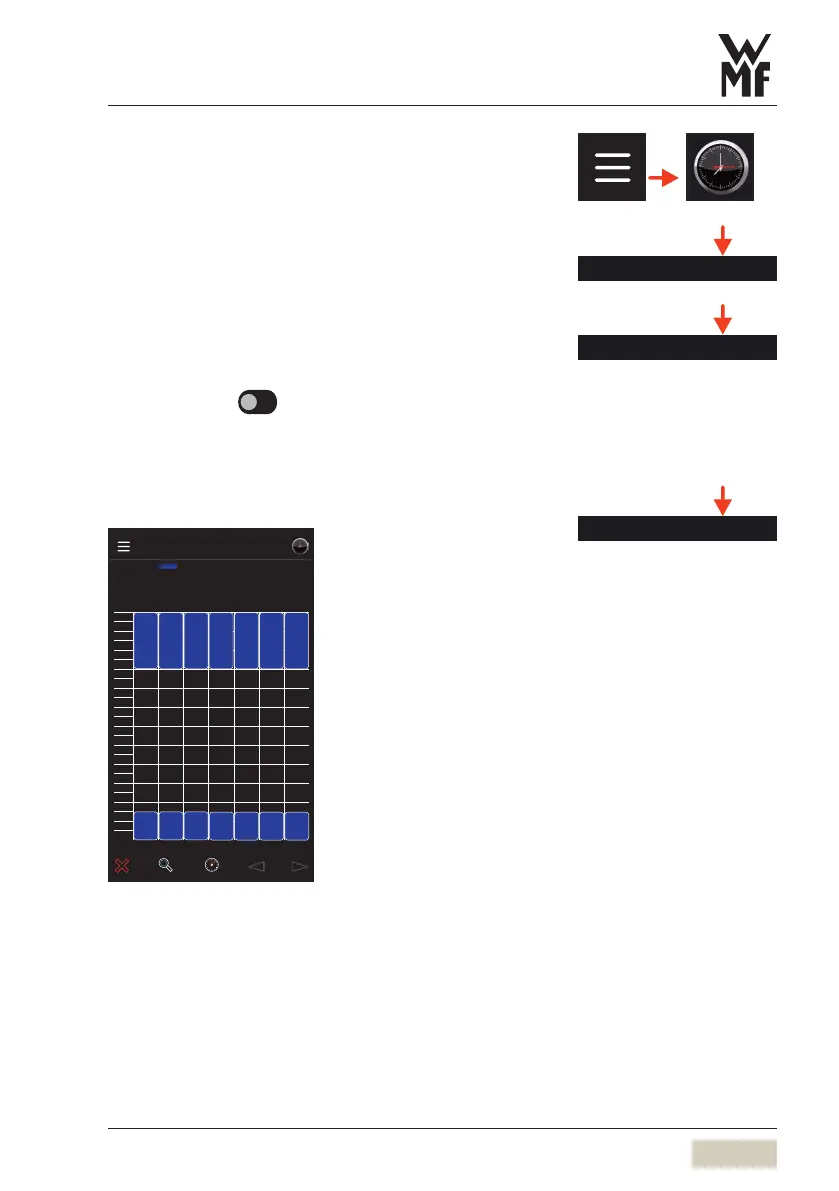
Button layout overview
Mo Tu We Th Fr Sa Su
00:00
01:00
02:00
03:00
04:00
05:00
06:00
07:00
08:00
09:00
10:00
11:00
12:00
13:00
14:00
15:00
16:00
17:00
18:00
19:00
20:00
21:00
22:00
23:00
Timer
Button layout overview
Button layout
00:00 06:.. 00:00 06:.. 00:00 06:.. 00:00 06:.. 00:00 06:.. 00:00 06:.. 00:00 06:..
21:00 00:.. 21:00 00:.. 21:00 00:..
21:00 00:.. 21:00 00:.. 21:00 00:.. 21:00 00:..
The weekly overview of all switching times for the
button layout is displayed.
The settings can be modified directly in the overview.
Time / date
DS_04_11_00_05
Button layout state
For example, self-service from
21:00to 06:00.
Button layout overview
The minimum time for displaying
abutton layout is 30minutes.



 To Next Page