12
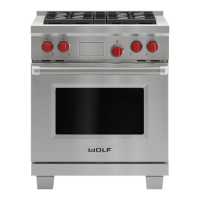
W O L F D UA L F UE L R AN GE S
R EM OV I NG T H E R A N G E
If removing the dual fuel range is necessary for
cleaning or service, shut off the gas supply.
Disconnect the gas supply and electrical
c
onnections to the unit, then remove the
range. Reinstall in the reverse order and be
s
ure to check the gas connection for leaks.
Refer the Wolf dual fuel ranges use & care
information included with the range for
cleaning recommendations.
T ROU B LE S H O O T I N G
IMPORTANT NOTE:
If the dual fuel range
does not operate properly, follow these
troubleshooting steps:
V
erify that power is being supplied to the
range.
Check the gas supply and electrical
connections to ensure that the installation
has been completed correctly.
Check that gas valves are turned to the ON
position.
Follow troubleshooting procedures as
described in the Wolf dual fuel ranges
use & care information.
If the range still does not work, contact a
Wolf dealer. Do not attempt to repair the
range yourself. Wolf
is not responsible for service required to
correct a faulty installation.
Be sure to disconnect the gas supply and
electrical connections before removing
the range.
V ER IF Y R A N G E O P E R AT I O N
IMPORTANT NOTE:
Prior to operating the
range, be sure to read the entire Wolf dual fuel
ranges use & care information included with
the range for important safety and service
i
nformation.
Install the oven rack guides onto the shoulder
screws located on the interior side walls of the
oven. Slide the oven racks onto the support
racks within the oven. There are three racks
per oven, except for the 457 mm oven which
has two racks. Place the broiler pan and grid
on a rack within the oven, if desired.
Turn on the power supply to the range. The
control panel should be closed (no visible
control pads). Touch and slightly depress the
flame graphic on the hidden control panel to
open.
Set the time of day by pressing the touch
pad, scroll to the desired time by using the
or arrows, then touch . After setting the
time, the hidden control panel can be closed.
The control panel does not have to be open to
operate the oven.
Select any of the eight cooking modes by
using the oven control knob bezel and turning
to the desired mode. Once the mode has been
selected, the temperature can be adjusted by
turning the temperature readout knob clock-
wise to increase the temperature or counter-
clockwise to decrease the temperature. Verify
that the oven is coming up to temperature. For
a 1219 mm or 1524 mm range, follow this
procedure for the both ovens.
IMPORTANT NOTE:
A small amount of
smoke and odor may be noticed during the
initial break-in period. Refer to the use & care
information for additional information.
S UR FACE B U R N E R S
I N I T I A L L I G H T I N G
The surface burners use electronic igniters in
place of standing pilots. When the range
control knob is pushed in and turned to the
p
osition, the system creates a spark to light the
burner. This sparking continues until the elec-
tronic ignition senses a flame. If the burner
fails to ignite after 10 seconds, return the knob
to the position and attempt to ignite by
turning the knob back to the position.
Be sure to place the burner heads on each
burner base and position the burner grates
over the burner bases and heads before
lighting.
To check operation of the surface burners,
push in and turn each control knob to the
position. The flame should light within four
seconds.
If the burners do not light properly, turn
control knob to the position. Check that the
burner caps are in the proper position. Check
that the power supply cord is plugged in and
that the circuit breaker or house fuse has not
blown. Check that the shut-off valve is in the
ON position. Check operation again; if the
burners do not light properly at this point,
contact your Wolf dealer.
IMPORTANT NOTE:
Initial lighting of the
surface burners may take slightly longer, as air
in the system must be purged before gas can
be supplied to the burner.


 To Next Page
 Loading...