17
• Power ON/OFF
• Short press the power button to turn on, long press the power
button to turn off.
• When using the car charger, if the cigarette lighter port is ACC,
the dash cam will automatically turn on when the car is started.
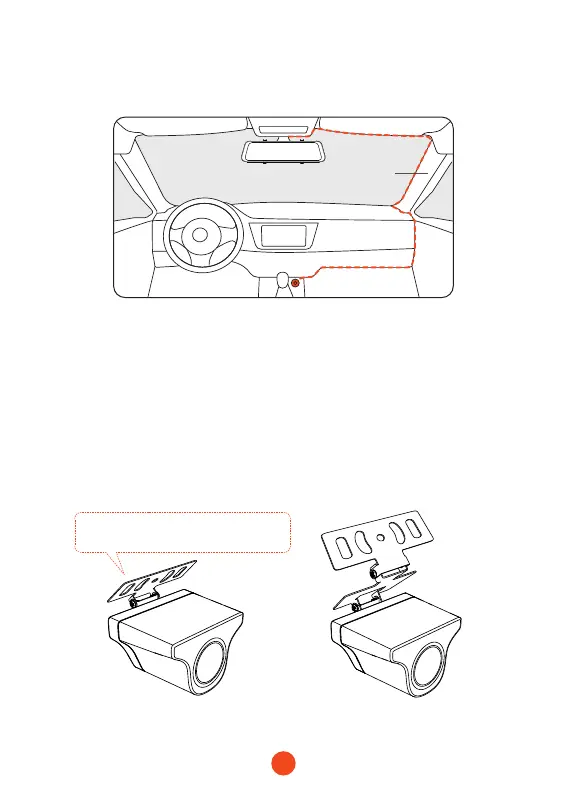
• Rear camera installation
2. Connect the car charger to the charger adapter to supply power
for the dash cam.
Pillar A
• Inside the car bracket• Outside the car bracket
If you don't need to adjust the angle,
you can remove this iron plate.



 To Next Page