18
1. Rear camera cable connects
to the unit
Plug the rear camera cable into
the AV interface of the unit.
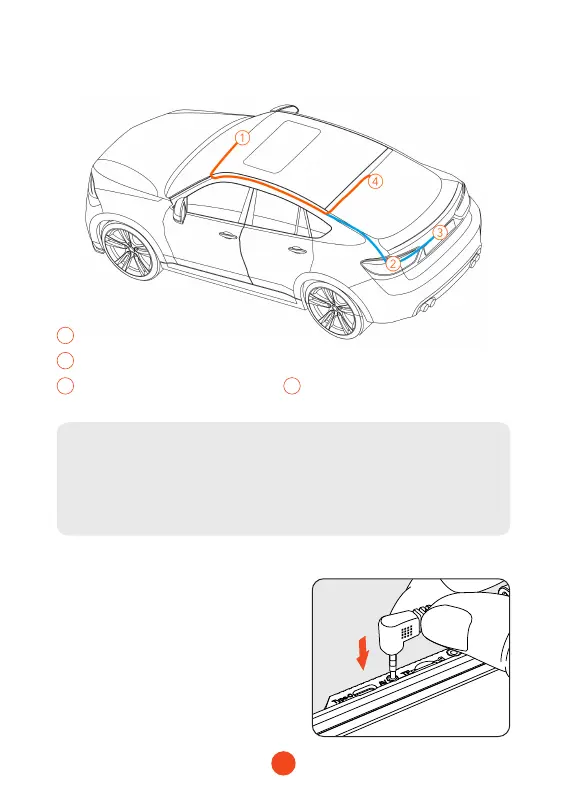
1
Dash camera
2
Connected to reversing light
3
Outside the car bracket
4
Inside the car bracket
• Rear Camera Wiring Instruction (as shown below)
Note:
The rear camera has two wire routing options as shown in the
above gure. The rst part of both options is characterized with
concealing the wire routing against the edges of the door.



 To Next Page