19
2. Rear camera cable routing
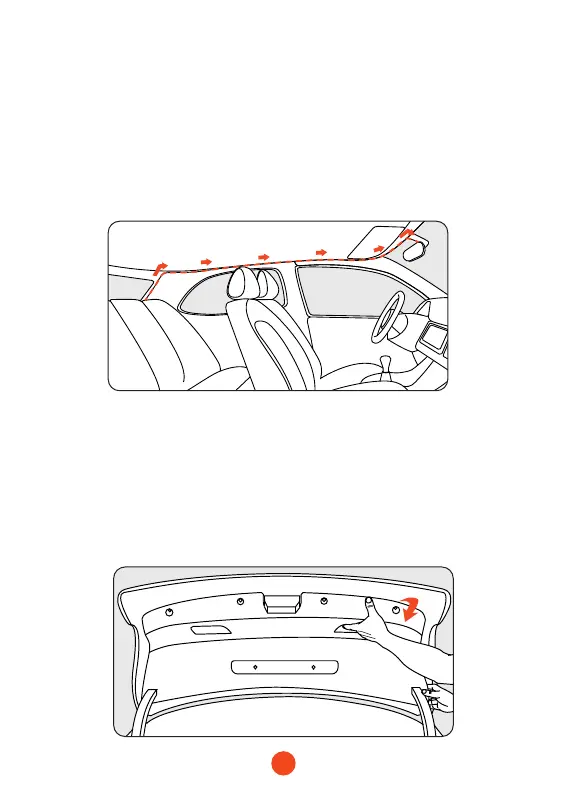
With some wires set aside, connect the rear camera cable to
the rear of the car. Use a tool to insert the cable into the gap
in the front windshield, along the upper end of the door,
and pass it to the rear of the car.
If you choose to install it in the car, just x the rear camera on
the rear windshield after nishing the wiring.
3. Remove the panel
Remove the inside panel of the trunk to expose the car's rear
wiring room. Pop open your trunk and look for a solid interior
panel that covers the other side of the license plate mount area.
Then insert a trim removal tool or other thin device behind the
panel and pry it open.



 To Next Page