20
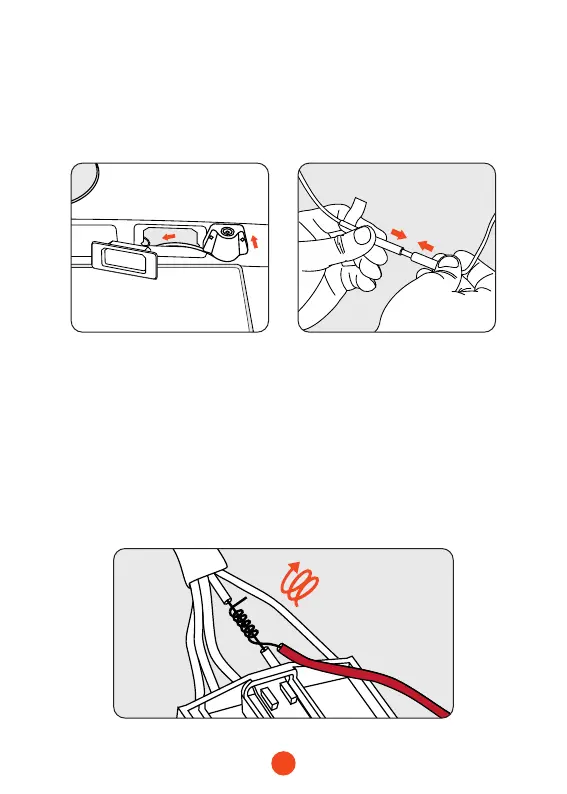
4. Fix the rear camera and connect the cables
Fix the rear camera near the license plate light with 3m glue,
and connect the rear camera cable through the license plate
light hole to the rear camera cable.
5. Connect the red wire to the reverse light's positive terminal
Find the reverse light's positive terminal (when the D gear is
engaged, the voltage cannot be measured; step on the brakes,
engage the R gear, and the voltage is measured), strip the
positive cable, wrap the red wire with it, and wrap it with
insulating tape, the connection is complete . Put the R gear to
see if the dash cam enters the reverse mode to test and conrm
the connection.



 To Next Page