13
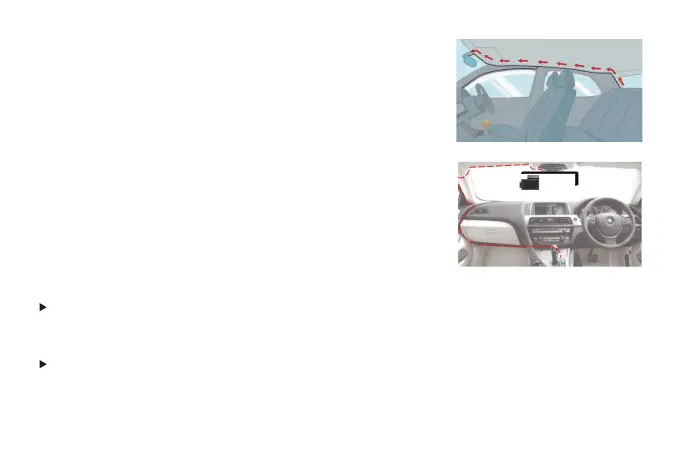
3. Route your rear camera's power cable to the front of the car.
If you'd like, use a trim removal tool to pop out the headlining
panel directly above your windshield. Then, run your cable
through the exposed chamber.
4. Power on the dash cam with box included car charger,don't
charge it with your own chargers.
NOTE
:
Make sure to remove the Plastic Lens Screen Protector from the lens before recording
videos, otherwise your videos will look blurry and blocked.
If you find that the rear image is reversed or mirrored after installing the rear camera, there is
no need to re-install it, please find "Rear Mirror" and "Rear Flip(180°)" in the menu to adjust
the image correctly.



 To Next Page