04
APPEARANCE
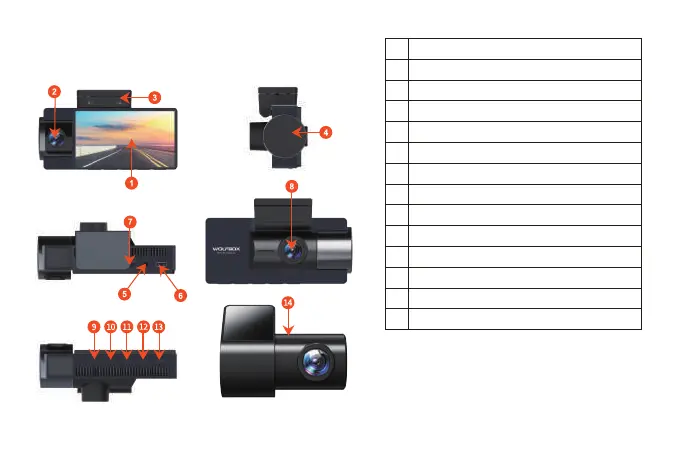
IPS Screen
In-Car camera
GPS built-in bracket
Rotate to adjust the In-Car camera image
Rear Camera input terminal(AV-IN)
Type-C Power port
TF Card slot
Front Camera
Power button
Menu button
Left button
Right button
OK button
Rear camera
1
2
3
4
5
6
7
8
9
10
11
12
13
14
NOTE: When inserting the rear camera
cable, please insert it firmly to ensure
that the circuit is unobstructed, so that
the rear camera can detect.



 To Next Page