9
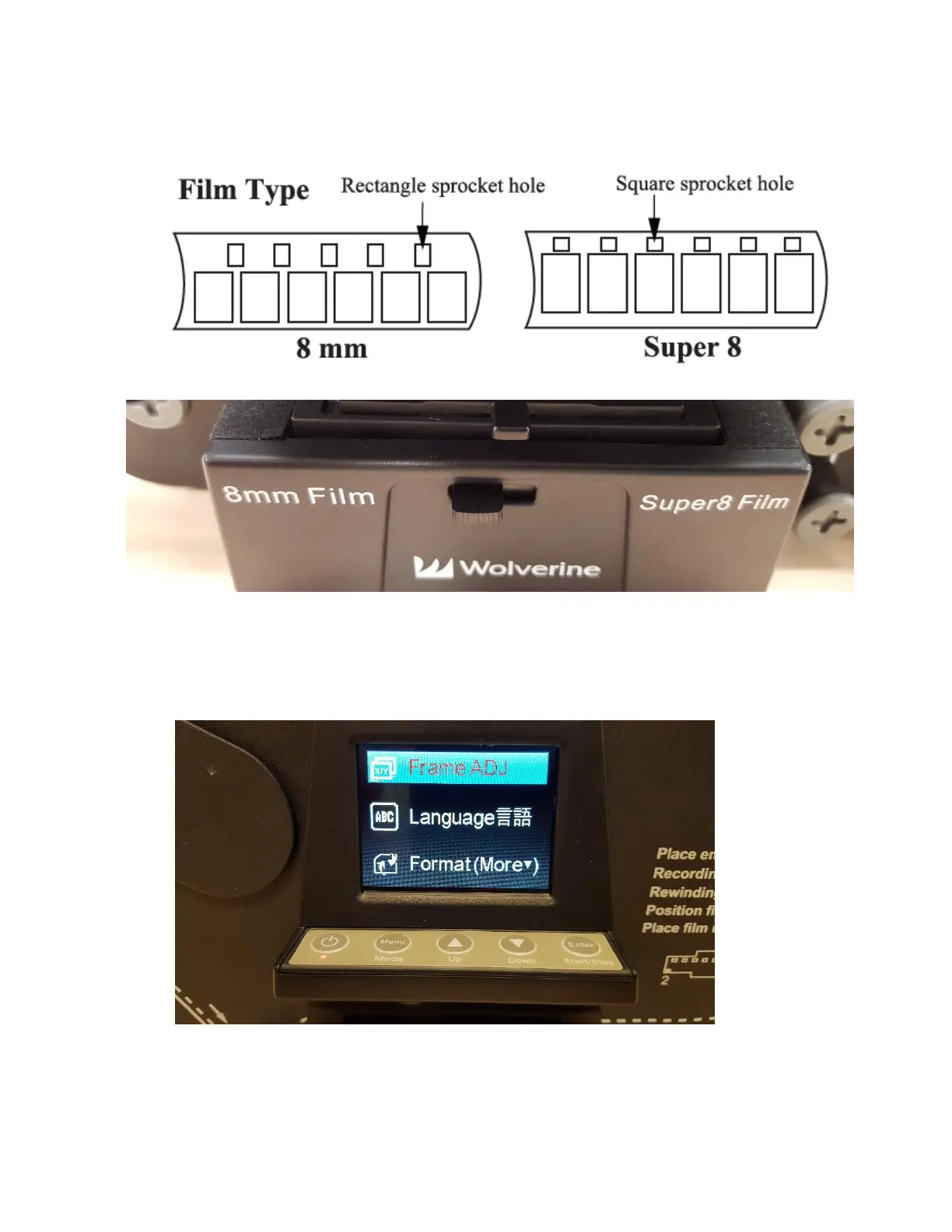
11. Determine whether the film is 8mm or Super 8. Use the guide below to determine, and
then push the tab on the front of the movie maker pro to match your film type (left for 8
mm, right for Super 8).
12. You’ll next want to verify that the frames are centered and adjust if needed. Click the
MENU button to bring up the menu, and click the DOWN arrow until FRAME ADJ is
selected. Then Click the ENTER button.



 To Next Page