EasyManua.ls Logo

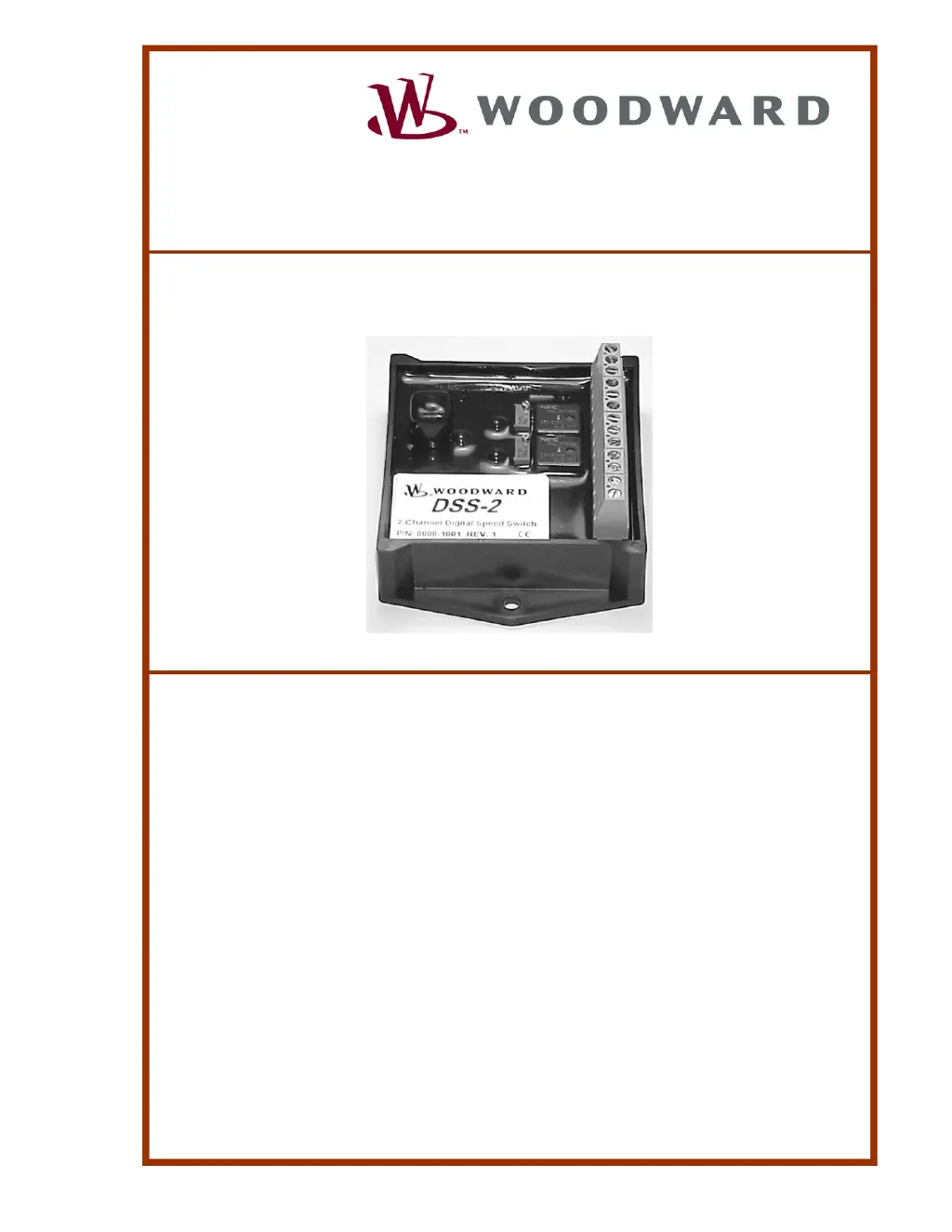
Woodward DSS-2 - User Manual

Woodward DSS-2
64 pages
Print Icon
To Next Page IconTo Next Page
Loading...
User Manual
DSS-2
Two-Channel
Digital Speed Switch
Manual 36598

Table of Contents

Other manuals for Woodward DSS-2

Questions and Answers

  • A
    Adam GarciaAug 6, 2025
    What to do if Woodward Switch shows Overcrank?
    • A
      Amy FrazierAug 6, 2025
      If your Woodward Switch is experiencing overcranking, it means the engine hasn't started after the maximum allowed autocrank attempts (AUTOCRANK_MAX_TRIES). The solution is to disable autocrank.
  • H
    hsnyderAug 14, 2025
    How to calibrate DSS-2 on a Woodward Switch?
    • J
      Jane KelleyAug 14, 2025
      If your Woodward Switch displays 'DSS-2 Uncalibrated', it means the PULSES_PER_REV parameter needs a non-zero value. Enter the number of teeth per engine revolution if you want to work in RPM, or enter 60 if you prefer working in Hz.
  • S
    Sandra WilsonAug 21, 2025
    Why does Woodward DSS-2 show Channel 1 Overspeed?
    • R
      Ricky BarnettAug 21, 2025
      Channel 1 Overspeed on your Woodward Switch indicates that the engine RPM has exceeded the Channel 1 speed setpoint, and CHNL_1_CONFIG.7 is set to 1. Resolve this by setting the appropriate condition.
  • C
    crystal09Aug 28, 2025
    Why does Woodward Switch show Channel 2 Overspeed?
    • B
      brogersAug 29, 2025
      Channel 2 Overspeed on your Woodward Switch means the engine RPM has surpassed the Channel 2 speed setpoint, and CHNL_2CONFIG.7 is set to 1. You should set the condition to resolve this.

Summary

General Information

Introduction

Overview of the DSS-2's capabilities and design.

How Speed Switches Work

Explains the fundamental operation of speed switches.

Set vs. Reset

Defines and explains the "Set" and "Reset" states of speed switches.

Normal vs. Reverse Relay Logic

Describes the two logic modes for relay operation.

Autocrank

Details the autocrank feature and its configuration.

Glow Plug Preheat

Explains the glow plug preheat functionality.

System Components

Lists the key components required for DSS-2 installation.

Specifications

Electrical

Lists electrical specifications for the DSS-2 controller.

Mechanical

Details the mechanical specifications of the DSS-2 controller.

Installation

DSS-2 Mounting

Instructions on how to mount the DSS-2 unit.

DSS-2 Wiring

Guidance on connecting the DSS-2 wiring.

Controller Pinout

Diagram and explanation of the controller's pin assignments.

Speed Sensor Installation

Procedures for installing the speed sensor.

Calibration

Calibration Guide

Overview of the calibration process for DSS-2 features.

Manual Calibration

Steps for calibrating the DSS-2 using manual adjustments.

Calibration with ACT

Using the All-purpose Calibration Tool (ACT) for calibration.

Speed Switch Configuration

How to configure the DSS-2 as a speed switch.

Troubleshooting

General Checklist

A checklist for troubleshooting the DSS-2 controller.

Fault Codes

Explains fault codes and their meanings for the DSS-2.

Service Options

Product Service Options

Available factory options for servicing Woodward equipment.

Replacement;Exchange

Program for immediate replacement of a control unit.

Flat Rate Repair

Standard repair service with known upfront costs.

Flat Rate Remanufacture

High-quality repair service returning units to like-new condition.

Returning Equipment for Repair

Instructions and requirements for sending equipment back for repair.

Return Authorization Number

Procedure for obtaining a Return Authorization Number for repairs.

Replacement Parts

Information required when ordering spare parts for controls.

How to Contact Woodward

Contact details and addresses for Woodward service.

Engineering Services

Information on technical support, product training, and field service.

Regulatory Compliance

European Compliance for CE Marking

Details European compliance and CE marking information.

EMC Directive

Specifics on the EMC Directive compliance.

Electromagnetic Compatibility

Testing standards for electromagnetic compatibility.

EMC Limitations

Limitations related to cabling for EMC.

Declaration of Conformity

Information on obtaining the Declaration of Conformity.

ACT Operation

ACT Installation

Steps for installing the ACT software and hardware.

ACT Kit Contents

Lists the items included in the ACT kit.

Set-up Requirements

Hardware and software requirements for using ACT.

Hardware Set-up

Connecting the PC to the DSS-2 for ACT.

Software Set-Up

Installing the ACT software on a PC.

Basic ACT Operation

How to perform basic operations with the ACT software.

Running the ACT Software

Procedures for launching and running the ACT application.

Progress Display Screen

Information screen for ACT progress.

Moving Around the Software

Navigating the ACT software menus and options.

ACT Menus & Options

Overview of the ACT software's menu structure and functions.

Woodward DSS-2 Specifications

General IconGeneral
Contact FormSPDT
Mechanical Life1, 000, 000 cycles
MountingPanel Mount
Operating Temperature-40°C to 85°C
Electrical Life100, 000 cycles

Related product manuals