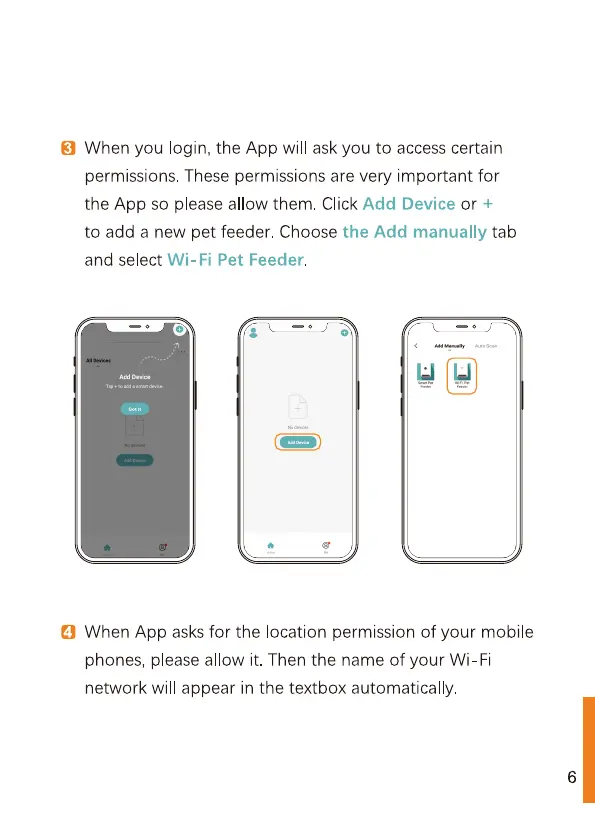
© When you login, the App will ask you
to
access
certain
permissions. These permissions
are
very important for
the App
so
please allow them. Click Add Device
or
+
to
add a
new
pet feeder. Choose the Add
manually tab
and select Wi-Fi Pet Feeder.
©) When
App asks
for the location
permission
of
your mobile
phones, please allow it. Then the
name
of your Wi-Fi
network
will appear in the textbox
automatically.



 To Next Page