Operating the appliance
Greenstar 8000 + – 6721890764 (2024/06)
8
4 Operating the appliance
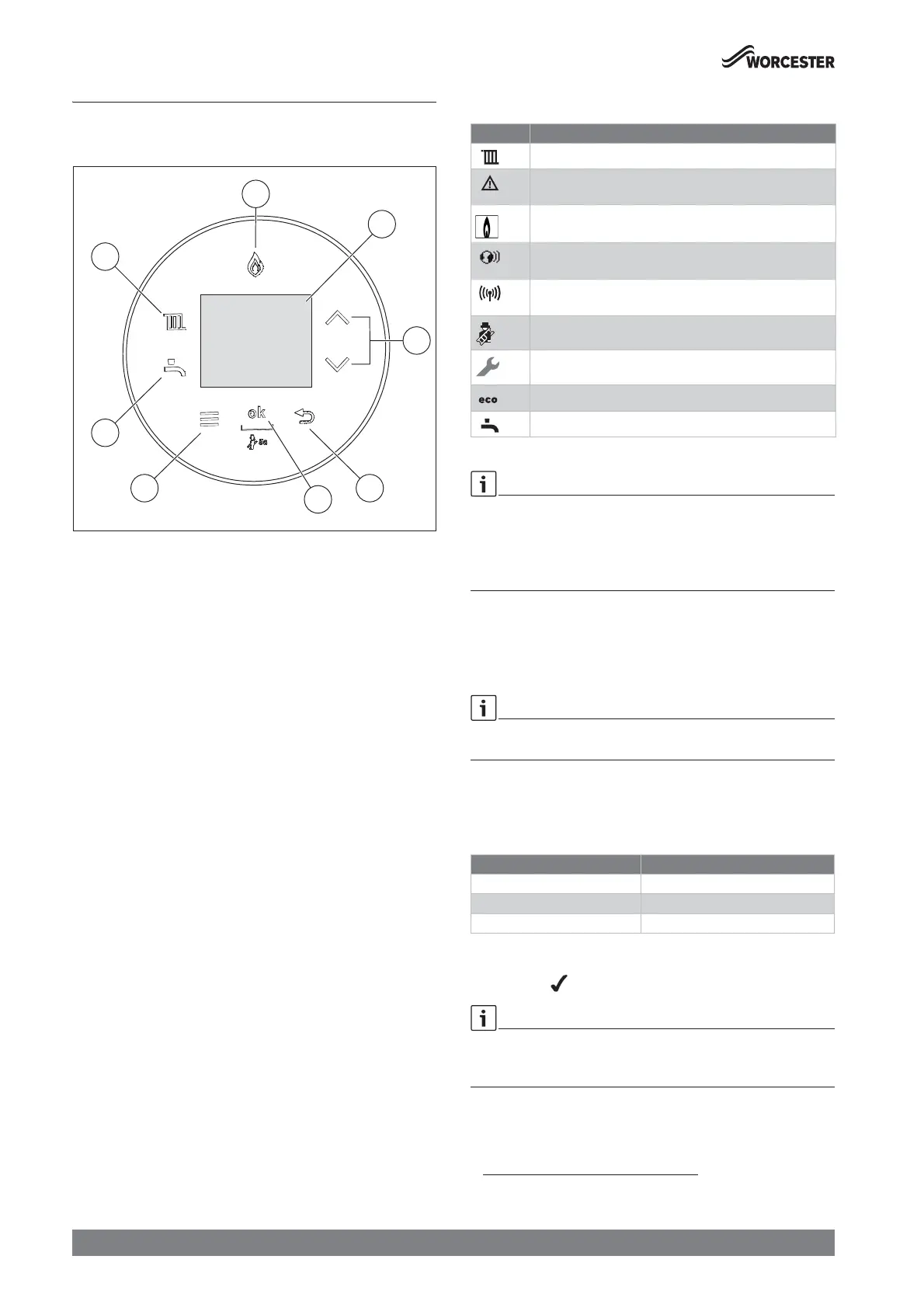
4.1 Control panel overview
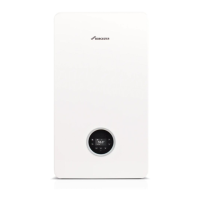
Fig. 4 Control panel
[1] Display
[2] c and d keys: To navigate through menus and increase/
decrease settings
[3] d key: Return/back
[4] ok key: Save settings
[5] Menu key
[6] Hot water key: Hot water mode on/off, adjusting the hot water
temperature
[7] Heating key: Heating mode on/off, set the maximum flow
temperature
[8] Burner display: Illuminates when the burner is alight.
4.2 Symbols in the display
Table 3 Symbols in the display
The heating and hot water settings have been adjusted by the installer to
the appliance’s optimum settings.
Ā Before making any adjustments it is advisable to make a note of these
settings so that you can return to these optimum settings in the
future.
4.3 Heating key
The heating key is used to set the max. flow temperature. The maximum
flow temperature can be set between 30 °C and 88 °C
1)
. The current
flow temperature is shown on the display.
With underfloor heating systems observe the maximum permissible flow
temperature.
Ā Press the ( key.
The set maximum flow temperature appears.
Ā Press the c or d keys to set the desired maximum flow
temperature.
Table 4 Maximum flow temperature
Ā To save the setting, press the ok key or wait for 2 seconds.
The symbol appears for a short time.
If a time program is activated and set on S auto press the ok key to
switch to S Advance. Time programs are available with Key
(accessories).
S auto: Heating is switched on and off according to programmed times
for heating.
Symbol Explanation
Central heating ON
Is displayed with the appliance status code and diagnostic
code during a fault condition
Burner ON/OFF
Connection with the Wi-Fi network (only available with
accessories)
Connection with RF transmitter, e.g. Comfort+ II RF room
thermostat (only available with Key accessories)
chimney sweep mode
Service mode
Eco-Mode (not applicable for regular appliances)
Hot water ON (not applicable for regular appliances)
1) The maximum value can be reduced by the service technician.
Supply temperature Sample application
Approx. 50 °C Underfloor heating system
Approx. 75 °C Radiator heating system
Approx. 82 °C Convector heating system






 To Next Page