EasyManua.ls Logo

Work Sharp WS2000 - User Manual

Work Sharp WS2000
31 pages
Print Icon
To Next Page IconTo Next Page
Loading...
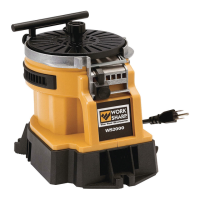
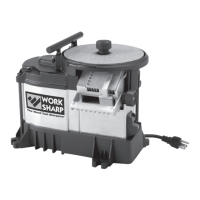
WS2000
USER’S GUIDE
GUÍA DEL USUARIO
MODE D'EMPLOI
Fast, Easy,
& Versatile
Tool Sharpening
Afilado rápido,
fácil, y versátil
de herramientas
Affûtage d’outils
rapide, précis
et polyvalent
Question and Answer IconNeed help?

Do you have a question about the Work Sharp WS2000 and is the answer not in the manual?

Summary

IMPORTANT Safety Warnings & Instructions

Installation and Assembly

Instructions for unpacking and setting up the tool.

Fire Prevention Precautions

Safety measures to prevent fire hazards during operation.

Electric Shock Hazards

Warnings and precautions to avoid electrical shock.

Grounding Instructions

Guidance on proper electrical grounding for safety.

Personal Protection Equipment

Recommended protective gear for safe operation.

Getting to Know Your Tool

Safety Feature: Lock Out Power Switch

Description of the power switch lock-out mechanism for safety.

Tool Specifications

Detailed list of the tool's technical specifications and components.

Unpacking and Assembling

Assembly Steps and Port Descriptions

Step-by-step guide for assembly and description of sharpening ports.

Edge-Vision Underside Port Sharpening

Instructions for sharpening with the underside port.

Topside Freehand Sharpening

Technique for sharpening using the top side of the wheel.

General Purpose Grinding

Guidelines for general grinding tasks.

Selecting the Right Abrasive and Sharpening Tips

Abrasive Technology Overview

Explanation of Work Sharp abrasive technology and features.

Sharpening Port Tips

Tips for effective sharpening using the main sharpening port.

Edge-Vision Underside Port Tips

Tips for using the Edge-Vision™ underside sharpening port.

Top Side Freehand Sharpening Tips

Tips for freehand sharpening on the top side of the wheel.

Determining Abrasive Replacement

Indicators that signal the need to replace the abrasive disk.

Care and Maintenance

Cleaning the WS2000 Unit

Procedure for cleaning the tool to maintain performance and safety.

Troubleshooting

Edge Damage Removal Issues

Solutions for problems removing damage from the cutting edge.

Tool Not Staying Sharp

Troubleshooting steps when the tool fails to hold an edge.

Excessively Long Sharpening Time

Addressing issues causing slow sharpening performance.

Excessive Vibration

Diagnosing and resolving excessive tool vibration.

Tool Not Sharp

Solutions for when the tool does not achieve sharpness.

Wheel Stall Issues

Resolving problems related to the grinding wheel stalling.

Warranty and Support

Technical Support Contact

Information for obtaining technical assistance and support.

Summary

IMPORTANT Safety Warnings & Instructions

Installation and Assembly

Instructions for unpacking and setting up the tool.

Fire Prevention Precautions

Safety measures to prevent fire hazards during operation.

Electric Shock Hazards

Warnings and precautions to avoid electrical shock.

Grounding Instructions

Guidance on proper electrical grounding for safety.

Personal Protection Equipment

Recommended protective gear for safe operation.

Getting to Know Your Tool

Safety Feature: Lock Out Power Switch

Description of the power switch lock-out mechanism for safety.

Tool Specifications

Detailed list of the tool's technical specifications and components.

Unpacking and Assembling

Assembly Steps and Port Descriptions

Step-by-step guide for assembly and description of sharpening ports.

Edge-Vision Underside Port Sharpening

Instructions for sharpening with the underside port.

Topside Freehand Sharpening

Technique for sharpening using the top side of the wheel.

General Purpose Grinding

Guidelines for general grinding tasks.

Selecting the Right Abrasive and Sharpening Tips

Abrasive Technology Overview

Explanation of Work Sharp abrasive technology and features.

Sharpening Port Tips

Tips for effective sharpening using the main sharpening port.

Edge-Vision Underside Port Tips

Tips for using the Edge-Vision™ underside sharpening port.

Top Side Freehand Sharpening Tips

Tips for freehand sharpening on the top side of the wheel.

Determining Abrasive Replacement

Indicators that signal the need to replace the abrasive disk.

Care and Maintenance

Cleaning the WS2000 Unit

Procedure for cleaning the tool to maintain performance and safety.

Troubleshooting

Edge Damage Removal Issues

Solutions for problems removing damage from the cutting edge.

Tool Not Staying Sharp

Troubleshooting steps when the tool fails to hold an edge.

Excessively Long Sharpening Time

Addressing issues causing slow sharpening performance.

Excessive Vibration

Diagnosing and resolving excessive tool vibration.

Tool Not Sharp

Solutions for when the tool does not achieve sharpness.

Wheel Stall Issues

Resolving problems related to the grinding wheel stalling.

Warranty and Support

Technical Support Contact

Information for obtaining technical assistance and support.

Work Sharp WS2000 Specifications

General IconGeneral
Power SourceElectric
Warranty1 Year
Voltage120V
Abrasive TypeBelt and disc
Belt Size1" x 18"

Related product manuals