EasyManua.ls Logo

Workzone LM128-Elite - User Manual

Workzone LM128-Elite
20 pages
Print Icon
To Next Page IconTo Next Page
Loading...
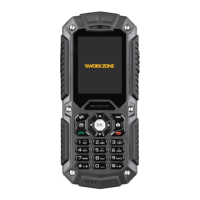
The Rugged Phone
Optional
RUGGED MOBILE PHONE
Type of product
Language
Question and Answer IconNeed help?

Do you have a question about the Workzone LM128-Elite and is the answer not in the manual?

Summary

Phone Safety and Initial Setup

Important Safety Precautions

Essential safety guidelines for using the rugged mobile phone to prevent harm or damage.

Battery and SIM Card Installation

Instructions for installing and charging the battery and inserting the SIM card.

Memory Card and Access Codes

Guide on inserting a memory card and understanding SIM card access codes (PIN/PUK).

Phone Layout and Standby Mode

Overview of the phone's physical layout and status bar icons in standby mode.

Core Phone Operations

Text Entry Methods

Guide to using different text input methods like ABC, Zi, Number, and Symbol modes.

Making and Managing Calls

Detailed steps for making, receiving, and managing calls, including international and phonebook calls.

Call Options and History

Managing call features, call waiting, divert, barring, and accessing call history logs.

Main Menu and Call Center

Navigating the main menu and accessing call history records like missed, dialled, and received calls.

Contacts and File Management

Phonebook Operations

Adding, searching, editing, and managing contacts, including phonebook settings and memory status.

File Manager

Managing downloaded contents like images, audio, music, and photos.

Features and Settings

Organizer Functions

Utilizing Calendar, Alarm, World Clock, and Calculator for personal organization.

Messaging and Multimedia

Sending and receiving messages, and using multimedia features like Camera, Audio, and Video players.

FM Radio and E-book Reader

Listening to FM radio with a headset and reading e-books from the memory card.

Phone Settings and Security

Configuring Dual SIM, User Profiles, Language, Display, and security features like Phone Lock.

Connectivity and Troubleshooting

Bluetooth Connectivity

Utilizing Bluetooth for data transfer and audio streaming.

Troubleshooting Common Issues

Solutions for common phone issues like not switching on, network connection, and call quality.

Summary

Phone Safety and Initial Setup

Important Safety Precautions

Essential safety guidelines for using the rugged mobile phone to prevent harm or damage.

Battery and SIM Card Installation

Instructions for installing and charging the battery and inserting the SIM card.

Memory Card and Access Codes

Guide on inserting a memory card and understanding SIM card access codes (PIN/PUK).

Phone Layout and Standby Mode

Overview of the phone's physical layout and status bar icons in standby mode.

Core Phone Operations

Text Entry Methods

Guide to using different text input methods like ABC, Zi, Number, and Symbol modes.

Making and Managing Calls

Detailed steps for making, receiving, and managing calls, including international and phonebook calls.

Call Options and History

Managing call features, call waiting, divert, barring, and accessing call history logs.

Main Menu and Call Center

Navigating the main menu and accessing call history records like missed, dialled, and received calls.

Contacts and File Management

Phonebook Operations

Adding, searching, editing, and managing contacts, including phonebook settings and memory status.

File Manager

Managing downloaded contents like images, audio, music, and photos.

Features and Settings

Organizer Functions

Utilizing Calendar, Alarm, World Clock, and Calculator for personal organization.

Messaging and Multimedia

Sending and receiving messages, and using multimedia features like Camera, Audio, and Video players.

FM Radio and E-book Reader

Listening to FM radio with a headset and reading e-books from the memory card.

Phone Settings and Security

Configuring Dual SIM, User Profiles, Language, Display, and security features like Phone Lock.

Connectivity and Troubleshooting

Bluetooth Connectivity

Utilizing Bluetooth for data transfer and audio streaming.

Troubleshooting Common Issues

Solutions for common phone issues like not switching on, network connection, and call quality.

Workzone LM128-Elite Specifications

General IconGeneral
BrandWorkzone
ModelLM128-Elite
CategoryCell Phone
LanguageEnglish