Cleaning and maintenance
27
NOTICE!
Risk of damage!
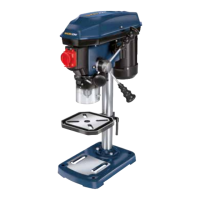
Improperly cleaning the drill may damage it.
− Do not use any aggressive cleaners, brushes with metal or nylon bristles
or sharp or metallic cleaning utensils such as knives, hard scrapers and
the like. They could damage the surfaces.
− Never immerse the drill in water or other liquids.
− Make sure that no water or other liquids penetrate the housing.
Cleaning
1. Switch the drill off by pushing the red off switch O
31
and pull the mains plug out
of the socket.
2. Wait a moment until the drill and fitted drill bit or tool have cooled off.
3. Remove the drill bit and the tool.
4. Remove the chips and other parts with a brush or similar.
5. Clean the drill with a damp, soft cloth. You can use a mild soap for dirt that sticks to
the device.
6. Let all parts dry completely before using the drill again or putting it into storage.
Maintenance
− Check that the safety-relevant components of the drill are working properly at
regular intervals.
− If you replace safety-relevant parts, they must be checked to make sure they
work without any problems before the next start-up.
− To avoid possible assembly errors during maintenance, follow all the instructions
in the chapter “Assembly”.
There are no other parts within the device that need to be maintained.
Greasing
− From time to time, grease the drill column
7
with commercially available acid-
free lubricating grease (available in supply stores).

 To Next Page
 Loading...