8. GLOBAL
When you press[GLOBAL] button,the GLOBAL MODE be activated, it has 7 pages in this
mode,Table 1 shows corresponding function for each page.
Page 1 MIDI COMMON CHANNEL
Page2 PAD VELOCITY CURVE
Page 3 MUTE
Page 4 Reset
Page5 SAVE GLOBAL
Page6 Pad Note output type
Page7 Transport type
Table 1
8.1 Page1-MIDI COMMON CHANNEL
use [ > ] or [< ]button to select MIDI Common Channel page in GLOBAL MODE. Turn
[VALUE] dial to select desire MIDI Channel. The array of the MIDI Channel is 0~15, Press
[ENTER] set MIDI Channel.
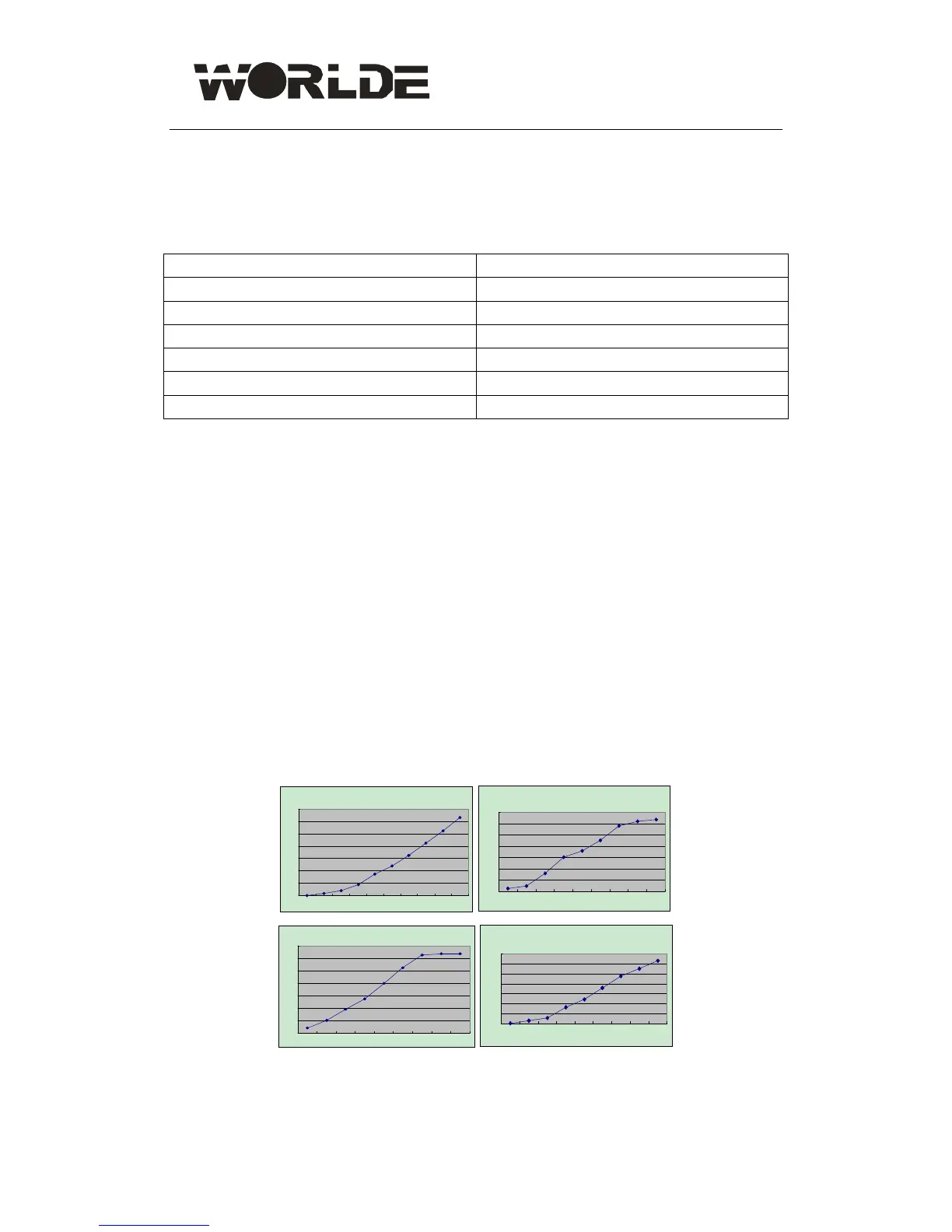
8.2 Page2-PAD VELOCITY CURVE
Use [ > ] or [< ]button to select PAD VELOCITY CURVE page in GLOBAL MODE. Turn
[VALUE] dial to change Pad curve type. it has four curves, The array of the four curves is
0~3. Press [ENTER] to select desired curve.
PCD1
0
20
40
60
80
100
120
140
12345678910
PCD2
0
20
40
60
80
100
120
140
123456789
PCD3
0
20
40
60
80
100
120
140
123456789
PCD4
0
20
40
60
80
100
120
140
123456789



 To Next Page