INTRODUCTION
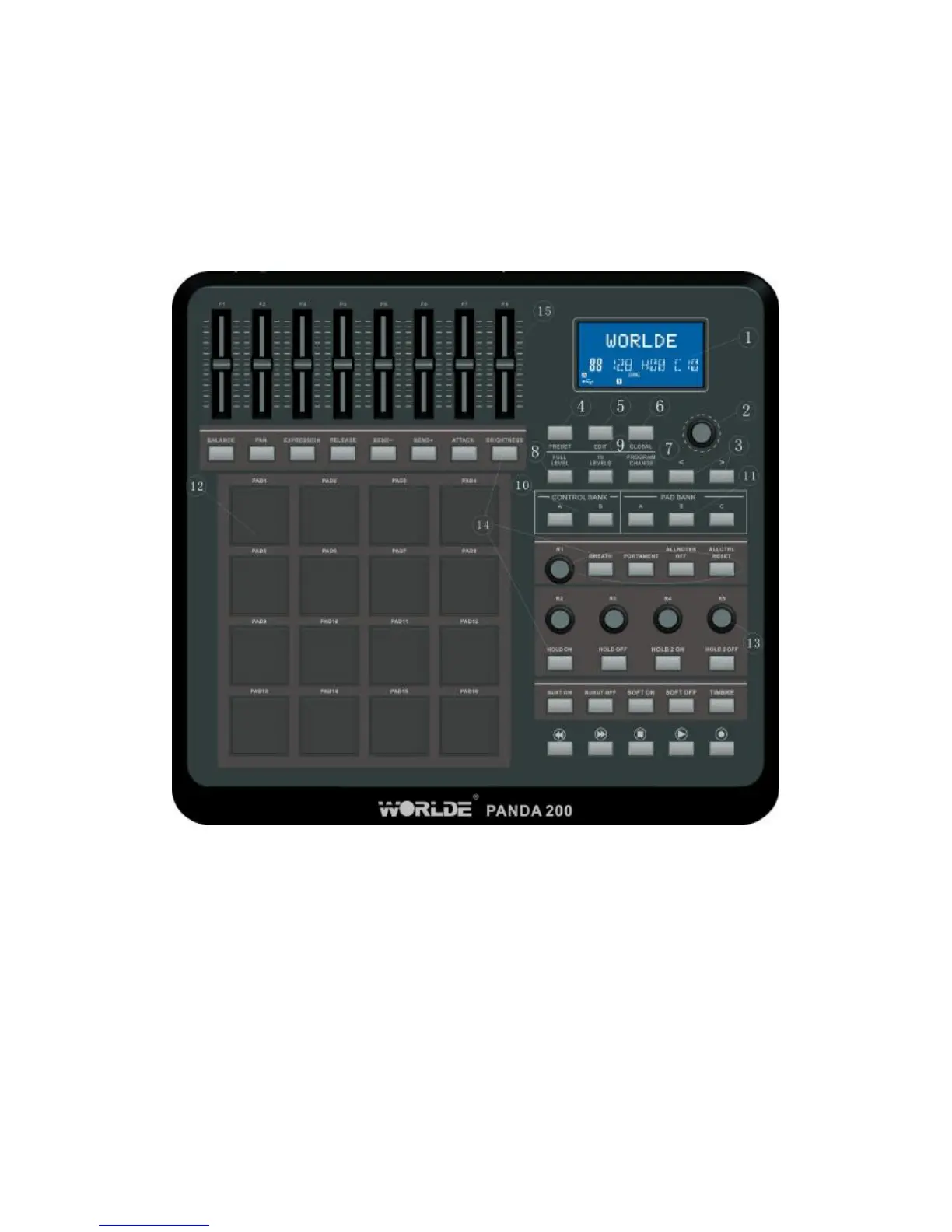
FRONT PANEL OVERVIEW
1. LCD – The display is used for navigating menus, displaying data, and affecting change
on PANDA200’s options and parameters.
2. [VALUE] (Push to Enter) –This dial is used for incrementing and decrementing Presets,
parameter values and settings. This dial also functions as an [ENTER] button when it is
pressed down.
3. [<] AND [>] BUTTONS – These buttons are used for navigating through fields of menus
and options.
4. [PRESET] – This button calls up Preset Mode. You can select and recall different
Preset programs in this mode.
5. [EDIT] – This button calls up Edit Mode, which allows you to edit the behavior of the
pads, knobs, buttons, faders
6. [GLOBAL] – This button calls up Global Mode, where MIDI reset commands and
global system preferences are set.
7. [PROGRAM CHANGE] – Pressing this button will enter Program Change mode. In
this mode, you can send a Program Change or Program with Bank Change message to a
hardware or software module.



 To Next Page