EasyManua.ls Logo

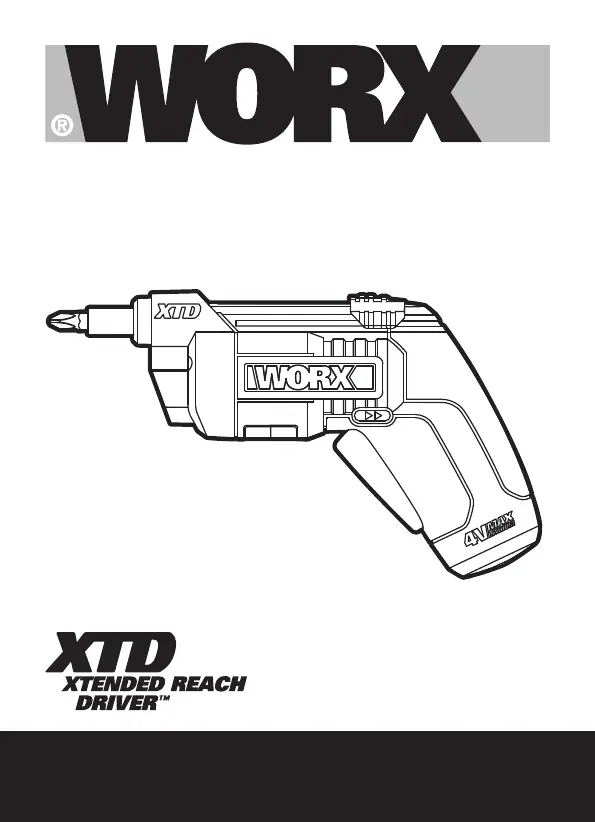
Worx WX252 - User Manual

Worx WX252
220 pages
Print Icon
To Next Page IconTo Next Page
Loading...
WX252 WX252.X

Table of Contents

Other manuals for Worx WX252

Questions and Answers

  • B
    Brenda CarrAug 18, 2025
    What to do if Worx Impact Driver stops during driving screws?
    • L
      Lori HerreraAug 18, 2025
      If your Worx Impact Driver stops while you're driving screws, it's likely because the battery is out of power. To resolve this, ensure the driver is fully charged before use.
  • C
    Cassie HumphreyAug 21, 2025
    Why Worx Impact Driver battery will not charge?
    • L
      Lisa LongAug 21, 2025
      If the battery of your Worx Impact Driver isn't charging, there are a couple of things to check. First, make sure the charger is properly plugged into a working outlet; you can test the outlet by plugging in a lamp. Second, the surrounding air temperature might be too hot or too cold. Move the charger to a location with a more suitable temperature.
  • J
    Jonathan WilliamsAug 23, 2025
    What to do if my Worx WX252 Power Screwdriver battery will not charge?
    • G
      Gary JohnsonAug 23, 2025
      If your Worx Power Screwdriver battery isn't charging, first ensure the charger is properly plugged into a working outlet. Also, check the surrounding air temperature; if it's too hot or too cold, move the charger to an environment with a suitable temperature.
  • P
    Patrick CookAug 26, 2025
    Why won't my Worx WX252 turn on?
    • L
      lisa07Aug 26, 2025
      If your Worx Power Screwdriver isn't working, check that the Forward/Reverse switch isn't in the middle position. Set it to either Forward or Reverse, depending on what you need to do.
  • T
    Travis GordonAug 28, 2025
    What to do if Worx WX252 charger not working?
    • J
      Joe JohnsonAug 28, 2025
      Make sure the charger for your Worx Power Screwdriver is plugged into a working outlet. You can test the outlet by plugging in a lamp to see if it works.
  • W
    williamsleeAug 30, 2025
    Why is my Worx Power Screwdriver charger not working?
    • A
      Andrea TaylorAug 30, 2025
      Move the Worx Power Screwdriver charger to a place where the temperature is right for it. If it's too hot or too cold around the charger, it might not work well.
  • F
    Frances MyersSep 1, 2025
    Why won't my Worx Power Screwdriver battery charge?
    • J
      John ClarkSep 1, 2025
      Your Worx Power Screwdriver battery might not be charging because the charger isn't properly plugged into a working outlet. Try plugging the charger into a different outlet, verifying its functionality with a lamp. Also, extreme temperatures can prevent charging. Ensure the charger is in an environment with a suitable temperature.
  • J
    Joshua HernandezSep 3, 2025
    What to do if my Worx Power Screwdriver stops while driving screws?
    • M
      Michelle AlvaradoSep 4, 2025
      If your Worx Power Screwdriver stops while driving screws, the battery may be depleted. Ensure the screwdriver is fully charged before use.
  • W
    Wyatt HumphreySep 6, 2025
    How to fix a Worx Power Screwdriver when the switch cannot be pressed?
    • E
      Elizabeth MartinezSep 6, 2025
      If the switch on your Worx Power Screwdriver cannot be pressed, it's likely that the Forward/Reverse switch is in the middle position. Make sure this switch is set to either the Forward or Reverse rotation, depending on what your project requires.
  • L
    lauralindseySep 8, 2025
    How to fix Worx Impact Driver switch if it cannot be pressed?
    • D
      Diana BrownSep 8, 2025
      If you can't press the switch on your Worx Impact Driver, it's probably because the Forward/Reverse switch is in the middle position. Ensure the switch is set to either Forward or Reverse rotation, depending on what your project requires.

Summary

General Power Tool Safety

Work Area Safety

Maintain a clean, well-lit workspace and prevent distractions or unauthorized access.

Electrical Safety

Ensure proper electrical connections, avoid wet conditions, and protect cords from damage.

Personal Safety

Stay alert, use PPE, and prevent unintentional tool activation.

Power Tool Use and Care

Proper Application and Maintenance

Use the correct tool for the job and ensure it is in good repair.

Battery Tool Use and Care

Specific Tool Safety Warnings

Operating Instructions

Trouble Shooting

Worx WX252 Specifications

General IconGeneral
Power sourceBattery
Charging time5 h
Battery voltage4 V
Battery capacity1.5 Ah
Torque (max)3 N⋅m
Idle speed (max)230 RPM
ReverseYes
Handle shapePistol handle
Product typePower screwdriver
Product colorBlack, Orange, Silver
Chuck diameter-
Adjustable speedNo
Weight and Dimensions IconWeight and Dimensions
Depth60 mm
Width160 mm
Height230 mm
Weight700 g

Related product manuals